Educational Games Starter Kits Sorted by Age and Skill
Osmo Genius Starter Kit ranks first for children six to ten who already own a family iPad, covering five subjects from math to coding logic. Hasbro Hi-Ho Cherry-O gives better value for group counting practice. LeapFrog LeapStart suits toddlers building early reading skills through screen-free audio feedback.
Osmo Genius Starter Kit works best for kids six to ten with access to a family iPad. It bundles five subjects, from math to coding logic, into one reflector-based system. An iPad is required and sold separately, so tablet-free households need a different starting point.
Age range, screen dependence and skill focus vary widely across these kits, so no single pick suits every family. We compared specifications, owner feedback and use-case fit across brackets from toddler shape sorters to elementary math board games, matching kits to real decision points parents face.
The top picks, ranked

Osmo Genius Starter Kit for iPad
A physical base pairs with iPad apps covering math, wordplay, drawing and physics puzzles. A red reflector mirrors objects placed on the table onto the screen, so the tablet reads real pieces instead of taps. Five separate learning apps ship inside one box.
Pros
- Covers five subjects in a single kit
- Rewards hands-on manipulation over screen tapping
- Difficulty scales automatically as skills improve
Cons
- Needs a compatible iPad not included in the box
- Younger siblings under six may need help reading instructions
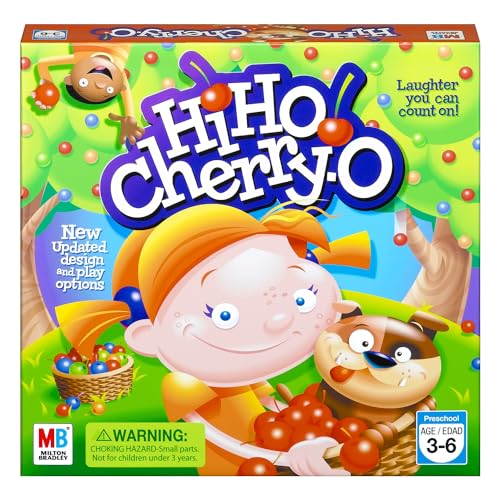
Hasbro Hi-Ho Cherry-O
Players spin a dial, then pick and drop plastic cherries to fill a bucket. Landing on a birdie or dog triggers simple subtraction, since cherries fall back out. Rounds run about 15 minutes, short enough for preschool attention spans.
Pros
- Rules click for kids within one round
- Four players fit around the board for family night
- Small parts store inside a molded tray
Cons
- Replay value drops once counting is mastered
- Plastic cherries pose a choking hazard for siblings under three

Melissa & Doug Shape Sorting Clock
Ten shaped pegs fit into a wooden clock face that also introduces numbers one through twelve. Chunky pegs suit toddler hands and double as an early shape sorter. Neither batteries nor a screen are involved.
Pros
- Solid wood holds up to daily drops
- Functions as both a shape sorter and a clock-reading toy
- Compact enough for travel bags or small playrooms
Cons
- No sound or interactive feedback
- Shapes risk swallowing for unsupervised children under two
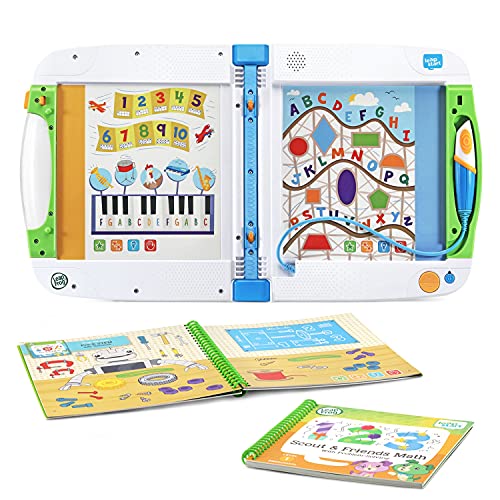
LeapFrog LeapStart Preschool Success Bundle
A stylus-based console pairs with activity books covering letter sounds, rhyming and early vocabulary. Tapping a picture triggers audio feedback, so no screen is needed. Two age-leveled books start the bundle’s library.
Pros
- Delivers audio learning without a screen
- Books swap for higher grade levels as kids grow
- Instant audio feedback keeps toddlers engaged
Cons
- Extra activity books sell separately beyond the two included
- Runs on AAA batteries not included in the box

Learning Resources Sum Swamp Game
Dice rolls send players adding or subtracting their way through a swamp-themed board. Alligator and crocodile spaces add shortcuts and detours that keep rounds unpredictable. Math practice happens through play, not worksheets.
Pros
- Builds addition and subtraction through repeated play
- Board shortcuts keep younger siblings engaged
- Cardboard components survive repeated play sessions
Cons
- Works best once kids already know numbers one through six
- Four-player rounds can run long
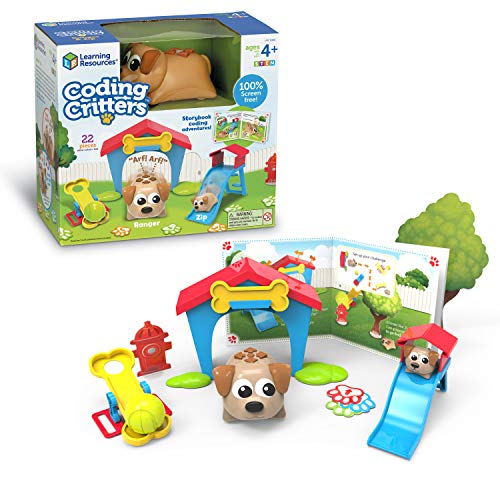
Learning Resources Coding Critters Ranger & Zip
Directional button presses guide a robotic pet through a barn-themed activity mat. No screen or app is required to build early programming logic. Activity cards raise the difficulty with new sequencing challenges.
Pros
- Teaches coding logic without screens or apps
- Figure responds to button sequences instantly
- Activity mat doubles as an imaginative play set
Cons
- Sequences stay limited to preset button commands
- Figure needs 4 AAA batteries not included

ThinkFun Zingo Bingo
A dispenser reveals two picture tiles at once in this bingo-style matching game. Players race to match tiles to their board before opponents grab them. Five-minute rounds build vocabulary and visual matching skills.
Pros
- Six players can join at once for group settings
- Short rounds hold preschool attention spans
- Tiles double as vocabulary flashcards
Cons
- Dispenser mechanism can jam if forced
- Images stand in for text, so no reading practice
How to choose
How to Choose an Educational Games Starter Kit Start with your child’s age range, since most kits target a two to three year window. Decide whether a screen-connected system or a screen-free board game fits household rules. Skill focus matters next, whether that means counting, letters, shapes or coding logic. Durability separates the good kits from the fragile ones, since wooden and thick cardboard pieces outlast thin printed cards.
Which Kit Fits Which Age and Stage? Toddlers around two to four do best with simple sorting and matching tasks, like the Melissa & Doug Shape Sorting Clock, where recognition matters more than strategy. Turn-based rules and light competition suit preschoolers around four to six, which is where ThinkFun Zingo Bingo and Hasbro Hi-Ho Cherry-O fit. Multi-step logic, math operations and coding sequences wait for early elementary kids age six and up, covered by the Osmo Genius Starter Kit, Sum Swamp and Coding Critters.
Screen-Free vs App-Connected Learning Kits Osmo’s app-connected system adjusts difficulty automatically and packs several subjects into one purchase, though it depends on a tablet parents may want to supervise. LeapFrog LeapStart swaps the screen for a stylus and speaker, giving similar interactive feedback without device time. Sum Swamp and Hi-Ho Cherry-O skip electronics entirely, relying on dice, spinners and physical pieces to teach the same math and counting concepts.
Best Kits for Group Play or Classroom Settings More than two players fit around ThinkFun Zingo Bingo, which seats up to six, and Hi-Ho Cherry-O, which seats up to four, so both work for siblings, playdates or small classroom groups. Coding Critters and the Osmo system, by contrast, are built around one player interacting with a device or figure at a time. Player count and round length matter more than subject depth for a kit that rotates between multiple kids in a household.
The lineup, side by side
| # | Model | Age Range | Best for | Score | Price |
|---|---|---|---|---|---|
| 1 | Osmo Genius Starter Kit for iPad | 6-10 years | Best overall | 9.4 | Check price |
| 2 | Hasbro Hi-Ho Cherry-O | 3-6 years | Best value | 9.1 | Check price |
| 3 | Melissa & Doug Shape Sorting Clock | 2-4 years | Best budget | 8.8 | Check price |
| 4 | LeapFrog LeapStart Preschool Success Bundle | 2-4 years | Best for early reading | 8.5 | Check price |
| 5 | Learning Resources Sum Swamp Game | 5-8 years | Best for math skills | 8.3 | Check price |
| 6 | Learning Resources Coding Critters Ranger & Zip | 4-8 years | Best for STEM skills | 8.1 | Check price |
| 7 | ThinkFun Zingo Bingo | 4-6 years | Best for preschoolers | 8.0 | Check price |
Common questions
What age is best for an educational games starter kit?
Most starter kits target a specific two to three year window. Toddler kits like the Melissa & Doug Shape Sorting Clock suit ages two to four, while the Osmo Genius Starter Kit targets ages six to ten.
Which is better, Osmo Genius Starter Kit or LeapFrog LeapStart?
Osmo covers more subjects and suits kids six and up who already own an iPad. LeapFrog LeapStart skips screens entirely and fits toddlers ages two to four who are just learning letters.
Are screen-free educational games as effective as app-based ones?
Sum Swamp and Hi-Ho Cherry-O teach the same counting and math concepts through dice and spinners. App-based kits add automatic difficulty adjustment, but core skill practice stays comparable according to the listings.
What is the best educational board game for teaching math?
Learning Resources Sum Swamp Game centers on addition and subtraction through dice rolls, a focused pick for kids five to eight who already recognize numbers one through six.
Can toddlers under three use educational games starter kits safely?
Small pieces, like Hi-Ho Cherry-O’s plastic cherries or Coding Critters’ code cards, carry choking hazard warnings for children under three. Chunky wooden pieces on the Melissa & Doug Shape Sorting Clock are rated for ages two and up.
How many players do educational board games like Sum Swamp support?
Sum Swamp seats two to four players. Hi-Ho Cherry-O also seats up to four, while ThinkFun Zingo Bingo scales to six, a stronger pick for larger groups.
Is Learning Resources Coding Critters good for teaching coding to kids?
Coding Critters Ranger & Zip introduces sequential logic through button presses on a physical figure, with no app or screen involved. Ages four to eight get basic sequencing practice rather than a full programming language.
What is the best educational game for group play or siblings?
ThinkFun Zingo Bingo seats up to six players in five-minute rounds, practical for siblings or playdates. Hi-Ho Cherry-O works as a close alternative for slightly younger groups of up to four.
Is the Osmo Genius Starter Kit worth it without an iPad?
The kit’s base and reflector only work with a compatible iPad, sold separately, so households without one should not buy Osmo first. LeapFrog LeapStart or the Melissa & Doug Shape Sorting Clock work independently of any tablet.
Final word
Osmo Genius Starter Kit remains the strongest pick for households with an iPad and kids six and up who want multi-subject practice in one system. Parents of toddlers or preschoolers without a tablet should start with the Melissa & Doug Shape Sorting Clock or LeapFrog LeapStart Preschool Success Bundle instead, since both build foundational skills without screens. Families choosing between Hi-Ho Cherry-O and Sum Swamp should let their child’s number sense decide, since Sum Swamp assumes numbers one through six are already known.
Rachel Simmons
Rachel previously worked in child-product retail and brings a practical, detail-first eye to gear reviews, focusing on safety standards, ease of use and the fine print that matters most for new caregivers.