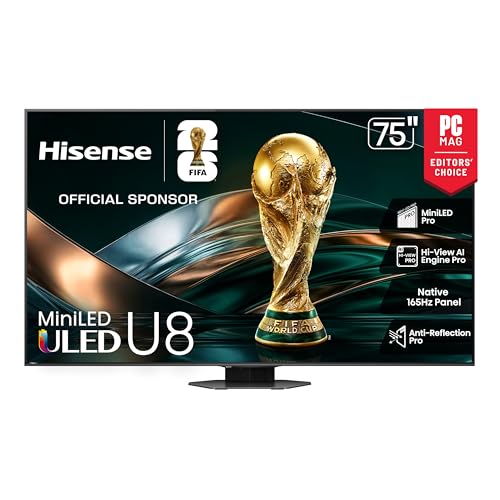
Which 65-Inch TVs Deliver 4K Without Overspending?
LG C3 OLED wins overall, since each pixel switches off for true black and four HDMI 2.1 ports cover a full console rack. Samsung QN90C suits sun-facing rooms with Mini LED output and an anti-glare layer. Hisense U8K delivers a 144Hz panel and Dolby Vision for far less.
LG C3 OLED heads this list on contrast and gaming connectivity. Samsung QN90C answers the bright-room problem with Mini LED output. Hisense U8K gets close to both on specification while sitting well under the premium tier.
Room lighting decides this category more than model year does. To rank these seven we compared published panel technology, refresh rates, HDR format support, port counts, and what long-term owners report about blooming, motion, and smart platform speed.
The best picks, ranked

LG C3 OLED 65 Inch
Self-emissive pixels let the C3 shut off light entirely, so letterbox bars vanish into the bezel in a dark room. Four HDMI 2.1 inputs run at 4K and 120Hz, enough for two consoles, a PC, and a receiver at once. LG builds in Dolby Vision, VRR, and its webOS app platform.
Pros
- Pixel-level black with no blooming
- Four full-bandwidth 4K 120Hz inputs
- Colour holds up from side seats
Cons
- Peak output trails Mini LED rivals
- Static logos need screensaver settings on

Samsung QN90C Neo QLED 65 Inch
Thousands of small LEDs sit behind the QN90C panel, pushing far more light than an OLED can sustain across a full white field. A matte anti-glare layer scatters window reflections instead of mirroring them. Tizen handles apps, and the 120Hz panel supports VRR for console play.
Pros
- Cuts through daylight and lamp glare
- Matte layer scatters window reflections
- Contrast leads the LED backlit group
Cons
- Black levels sit above OLED depth
- Colour shifts from far side seats

Sony Bravia X90L 65 Inch
Cognitive XR processing drives the X90L, and its strength shows on 24fps film and low-bitrate cable rather than on spec sheets. Full array local dimming sits behind the panel, with 120Hz motion handling that avoids the soap-opera look. Google TV supplies apps and voice search.
Pros
- Film cadence stays natural at 24fps
- Upscales older cable and DVD sources well
- Skin tones track close to reference
Cons
- Two HDMI 2.1 inputs only
- Dimmer than Mini LED competitors
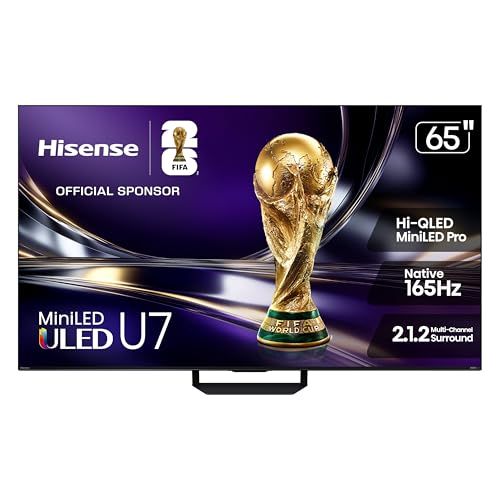
Hisense U8K 65 Inch
Mini LED backlighting and a native 144Hz panel land the U8K in specification territory usually reserved for flagships. Dolby Vision and HDR10+ both decode, so streaming apps and discs pick their preferred format. Google TV runs the interface, with a built-in subwoofer on the rear panel.
Pros
- 144Hz native panel beats most rivals
- Decodes both dynamic HDR formats
- High output for sunlit rooms
Cons
- Menu layout takes time to learn
- Halos show around subtitles on dark scenes

TCL QM8 65 Inch
Game mode on the QM8 drops input lag into single-digit milliseconds while VRR smooths frame rate dips. Its Mini LED array carries a high dimming zone count, so HDR highlights stay bright without washing out shadows. A 144Hz panel serves PC players chasing high frame rates.
Pros
- Very low input lag in game mode
- 144Hz suits PC and current consoles
- Dimming zone count aids HDR pop
Cons
- Picture washes out off centre
- Interface stutters when apps update
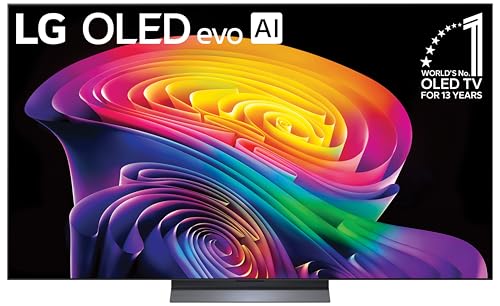
LG B3 OLED 65 Inch
Same self-emissive black as the C3, with a step down in peak luminance and processing power. Four HDMI 2.1 ports survive the cut, which is unusual at this tier and useful for multi-console households. Dim and moderately lit rooms suit it; a bay window does not.
Pros
- True OLED black at a lower tier
- Keeps four 4K 120Hz inputs
- Off-axis viewing stays consistent
Cons
- Highlights dimmer than the C3
- Daylight washes the image out

Hisense U6K 65 Inch
Quantum dots and a Mini LED backlight give the U6K colour saturation that basic LED sets cannot match. Refresh rate stops at 60Hz, which suits streaming and broadcast but caps console frame rates. Dolby Vision decoding and Google TV both carry over from pricier Hisense models.
Pros
- Quantum dot colour at entry level
- Dolby Vision decoding included
- Big jump over older edge-lit sets
Cons
- 60Hz caps console frame rate
- Lower output than the U8K
The lineup, side by side
| # | Model | Panel type | Best for | Score | Price |
|---|---|---|---|---|---|
| 1 | LG C3 OLED 65 Inch | OLED evo | Best overall | 9.4 | Check price |
| 2 | Samsung QN90C Neo QLED 65 Inch | Neo QLED Mini LED | Best for bright rooms | 9.2 | Check price |
| 3 | Sony Bravia X90L 65 Inch | Full array LED | Best for movies | 9.0 | Check price |
| 4 | Hisense U8K 65 Inch | ULED Mini LED | Best value | 8.8 | Check price |
| 5 | TCL QM8 65 Inch | QLED Mini LED | Best for gaming | 8.6 | Check price |
| 6 | LG B3 OLED 65 Inch | OLED | Best OLED for dark rooms | 8.3 | Check price |
| 7 | Hisense U6K 65 Inch | ULED Mini LED | Best budget | 8.0 | Check price |
Before you buy
What matters most when buying a 65 inch TV Four specifications predict satisfaction: backlight design, peak brightness, refresh rate, and HDMI 2.1 count. Backlight design sets black levels and blooming. Brightness decides whether HDR highlights survive daylight. Refresh rate matters only if you game. Port count quietly limits how many devices can run at 4K and 120Hz, and manufacturers rarely advertise the shortfall.
OLED vs Mini LED: which suits your room light? Draw the curtains and look at the wall. In a controlled room, OLED panels like the C3 and B3 render shadow detail that no backlight can imitate. Facing a window, Mini LED sets such as the QN90C, U8K, and QM8 simply put more light on screen and hold saturation. Screen finish matters too, since a matte coating scatters reflections a glossy panel throws straight back.
Best 65 inch TV for gaming consoles and PC Current consoles want 4K at 120Hz, VRR, and ALLM. LG models supply four qualifying ports; Sony supplies two, which fills fast once a soundbar takes one. PC players benefit from the 144Hz panels on the U8K and QM8. Check input lag in game mode rather than response time, because the panel is rarely the bottleneck.
Placing, mounting, and feeding a 65 inch screen Seating between six and nine feet suits this size for 4K material. Confirm the VESA pattern before ordering a mount, and use a bracket rated above the panel weight. Route an eARC-capable HDMI to a soundbar, because thin panels cannot produce dialogue weight. Leave slack behind the set so cables do not strain the ports.
Good to know
Is OLED or QLED better for a 65 inch TV?
Neither wins outright. OLED gives absolute black and even off-axis colour, which suits dim rooms and film. QLED and Mini LED push far more light, which suits daylight and sport. Judge your room first, then pick the panel that matches the lighting you actually watch in.
How far should I sit from a 65 inch TV?
Six to nine feet works for most 4K content at this size. Closer seating reveals compression artifacts on streaming feeds. Farther back, the screen stops filling enough of your vision to feel like an upgrade over a 55 inch set.
Do I need a 120Hz TV for streaming?
No. Film is mastered at 24 frames per second and most streaming tops out at 60. A 60Hz set like the U6K handles that content fine. Higher refresh rates pay off for console gaming, PC play, and fast sport.
Which 65 inch TV is best for a bright living room?
Samsung QN90C leads, combining Mini LED output with a matte anti-glare layer. Hisense U8K runs a close second on brightness. Both keep HDR highlights visible with lamps on, while OLED panels lose punch in the same conditions.
How many HDMI 2.1 ports do I actually need?
Count your 4K 120Hz devices, then add one for a soundbar on eARC. Two consoles and a PC already exceed the two qualifying ports on the Sony X90L. LG C3 and B3 both carry four, which removes the swapping problem entirely.
Can OLED TVs still get burn-in?
Permanent image retention needs many hours of the same static element at high brightness. Modern panels run pixel shifting and compensation cycles that make this rare in mixed viewing. Leaving a news ticker or game HUD on screen all day remains the risky pattern.
Is a soundbar necessary with these TVs?
Built-in drivers fire down or backward and lack the cabinet volume for bass. Dialogue clarity improves noticeably with even a modest bar. Connect through the eARC-labelled HDMI port so Dolby Atmos passes through intact.
What is the difference between the Hisense U8K and U6K?
Refresh rate and output. U8K runs a native 144Hz panel with higher peak brightness and HDR10+ support. U6K stops at 60Hz with a dimmer backlight. Gamers should take the U8K; streaming-only households save with the U6K.
Which smart platform is easiest to use?
Google TV, used by Sony, Hisense, and TCL here, aggregates content across apps and handles voice search well. LG webOS and Samsung Tizen both run smoothly and carry the same major apps. Check that your niche streaming service is supported before deciding.
Final word
LG C3 OLED remains the strongest all-rounder, combining pixel-level black with four gaming-ready inputs. Rooms with windows and no curtains are better served by the Samsung QN90C and its anti-glare Mini LED panel. Hisense U8K stays the value answer, since a 144Hz panel and dual HDR formats rarely appear this far down the range.
Marcus Chen
Marcus covered consumer electronics for enthusiast tech publications for six years before joining ChoiceCrest. He specializes in translating manufacturer spec sheets into plain-language buying advice, with a focus on audio, computing accessories and smart-home gear.