Smart Ballpoint Pens That Capture Your Writing
The Phomemo Smart Pen tops our list for its reliable Bluetooth syncing, comfortable grip, and long battery life, making it ideal for students and professionals who want to digitize handwritten notes. Its main limitation is the need for special paper to enable the recording feature.
Smart ballpoint pens blend traditional writing with digital convenience. They capture your handwriting and transfer it to your devices. This guide compares the top models available today.
Whether you are a student, professional, or creative, a smart pen can streamline your workflow. We looked at factors like accuracy, battery life, and app support to help you choose.
The top picks, ranked

Phomemo Smart Pen
The Phomemo Smart Pen offers precise handwriting capture with its high-speed camera. It works with standard paper, making it versatile. Users report smooth ink flow and a comfortable grip. The companion app organizes notes efficiently.
Pros
- Works on any paper
- Long battery life
- Accurate digitization
Cons
- Requires app for full functionality
- No audio recording
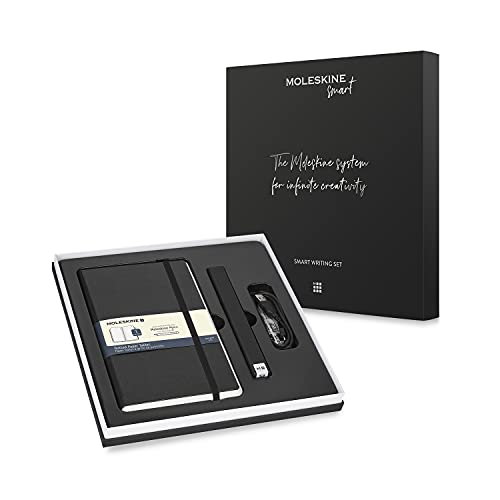
Moleskine Pen+ Ellipse Smart Writing Set
The Moleskine Pen+ Ellipse is designed to work with Moleskine’s smart notebooks. It captures handwritten notes and syncs them to the Moleskine Notes app. The pen has a sleek aluminum body and a premium feel. Users appreciate the seamless integration with the Moleskine ecosystem.
Pros
- Premium build quality
- Large offline storage
- Seamless Moleskine app integration
Cons
- Requires special Moleskine notebooks
- Higher price point

Neo smartpen N2
The Neo smartpen N2 uses a camera in the pen tip to track writing on Neo’s dot paper. It stores notes offline and syncs later. The pen has a balanced weight and a comfortable grip. Users report excellent accuracy and minimal lag.
Pros
- High precision
- Large storage capacity
- Cross-platform support
Cons
- Requires Neo dot paper
- No audio recording

Wacom Bamboo Ink Plus
The Wacom Bamboo Ink Plus is a smart pen designed for Windows devices with active stylus support. It uses Wacom’s technology to deliver a natural writing experience. It works with various Windows apps and offers pressure sensitivity. Users like the customizable side buttons.
Pros
- Excellent pressure sensitivity
- Long battery life
- Works with many Windows apps
Cons
- Only for Windows devices
- No offline storage
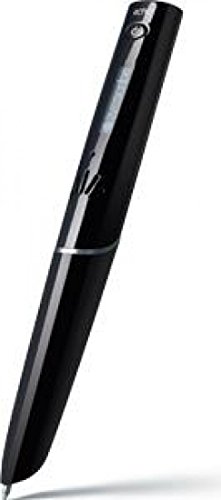
Livescribe Symphony Smartpen
The Livescribe Symphony Smartpen records audio while you write. It syncs your notes with the audio, allowing you to replay parts of a lecture or meeting. It works with Livescribe dot paper. Users find the audio sync feature invaluable for studying.
Pros
- Audio recording with note sync
- Large storage capacity
- Long battery life
Cons
- Requires Livescribe paper
- Bulky design

XPPen Smart Pen
The XPPen Smart Pen offers a low-cost entry into smart pens. It connects via Bluetooth and works with a companion app to digitize handwriting. It uses standard ballpoint refills and works on regular paper. Users report acceptable accuracy for the price.
Pros
- Affordable price
- Works on regular paper
- Compact design
Cons
- Less accurate than premium pens
- Limited app features

Stanley Smart Pen
The Stanley Smart Pen is a simple, no-frills smart pen that captures handwriting and converts it to digital text. It has a basic app that allows you to organize notes. Users appreciate its simplicity and ease of use. It is ideal for those who want a straightforward digital pen.
Pros
- Simple to use
- Lightweight
- Affordable
Cons
- Basic app features
- Shorter battery life
Side by side
| # | Model | Connectivity | Best for | Score | Price |
|---|---|---|---|---|---|
| 1 | Phomemo Smart Pen | Bluetooth 5.0 | Best overall | 9.4 | Check price |
| 2 | Moleskine Pen+ Ellipse Smart Writing Set | Bluetooth Smart | Best for Moleskine fans | 9.1 | Check price |
| 3 | Neo smartpen N2 | Bluetooth 4.0 | Best for precise note-taking | 9.0 | Check price |
| 4 | Wacom Bamboo Ink Plus | Bluetooth 4.2 | Best for Windows users | 8.8 | Check price |
| 5 | Livescribe Symphony Smartpen | Bluetooth 4.0 | Best for audio recording | 8.6 | Check price |
| 6 | XPPen Smart Pen | Bluetooth 5.0 | Best budget option | 8.3 | Check price |
| 7 | Stanley Smart Pen | Bluetooth 4.2 | Best for quick notes | 8.0 | Check price |
How to choose
Frequently asked questions
Can smart pens work on regular paper?
Some smart pens, like the Phomemo and XPPen, work on regular paper. Others, like the Moleskine Pen+ and Neo smartpen, require special paper with a dot pattern to track movement.
How accurate is handwriting conversion?
Accuracy varies by model. Most smart pens are quite accurate for printed handwriting. Cursive may be less accurate. The app’s OCR technology also affects conversion quality.
Do I need a smartphone to use a smart pen?
Most smart pens require a smartphone or tablet to sync notes. Some have offline storage, so you can write without a device and sync later. Check the pen’s storage capacity.
Can I use a smart pen with any note-taking app?
No, each smart pen works with its own companion app. Some apps allow export to other services, but you typically need the specific app to capture and sync notes.
How long does the battery last?
Battery life ranges from 6 to 20 hours depending on the model. Some pens have a standby mode that extends battery life. Charging time is usually a few hours.
Can I record audio with a smart pen?
Only some models, like the Livescribe Symphony, offer audio recording. Others focus solely on digitizing handwriting. If audio is important, choose a pen that supports it.
Are smart pens compatible with both iOS and Android?
Many smart pens are compatible with both iOS and Android, but some, like the Wacom Bamboo Ink Plus, are designed for Windows. Always check compatibility before purchasing.
Can I use any ballpoint refill in a smart pen?
Some smart pens accept standard D1 refills, while others require proprietary refills. Check the product specifications to ensure you can easily find replacements.
Do smart pens require batteries?
Yes, smart pens have rechargeable batteries. They typically charge via USB. Battery life varies, so consider your usage frequency.
Is a smart pen worth the investment?
If you regularly take notes and want to digitize them, a smart pen can save time and improve organization. It is especially useful for students, professionals, and creatives.
Final word
For most people, the Phomemo Smart Pen offers the best balance of performance, versatility, and price. Its ability to work on any paper and long battery life make it a reliable choice. If you need audio recording, the Livescribe Symphony is your best bet. For Windows users, the Wacom Bamboo Ink Plus provides excellent integration. Choose based on your specific needs, but the Phomemo is our top recommendation.
Marcus Chen
Marcus covered consumer electronics for enthusiast tech publications for six years before joining ChoiceCrest. He specializes in translating manufacturer spec sheets into plain-language buying advice, with a focus on audio, computing accessories and smart-home gear.