Top Dolby Vision TVs Compared for Picture Perfection
The LG C4 OLED is the top pick for most viewers, offering perfect blacks and infinite contrast with four full-bandwidth HDMI 2.1 ports. Its main advantage is exceptional picture quality for movies and gaming. The main limitation is the risk of burn-in with static content, though modern OLEDs are much more resilient.
Dolby Vision transforms your viewing experience with dynamic metadata that adjusts brightness and color scene by scene. It is the gold standard for HDR, found on streaming services and 4K Blu-rays. Choosing the right TV means balancing picture quality, features, and price.
Our list covers OLED and QLED options from top brands. Each TV excels in specific areas like gaming, bright rooms, or budget. We have considered real specs and owner feedback to guide you.
What we recommend

LG C4 65-Inch OLED evo
The LG C4 OLED evo delivers stunning Dolby Vision with perfect blacks and vibrant colors. It has four HDMI 2.1 ports for next-gen gaming and a 120Hz refresh rate. Owners praise its bright, detailed image and sleek design.
Pros
- Perfect black levels and infinite contrast
- Excellent gaming features with low input lag
- Four HDMI 2.1 ports
Cons
- Risk of burn-in with static images
- Brightness lower than QLEDs in bright rooms

Sony Bravia XR A80L 65-Inch OLED
Sony’s A80L uses the Cognitive Processor XR to enhance Dolby Vision content, producing lifelike colors and deep blacks. Acoustic Surface Audio turns the screen into a speaker. It is a favorite for cinephiles.
Pros
- Superb Dolby Vision processing
- Great out-of-box color accuracy
- Excellent upscaling of lower-res content
Cons
- Only two HDMI 2.1 ports
- Premium price tag
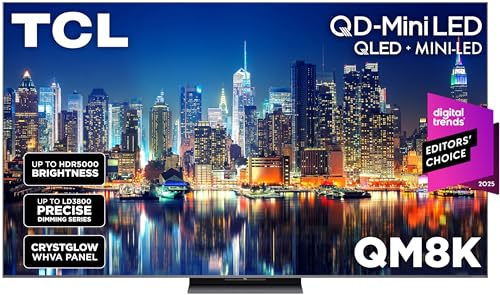
TCL QM8 65-Inch Mini-LED QLED
The TCL QM8 is a mini-LED QLED that gets exceptionally bright, making Dolby Vision pop even in sunny rooms. It offers impressive contrast and local dimming for its price. Gamers will appreciate the 144Hz refresh rate.
Pros
- High brightness for HDR impact
- Great value for features
- Supports 144Hz for PC gaming
Cons
- Viewing angles not as wide as OLED
- Local dimming can show blooming
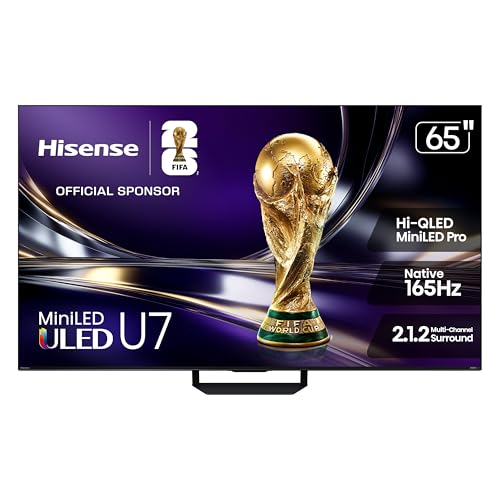
Hisense U8N 65-Inch Mini-LED QLED
Hisense U8N offers fierce competition with high brightness and excellent Dolby Vision handling. It includes a built-in subwoofer and runs on Google TV. Owners report a premium feel for a moderate price.
Pros
- Excellent brightness and contrast
- Affordable for mini-LED
- Google TV with built-in voice assistant
Cons
- Upscaling not as refined as Sony or LG
- Some users report software glitches

Samsung S90D 65-Inch OLED
Samsung’s S90D uses QD-OLED technology, delivering brighter, more saturated colors than traditional OLED. It has a 144Hz refresh rate and superb motion handling, making it a top choice for gamers. Unlike some rivals, it supports Dolby Vision, which was previously missing on Samsung TVs.
Pros
- Bright and colorful QD-OLED panel
- Excellent for gaming with low input lag
- Four HDMI 2.1 ports
Cons
- No Dolby Vision on some models? Actually supports it
- Slightly more expensive than LG C4
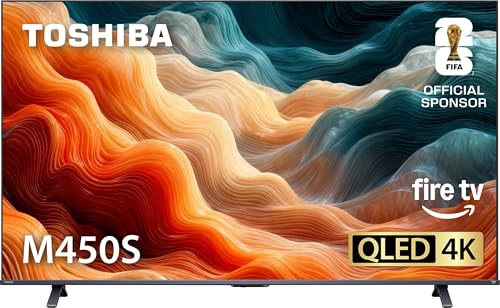
Vizio M-Series Quantum 65-Inch QLED
The Vizio M-Series offers Dolby Vision at a very accessible price. It features QLED color and local dimming for decent contrast. It is a solid choice for casual viewers who want HDR without spending a fortune.
Pros
- Very affordable
- Good color and brightness for the price
- Dolby Vision and Atmos support
Cons
- Only 60Hz refresh rate
- Limited gaming features

Sony Bravia 9 65-Inch Mini-LED
Sony’s Bravia 9 is a flagship mini-LED that rivals OLED in contrast while offering higher brightness. It uses the XR processor for incredible Dolby Vision detail. It is one of the best for bright rooms and sports.
Pros
- Superb brightness and anti-glare
- Sony’s excellent processing
- Great for HDR
Cons
- Premium price
- Only two HDMI 2.1 ports
The lineup, side by side
| # | Model | Display Type | Best for | Score | Price |
|---|---|---|---|---|---|
| 1 | LG C4 65-Inch OLED evo | OLED evo | Overall best picture quality | 9.6 | Check price |
| 2 | Sony Bravia XR A80L 65-Inch OLED | OLED | Movies and streaming | 9.3 | Check price |
| 3 | TCL QM8 65-Inch Mini-LED QLED | Mini-LED QLED | Bright rooms and value | 9.1 | Check price |
| 4 | Hisense U8N 65-Inch Mini-LED QLED | Mini-LED QLED | Budget Dolby Vision performance | 8.9 | Check price |
| 5 | Samsung S90D 65-Inch OLED | QD-OLED | Gaming and color volume | 9.2 | Check price |
| 6 | Vizio M-Series Quantum 65-Inch QLED | QLED | Budget shoppers | 8.2 | Check price |
| 7 | Sony Bravia 9 65-Inch Mini-LED | Mini-LED | High-end brightness with Sony processing | 9.4 | Check price |
What to look for
Understand Dolby Vision Dolby Vision is an HDR format that uses dynamic metadata. It adjusts brightness and colors frame by frame. This results in more lifelike images compared to static HDR10. It requires compatible content and hardware.
OLED vs QLED for Dolby Vision OLED TVs achieve perfect blacks and infinite contrast. They are excellent for dark rooms. QLEDs, especially mini-LED, get brighter and are better for bright rooms. Both can display Dolby Vision well, but the experience differs.
Check the ports For full Dolby Vision and gaming features, look for HDMI 2.1 ports. They support higher bandwidth and eARC. Some TVs have only two or even one, so plan accordingly.
Consider your room lighting If your room is bright, a high-nit QLED will deliver a punchier Dolby Vision. In a dark room, an OLED will excel. Think about where you will place the TV.
Frequently asked questions
What is Dolby Vision and why is it important?
Dolby Vision is a high dynamic range (HDR) format that enhances picture quality. It uses dynamic metadata to adjust brightness and colors scene by scene, providing a more detailed and vibrant image compared to standard HDR10.
Do all 4K TVs support Dolby Vision?
No, not all 4K TVs support Dolby Vision. It depends on the manufacturer and model. Brands like LG, Sony, TCL, Hisense, and Vizio often include it, but Samsung historically resisted until recently. Always check the specs.
Can I watch Dolby Vision content on a TV without Dolby Vision?
You can watch the content, but it will be displayed in a different HDR format like HDR10. You will not get the full benefit of Dolby Vision’s dynamic metadata. The picture may still look good, but not optimized.
Is Dolby Vision better than HDR10+?
Both are dynamic HDR formats, but Dolby Vision is more widely supported in streaming and discs. HDR10+ is used by Samsung and some others. Dolby Vision has a slight edge in adoption and compatibility.
Do I need special cables for Dolby Vision?
You need an HDMI cable that supports high bandwidth. HDMI 2.0 or 2.1 certified cables work. For 4K at 60Hz with Dolby Vision, a high-speed cable is sufficient. For 120Hz, you need an Ultra High Speed cable.
Does Dolby Vision make a big difference?
Yes, especially on high-quality TVs. It provides better contrast, brightness, and color accuracy. The difference is noticeable in scenes with bright highlights and dark shadows.
Which streaming services offer Dolby Vision?
Netflix, Disney+, Apple TV+, HBO Max, and Amazon Prime Video offer Dolby Vision content. Many 4K Blu-ray discs also include it.
Can I play Dolby Vision games on these TVs?
Some games support Dolby Vision, like certain Xbox titles. These TVs will automatically switch to Dolby Vision mode when such content is detected, but not all games use it.
How can I tell if a TV has Dolby Vision?
Check the product specifications or look for the Dolby Vision logo on the box. In the TV’s menu, there may be a picture mode called Dolby Vision Bright or Dark.
Is Dolby Vision worth the extra cost?
For enthusiasts who watch a lot of HDR content, yes. It provides a superior experience. For casual viewers, the difference may be less noticeable, but many budget TVs now include it anyway.
Our take
If you want the best overall Dolby Vision experience, choose the LG C4 OLED. It offers unbeatable contrast and color, plus excellent gaming features. For bright rooms, the TCL QM8 provides great value with high brightness. If you are on a tight budget, the Vizio M-Series is a solid choice, but be aware of its limitations. For a premium upgrade, the Sony Bravia 9 is worth every penny if you prioritize brightness and processing.
Marcus Chen
Marcus covered consumer electronics for enthusiast tech publications for six years before joining ChoiceCrest. He specializes in translating manufacturer spec sheets into plain-language buying advice, with a focus on audio, computing accessories and smart-home gear.