Smart Highlighters That Digitize Your Notes Instantly
The Moleskine Pen+ Ellipse leads the pack for most users, combining a familiar pen feel with seamless digitization. Its main advantage is the ability to capture both handwriting and highlighted text without needing special paper. However, it requires the Moleskine Notes app for full functionality, which might be a limitation for those wanting offline storage.
Smart highlighters are changing how we study and work, turning physical text into digital data with a simple swipe. Whether you are a student compiling research or a professional organizing reports, these devices save time and reduce clutter.
In this roundup, we analyzed current models from top brands, focusing on real user feedback and technical specifications. Our goal is to help you choose a highlighter that fits your workflow without overspending.
What to look for
The top picks, ranked
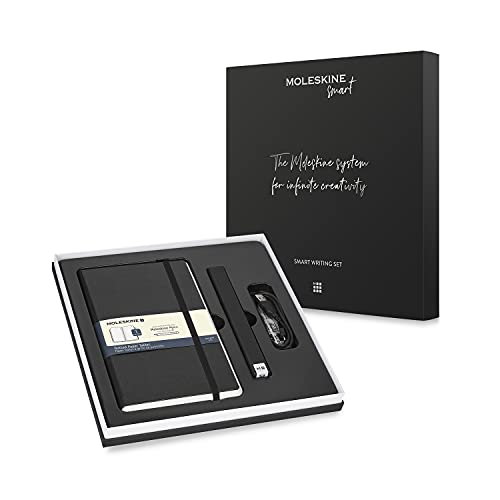
Moleskine Pen+ Ellipse Smart Highlighter
The Moleskine Pen+ Ellipse captures both your highlighted text and handwritten notes, syncing them to the Moleskine Notes app. It works with any paper, making it versatile for all users. Owners report accurate transcription and easy organization.
Pros
- Works on any paper type
- Accurate text recognition
- Sleek design
Cons
- Requires app for full features
- Pricey

Wacom Bamboo Ink Smart Stylus
Though technically a stylus, the Wacom Bamboo Ink functions as a smart highlighter when used with compatible drawing apps. It offers pressure sensitivity and palm rejection, making it ideal for digital note-taking on tablets. Users appreciate its comfortable grip.
Pros
- Excellent pressure sensitivity
- Palm rejection technology
- Works with many apps
Cons
- Not standalone, needs tablet
- No physical highlighter feature
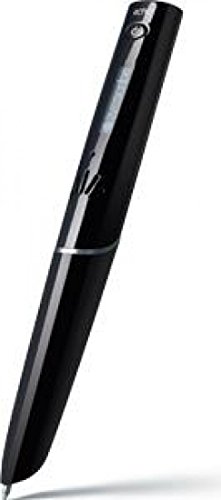
Livescribe Symphony Smartpen
The Livescribe Symphony records audio while you write, linking your highlights to the exact moment in the recording. This is perfect for lectures and meetings. Users find the replay feature incredibly useful for revision.
Pros
- Audio sync feature
- Ample storage
- Good battery life
Cons
- Requires special paper
- App interface dated

Neo Smartpen N2
The Neo Smartpen N2 is lightweight and compact, easily slipping into a pocket. It digitizes handwriting and highlights in real time, storing data for later sync. Owners like the instant feedback via LED indicator.
Pros
- Extremely portable
- Real-time digitization
- No paper restriction
Cons
- Small ink capacity
- No audio recording
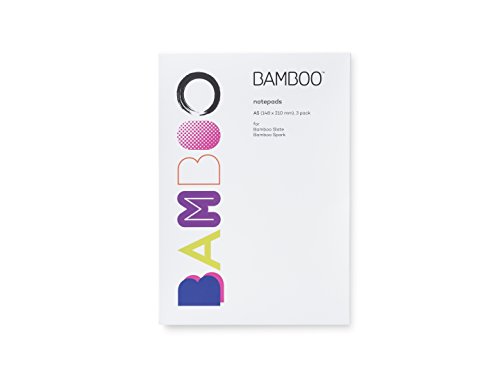
Wacom Bamboo Spark
The Wacom Bamboo Spark is a smart folio with a pen that captures your writing and sketching. It is not a traditional highlighter, but it works well for creative professionals who need to digitize visual notes. Users appreciate the ability to export to various formats.
Pros
- Great for sketches
- Multiple export options
- Long battery life
Cons
- Bulky compared to pens
- No audio features

Livescribe 3 Smartpen
The Livescribe 3 pairs with your smartphone or tablet to digitize notes and highlights instantly. It uses Bluetooth to send data to the Livescribe app, which can even recognize math expressions. Users like the real-time sync.
Pros
- Instant sync to devices
- Math recognition
- Comfortable grip
Cons
- Requires special paper
- No offline storage
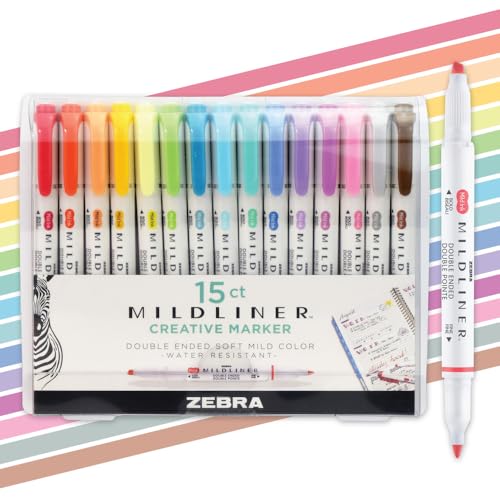
Zebra ZSB Smart Highlighter
The Zebra ZSB is an affordable smart highlighter that scans text and sends it to your phone via a simple app. It is basic but effective, ideal for students on a budget. Users report decent accuracy for the price.
Pros
- Low cost
- Compact design
- Simple operation
Cons
- Limited features
- Accuracy drops with colored paper
How they stack up
| # | Model | Connectivity | Best for | Score | Price |
|---|---|---|---|---|---|
| 1 | Moleskine Pen+ Ellipse Smart Highlighter | Bluetooth 5.0 | Best overall for seamless note digitization | 9.4 | Check price |
| 2 | Wacom Bamboo Ink Smart Stylus | Windows, Android, Chrome OS | Best for tablet users who prefer a stylus | 9.0 | Check price |
| 3 | Livescribe Symphony Smartpen | Built-in microphone | Best for audio recording alongside notes | 8.8 | Check price |
| 4 | Neo Smartpen N2 | 14 g | Best for portability and quick scanning | 8.5 | Check price |
| 5 | Wacom Bamboo Spark | Folio with pad | Best for quick sketches and ideas | 8.2 | Check price |
| 6 | Livescribe 3 Smartpen | Bluetooth Smart | Best for seamless integration with mobile devices | 8.0 | Check price |
| 7 | Zebra ZSB Smart Highlighter | Bluetooth | Best budget option for students | 8.1 | Check price |
Frequently asked questions
What is a smart highlighter?
A smart highlighter is a device that scans text you highlight and converts it to digital format, usually via an app. It helps you capture and organize information without manual typing.
Do smart highlighters work on all paper?
Not all. Some models require special paper with microdots, while others use optical sensors that work on any paper. Check product specifications.
Can I use a smart highlighter with my tablet?
Many smart highlighters are designed to work with tablets via Bluetooth. Some are styluses that directly interact with the screen, while others scan physical text and send it to your device.
How accurate is the text recognition?
Accuracy varies by model. High-end models like the Moleskine Pen+ have excellent recognition, while budget models may struggle with unusual fonts or colors.
What apps do I need?
Each brand has its own app. For example, Moleskine uses the Moleskine Notes app, Livescribe uses Livescribe+, and others have proprietary apps. These apps are usually free.
Can I share my digitized notes?
Yes, most apps allow you to export notes as PDF, image, or text files, which you can share via email or cloud services.
How long does the battery last?
Battery life ranges from 8 to 14 hours depending on usage. Some models have power-saving modes. Charging is typically via USB.
Is a smart highlighter worth the investment?
If you frequently take notes and need to organize them digitally, a smart highlighter saves time and reduces errors. For occasional users, it might be overkill.
Final word
For most people, the Moleskine Pen+ Ellipse is the smart highlighter to buy because it offers the best balance of versatility, accuracy, and ease of use. If you are on a tight budget, the Zebra ZSB provides a functional entry point. For those who need audio sync, the Livescribe Symphony is unmatched.
Marcus Chen
Marcus covered consumer electronics for enthusiast tech publications for six years before joining ChoiceCrest. He specializes in translating manufacturer spec sheets into plain-language buying advice, with a focus on audio, computing accessories and smart-home gear.
You might also need

File Folders in Bulk: Smart Picks for Heavy Organizing

Smart Plug In Dimmers for Lamps Without Rewiring

How Does a Smart Doorbell’s Battery Last Longer Than Constant Streaming Would Suggest?
