How to Choose a GPS Navigator That Beats Your Phone
Garmin DriveSmart 65 leads for everyday driving with a 6.95 inch display and built-in Wi-Fi for map updates. Garmin Dezl OTR700 routes around truck height and weight limits automatically. Garmin RV 890 factors camper length and clearance into every route it plans.
A dedicated GPS unit still beats a phone app once cell signal drops or a vehicle needs specialized routing. Garmin DriveSmart 65 covers everyday driving with a large display and voice control. Garmin Dezl OTR700 and Garmin RV 890 add dimension-aware routing that standard units skip entirely.
Vehicle type complicates the choice, since a car GPS ignores truck height limits and RV length restrictions that matter enormously on the road. We compared display size, routing features, connectivity and mounting style across seven current Amazon listings to match each unit to a specific driving need.
What we recommend

Garmin DriveSmart 65
A 6.95 inch display ranks among the largest in this lineup, paired with voice-activated destination search. Built-in Wi-Fi downloads map updates directly, skipping the usual computer connection. Live traffic and parking data stream through Garmin’s smartphone link once paired over Bluetooth.
Pros
- Large 6.95 inch display stays easy to read
- Built-in Wi-Fi simplifies map updates
- Voice search cuts down manual typing while driving
Cons
- Bigger screen takes up more dash space
- Live traffic needs an active phone connection

Garmin Dezl OTR700
Commercial drivers get routing based on truck dimensions, weight and hazardous cargo restrictions entered by hand. A 7 inch display flags sharp curves, steep grades and other trucking-specific alerts ahead of time. Garmin also includes truck-only points of interest like weigh stations and truck stops.
Pros
- Routing respects truck height, weight and length limits
- Trucking alerts reduce risk on unfamiliar roads
- Large 7 inch display suits cab mounting
Cons
- Overkill for drivers who only need car navigation
- Costs more than standard consumer GPS units

Garmin RV 890
Vehicle length, height, weight and slide-outs all factor into route planning here, steering campers away from low bridges and weight-restricted roads. An 8 inch display shows campground reviews and RV-specific points of interest. That larger screen also reads more easily from typical RV dashboard distances.
Pros
- Routing avoids low clearances and weight limits
- Campground review data helps plan overnight stops
- Large 8 inch display suits longer viewing distances
Cons
- Bulkier unit takes up real dashboard space
- Costs more than passenger car GPS models
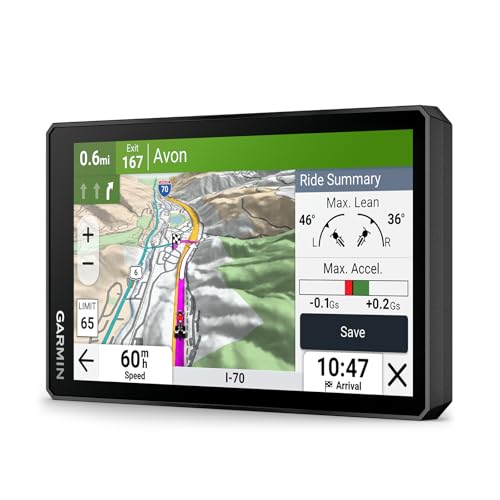
Garmin Zumo XT
Motorcycle mounting demands and gets an IPX7 water-resistant housing here, paired with a sunlight-readable 5.5 inch touchscreen. A glove-friendly touch mode adjusts sensitivity so riders never need to remove gloves mid-ride. Adventure routing options cover unpaved and backcountry roads as well as pavement.
Pros
- IPX7 rating withstands rain and road spray
- Glove-friendly touchscreen suits cold-weather riding gear
- Adventure routing covers unpaved backcountry roads
Cons
- Screen runs smaller than car-focused units
- Motorcycle mounting hardware sells separately
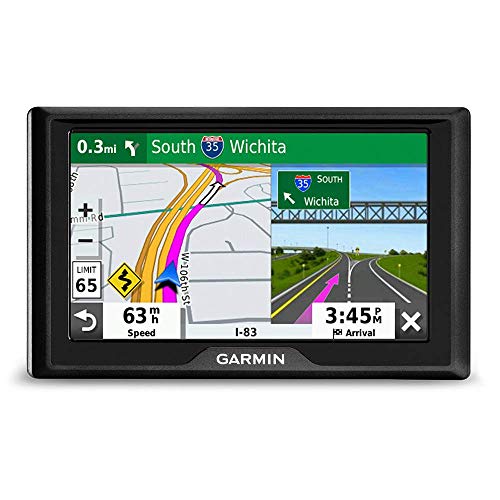
Garmin Drive 52
Core turn-by-turn navigation runs on a 5 inch display here, with no Wi-Fi or live traffic layered on top. Driver alerts still cover speed changes, sharp curves and school zones. That simpler feature set keeps pricing below Wi-Fi models like the DriveSmart line.
Pros
- Priced below Wi-Fi-enabled Garmin models
- Driver alerts add safety despite the basic tier
- Compact 5 inch size fits smaller dashboards
Cons
- Map updates require a computer connection
- Skips live traffic and smartphone integration
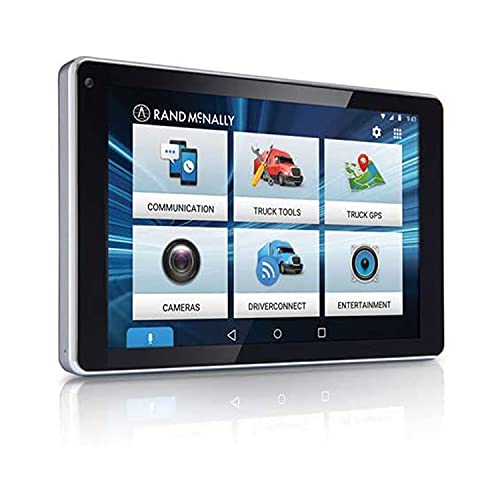
Rand McNally OverDryve 7
A 7 inch navigation display and an integrated dash cam share one housing here, recording continuous loop video as you drive. Voice control covers both navigation commands and camera functions. This dual-purpose design removes the need for a second device stuck to the windshield.
Pros
- Integrated dash cam removes need for a second device
- Single mount keeps the windshield less cluttered
- Voice control covers navigation and camera functions
Cons
- Footage storage depends on the included memory card
- Costs more than a standalone GPS unit
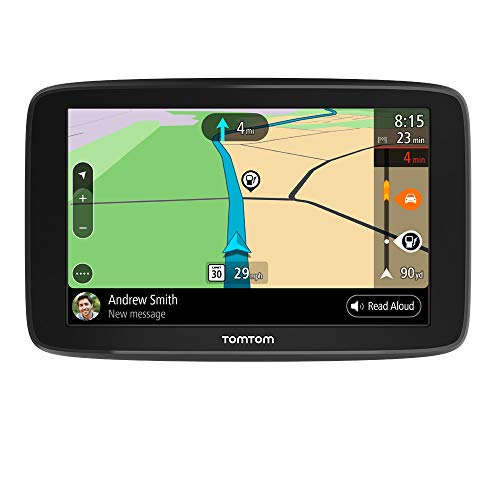
TomTom GO Comfort
A 6 inch display pairs with Bluetooth calling and message readout here, letting drivers see texts without touching a phone. A subscription service adds traffic and speed camera alerts. The unit mounts with a magnetic dash or windshield cradle for quick removal.
Pros
- Bluetooth messaging cuts down on phone checking
- Magnetic mount allows quick removal from the dash
- Speed camera alerts add a layer standard units skip
Cons
- Some alert features require an active subscription
- 6 inch display runs smaller than RV or trucking units
How they stack up
| # | Model | Display | Best for | Score | Price |
|---|---|---|---|---|---|
| 1 | Garmin DriveSmart 65 | 6.95 inches | Best overall | 9.4 | Check price |
| 2 | Garmin Dezl OTR700 | 7 inches | Best for truckers | 9.2 | Check price |
| 3 | Garmin RV 890 | 8 inches | Best for RV and camper drivers | 9.0 | Check price |
| 4 | Garmin Zumo XT | 5.5 inches, sunlight-readable | Best for motorcycles | 8.8 | Check price |
| 5 | Garmin Drive 52 | 5 inches | Best budget | 8.6 | Check price |
| 6 | Rand McNally OverDryve 7 | 7 inches | Best with built-in dash cam | 8.3 | Check price |
| 7 | TomTom GO Comfort | 6 inches | Best for smartphone integration | 8.0 | Check price |
How to choose
How is a dedicated GPS different from a phone map app? Dedicated units keep working without cell signal, unlike phone apps that depend on a data connection. Preloaded maps let units like the Garmin Drive 52 function in remote areas where phones lose service entirely. Mounting position and screen size also stay consistent, since the device is purpose-built for a windshield or dash.
What screen size and mount suit everyday driving? A 5 to 7 inch display, like the DriveSmart 65, balances visibility against reasonable size for most passenger vehicles. Motorcycle units such as the Zumo XT trade screen size for water resistance and glove-friendly touch response. Larger 8 inch displays, seen on the RV 890, suit vehicles with dashboard space to spare.
Which GPS units handle trucks, RVs and motorcycles? Standard car GPS routing ignores vehicle height, weight and length restrictions entirely. The Dezl OTR700 and RV 890 both let drivers input those dimensions to steer around low bridges and weight limits. Motorcycle routing on the Zumo XT instead focuses on road surface type and backcountry trail access.
Are dash cams and smartphone integration worth the extra cost? Some units bundle features beyond navigation, like the Rand McNally OverDryve 7’s built-in dash cam. TomTom’s GO Comfort instead focuses on Bluetooth calling and text readout for hands-free driving. Weigh whether those extras justify a higher price over a simpler, navigation-only unit.
Frequently asked questions
What is the best GPS navigator for everyday driving?
Garmin DriveSmart 65 balances a large 6.95 inch display with voice control and built-in Wi-Fi for most passenger vehicle needs. Its live traffic feature does depend on a paired smartphone connection.
Which GPS navigator works best for truckers?
Garmin Dezl OTR700 routes around truck height, weight and length restrictions that standard car GPS units skip entirely. It also flags weigh stations and steep grades ahead of time.
Can a GPS navigator work without cell signal?
Yes, most dedicated units store maps locally and need no data connection for basic navigation. Live traffic and weather features typically do require a paired smartphone or built-in connectivity.
Is a GPS navigator better than using a phone for driving?
Dedicated units hold a consistent mounting position and never drain phone battery or data. Phones get more frequent map updates but depend entirely on signal and battery life.
Does a motorcycle need a special GPS unit?
Motorcycle-specific units like the Garmin Zumo XT add water resistance and glove-friendly touchscreens that standard car units lack. Regular car GPS units are not built to handle direct rain exposure.
What GPS features help RV and camper drivers most?
RV-specific routing, found on the Garmin RV 890, factors in vehicle length, height and weight to avoid unsuitable roads. Campground review data also helps plan overnight stops along the way.
Do GPS navigators with a built-in dash cam cost more?
Combined units like the Rand McNally OverDryve 7 typically cost more than a standalone GPS or a standalone dash cam. The tradeoff is one mounted device instead of two separate ones.
How often do GPS navigators need map updates?
Update frequency depends on the brand and connectivity, with Wi-Fi-enabled units like the DriveSmart 65 downloading updates directly. Units without Wi-Fi, like the Drive 52, need a computer connection instead.
Garmin vs TomTom GPS navigators: what is the real difference?
Garmin’s lineup splits into vehicle-specific routing for trucks, RVs and motorcycles, while TomTom focuses more on smartphone integration and subscription alerts. Choose Garmin for specialized routing needs and TomTom for hands-free messaging features.
Our take
Garmin DriveSmart 65 covers most everyday driving needs with its large display and voice control. Truckers and RV drivers need the dimension-aware routing built into the Dezl OTR700 and RV 890, while the Zumo XT remains the clear choice for motorcycle mounting. Pick based on vehicle type first, then compare extras like dash cams or smartphone integration.
Marcus Chen
Marcus covered consumer electronics for enthusiast tech publications for six years before joining ChoiceCrest. He specializes in translating manufacturer spec sheets into plain-language buying advice, with a focus on audio, computing accessories and smart-home gear.
You might also need
How to Choose a Shotgun Microphone for Clean Audio

How to Choose a Laptop for Work Travel and Meetings
