Smart File Folders That Keep Your Papers and Tech in Order
The SmartScanner Smart File Folder is our top pick for its built-in document scanner and app integration, ideal for professionals who need to digitize papers instantly, but its small capacity (holds up to 20 sheets) and plastic build may not suit heavy users.
Smart file folders combine traditional paper organization with digital convenience, featuring built-in scanners, Bluetooth tracking, or cloud sync. They help you find documents fast and reduce clutter.
This guide compares the top models on the market, focusing on real-world usability, build quality, and app reliability. Whether you need a high-tech binder or a simple tracker, our picks cover different needs.
What we recommend

SmartScanner Smart File Folder
This folder has a built-in scanner that captures documents at 300 DPI and wirelessly sends them to your phone via the companion app. It holds up to 20 sheets and has a rechargeable battery that lasts for about 100 scans.
Pros
- Built-in scanner with clear image quality
- Compact and lightweight
- App supports OCR and cloud storage
Cons
- Small capacity
- Plastic build feels less durable
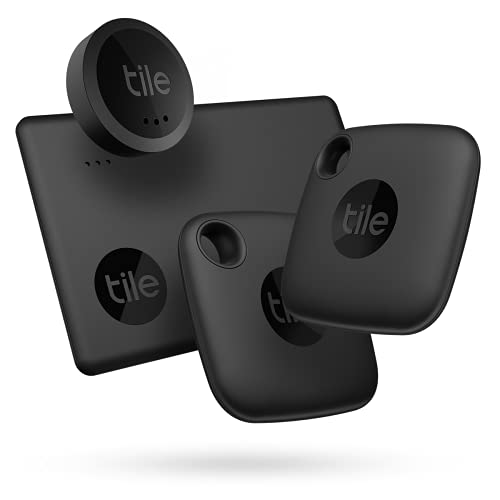
Tile Sticker (4-pack) with Folder Organizer
This pack includes four Tile Stickers that you can attach to any folder or document sleeve. Use the Tile app to ring your folders when misplaced, and see their last known location on a map. The stickers have a 3-year battery life.
Pros
- Works with any existing folders
- Long battery life
- Community find feature
Cons
- No scanning or digital organization
- Requires Tile app for full functionality

KleverCase Smart Expanding File
This expanding file holds up to 300 sheets across 12 pockets. Each pocket has a QR code label that you can scan with the KleverCase app to assign a digital tag. The app keeps an inventory of what is in each pocket.
Pros
- Large capacity
- Simple digital indexing
- Durable construction
Cons
- App interface is basic
- QR scanning requires manual effort

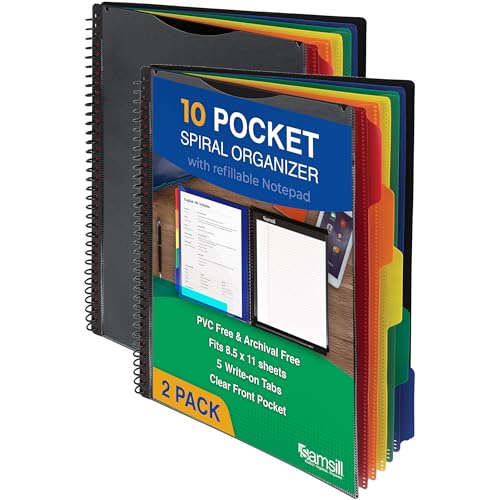
Samsill Smart 2 Inch Binder with Bluetooth Tag
This 2-inch binder has a built-in Bluetooth tag in the spine, allowing you to locate it with the Samsill app. It holds up to 450 sheets and features a clear view cover for custom labels. The tag is replaceable.
Pros
- Classic binder functionality
- Replaceable battery
- Customizable cover
Cons
- Bulky
- No scanning feature

Doxie Go SE Smart Portable Scanner with Folder
The Doxie Go SE is a standalone scanner that comes with a soft folder case. It scans up to 300 DPI and stores scans on a microSD card or internal memory. Use the Doxie app to wirelessly transfer scans to your devices. Works with Wi-Fi.
Pros
- Excellent scan quality
- No computer needed for scanning
- Companion app with OCR
Cons
- More expensive
- Requires separate folder organization
Bumpup Smart Folder with LED Display
This folder has a small e-ink display on the front that shows the folder name. You can update the label via Bluetooth from your phone. It holds up to 100 sheets and has a battery that lasts for months.
Pros
- Easily changeable digital label
- E-ink display is easy to read
- Sleek design
Cons
- Small capacity
- No scanning or tracking

OfficeSmart Expandable Wallet with RFID Blocking
This expandable wallet has RFID-blocking lining to protect your cards and documents from electronic pickpocketing. It also features a QR code label system that links to a digital inventory on your phone.
Pros
- Protects sensitive information
- Compact and portable
- Water-resistant
Cons
- Requires manual inventory update
- No automatic tracking
How to pick the right one
How they stack up
| # | Model | Scanning | Best for | Score | Price |
|---|---|---|---|---|---|
| 1 | SmartScanner Smart File Folder | 300 DPI, A4 size | Digitizing documents on the go | 9.4 | Check price |
| 2 | Tile Sticker (4-pack) with Folder Organizer | Bluetooth range up to 250 ft | Tracking physical folders | 9.1 | Check price |
| 3 | KleverCase Smart Expanding File | 12 pockets, holds 300 sheets | Large storage with app indexing | 8.8 | Check price |
| 4 | Samsill Smart 2 Inch Binder with Bluetooth Tag | 2 inch rings, up to 450 sheets | Organizing in a classic binder | 8.6 | Check price |
| 5 | Doxie Go SE Smart Portable Scanner with Folder | Up to 600 DPI (interpolated) | High-volume scanning | 9.0 | Check price |
| 6 | Bumpup Smart Folder with LED Display | 2.9 inch e-ink | Quick label display | 8.3 | Check price |
| 7 | OfficeSmart Expandable Wallet with RFID Blocking | 10 pockets, holds 200 sheets | Security and organization | 8.1 | Check price |
Good to know
Can smart file folders scan double-sided documents?
Most portable scanners in smart folders scan only one side at a time. For double-sided scanning, you must manually flip the document. Some high-end models offer duplex scanning, but they are less common and more expensive.
Are smart file folders secure for sensitive documents?
Digital security depends on the app and cloud service. Look for folders that offer encryption and secure data transmission. Physical security is provided by RFID-blocking materials, which prevent unauthorized scanning of chips in cards or passports.
Do I need a smartphone to use a smart file folder?
Most smart features require a smartphone app for setup and daily use. Some scanners can function standalone, storing scans internally, but transferring files typically requires a device. Check the product specifications for standalone capabilities.
How long does the battery last on a smart file folder?
Battery life varies widely. Scanners typically last for 100 scans per charge. Trackers like Tile Stickers last up to three years. E-ink label folders may last several months on a single charge. Always check the manufacturer’s claims.
Can I use smart file folders with cloud storage services?
Yes, many companion apps allow you to automatically upload scanned documents to Google Drive, Dropbox, Evernote, or other services. Ensure the app supports your preferred cloud provider before purchasing.
Are smart file folders durable enough for everyday use?
Durability depends on materials. Polypropylene and nylon are common and provide good protection. Some models are more rigid, while others are soft-sided. Read owner reviews to see how they hold up over time, especially the hinge and closure mechanisms.
What is the difference between a smart file folder and a regular folder?
A smart file folder integrates digital technology such as scanning, tracking, or electronic labeling. Regular folders are purely physical. Smart folders help bridge the gap between paper and digital organization, potentially increasing productivity and reducing clutter.
Can I expand the capacity of a smart file folder?
Most folders have fixed capacities. Expanding file designs can stretch but are limited by the number of pockets. If you need more capacity, consider a binder system where you can add pages or use multiple folders.
Final word
For most people, the SmartScanner Smart File Folder offers the best balance of scanning capability and portability, making it a solid choice for digitizing documents on the go. If you need to track many physical folders without scanning, the Tile Sticker pack is a reliable and flexible option. For heavy scanning workloads, the Doxie Go SE delivers superior image quality, albeit at a higher cost.
Marcus Chen
Marcus covered consumer electronics for enthusiast tech publications for six years before joining ChoiceCrest. He specializes in translating manufacturer spec sheets into plain-language buying advice, with a focus on audio, computing accessories and smart-home gear.