How to Pick the Right Drawing Tablet for Digital Art
Wacom Intuos Pro Medium PTH-660 leads this comparison for pen tracking, build quality and driver reliability. Huion Kamvas 13 gives the best value among display tablets for artists who want to draw directly on screen. Wacom Intuos S CTL-4100 offers the simplest starting point for anyone new to digital art.
Wacom Intuos Pro Medium PTH-660 wins this comparison as the best screenless tablet. Huion Kamvas 13 earns the best value spot among display tablets, and Wacom Intuos S CTL-4100 offers the gentlest start for beginners. Each model below ships with active driver support right now.
Specifications like 8192 pressure levels are now standard across the field and reveal almost nothing about how a pen actually feels in hand. We compared pen technology, tilt recognition, initial activation force, active area size, screen color coverage where relevant and driver behavior across operating systems. Owner reports about parallax, cable clutter and long term nib wear shaped the final ranking too.
The shortlist, ranked

Wacom Intuos Pro Medium PTH-660
Pro Pen 2 tracks with almost no lag and begins marking at the lightest touch, which keeps this the reference screenless tablet. Eight express keys and a touch ring keep your other hand off the keyboard. Long term owners report the drivers stay dependable across Windows and macOS updates.
Pros
- Best pen tracking and lowest activation force here
- Wireless option removes cable clutter
- Reliable drivers on both Windows and macOS
Cons
- Costs more than rival screenless tablets
- Replacement pens carry a premium price

Huion Kamvas 13
A laminated full HD screen sits directly under the pen, so hand and cursor line up and the learning curve from paper shortens fast. Laminated glass keeps parallax low, and the matte surface adds enough friction to feel natural. Setup needs a three in one cable or a direct USB C link to a supported machine.
Pros
- Low parallax laminated display
- Strong color coverage for the price
- Comfortable battery free pen
Cons
- Cable setup adds desk clutter
- Screen warms during long sessions

Wacom Intuos S CTL-4100
Small, light and inexpensive enough to test whether digital drawing suits you before committing further. A battery free pen delivers 4096 pressure levels, plenty for sketching and photo retouching. Its compact active area fits laptops and small desks, though detailed illustration eventually wants more room.
Pros
- Affordable entry point into Wacom quality
- Very portable for laptop work
- Simple setup with reliable drivers
Cons
- Small active area limits long strokes
- No tilt support

XPPen Artist 12 (2nd Gen)
At 11.9 inches, this display is small enough to travel with and can run from a single USB C cable on supported laptops, cutting the usual cable tangle. Color coverage beats most tablets its size, and the pen supports tilt for shading. The compact canvas suits illustration and note taking more than large scale painting.
Pros
- Single cable connection on many laptops
- Strong color coverage for its size
- Genuinely portable pen display
Cons
- Small drawing area for detailed work
- No express keys on the slim frame
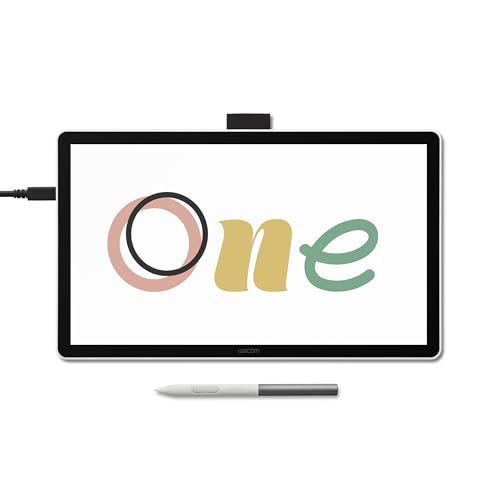
Wacom One 13 Touch
Multi touch gestures come standard here, so pinching to zoom and rotating the canvas works like a tablet rather than a monitor. Connections extend to computers and to selected Android devices, widening where you can work. Pressure and color specifications sit below the Intuos Pro line, matching its lower price.
Pros
- Touch gestures for zoom and rotate
- Works with selected Android devices
- Backed by Wacom driver support
Cons
- Lower pressure levels than rivals here
- Color coverage trails the Huion Kamvas 13

XPPen Deco Pro MW
Bluetooth pairing plus a mechanical roller and a virtual wheel keep your left hand off the keyboard while zooming or sizing brushes. An aluminum body thin enough to slide into a laptop bag adds portability. Anyone who wants Intuos Pro style controls without the Wacom price finds strong value here.
Pros
- Large active area with wireless connection
- Roller and wheel shortcuts prove genuinely useful
- Slim aluminum build travels well
Cons
- Driver updates feel less polished than Wacom’s
- Wide format takes up desk space
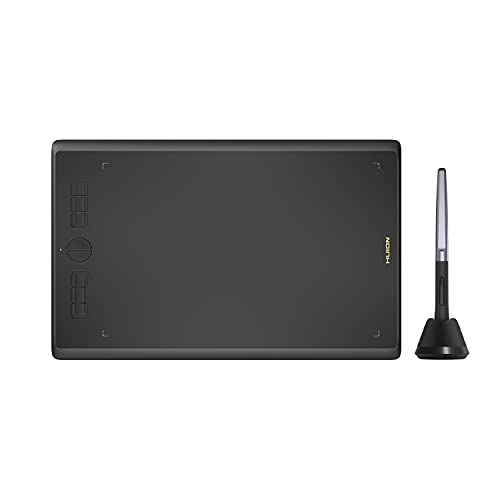
Huion Inspiroy H610X
A large active area at a price close to the smallest name brand tablets makes this a sensible first purchase for students. The battery free pen adds tilt support, and the surface texture reads closer to paper than glossy rivals. Build quality stays plainer than premium models, though the drawing experience holds up.
Pros
- Large drawing area for the price
- Paper like surface texture
- Tilt support at an entry level price
Cons
- Plastic build feels basic
- Wired only connection
How to pick the right one
Screen or screenless: which drawing tablet is right for you? Screenless tablets ask you to look at the monitor while your hand moves elsewhere, which feels odd for a few days before becoming automatic. They also run cheaper, lighter and cooler than display tablets. Pen displays put the cursor directly under the nib, matching how artists coming from paper already work. Neither wins in absolute terms, so match the tablet to how you think while drawing.
Do pressure levels actually matter when choosing a tablet? Nearly every tablet here quotes 8192 levels, a number no human hand can fully distinguish. Initial activation force, meaning how lightly the pen starts marking, matters far more, along with tilt recognition and how smoothly a line tapers. Those qualities show up in pen feel, not on a spec sheet.
What size drawing tablet fits your desk and style? A medium screenless tablet with roughly a nine inch active area suits full arm strokes and long lines, while a small tablet keeps the wrist compact and travels easily. Pen displays around 13 inches balance portability against canvas room, and larger displays need a stand plus dedicated desk space. Map the active area against your monitor size before assuming you need more.
How much do drivers and software support matter over time? Tablet hardware rarely fails outright, but a driver conflict after an operating system update can stop work cold. Wacom holds the longest track record for driver stability, while Huion and XPPen have closed the gap and pack more hardware per unit of spend. Confirm your main application, whether Photoshop, Clip Studio Paint or Krita, lists explicit support before buying.
Compared at a glance
| # | Model | Type | Best for | Score | Price |
|---|---|---|---|---|---|
| 1 | Wacom Intuos Pro Medium PTH-660 | Screenless pen tablet | Best overall | 9.4 | Check price |
| 2 | Huion Kamvas 13 | Pen display | Best value display tablet | 9.2 | Check price |
| 3 | Wacom Intuos S CTL-4100 | Screenless pen tablet | Best for beginners | 9.0 | Check price |
| 4 | XPPen Artist 12 (2nd Gen) | Pen display | Best compact pen display | 8.8 | Check price |
| 5 | Wacom One 13 Touch | Pen display with touch | Best beginner pen display | 8.5 | Check price |
| 6 | XPPen Deco Pro MW | Screenless pen tablet | Best wireless screenless tablet | 8.2 | Check price |
| 7 | Huion Inspiroy H610X | Screenless pen tablet | Best budget option | 8.0 | Check price |
Common questions
Is a screenless drawing tablet hard to learn?
Most people adapt within a few days to looking at the monitor while drawing on the surface below. After that, the hand eye separation becomes automatic, and many professional illustrators prefer it for posture and comfort.
Do I need 8192 pressure levels on a drawing tablet?
No. Anything beyond a few thousand levels exceeds what a hand can control, so activation force, tilt support and pen ergonomics matter more than the headline number.
Which drawing tablet is best for beginners?
Wacom Intuos S CTL-4100 is the lowest risk start for screenless drawing. Wacom One 13 Touch or Huion Kamvas 13 suit beginners who want to draw directly on a screen instead.
Can a drawing tablet connect to a phone?
Some can. Wacom One 13 Touch and several Huion models support selected Android devices, though feature support varies by phone model. Check the manufacturer compatibility list before buying for a specific device.
What is parallax on a pen display and does it matter?
Parallax is the visible gap between the pen tip and the cursor, caused by the thickness of glass over the panel. Laminated screens such as Huion Kamvas 13 minimize it, which makes precise line work easier.
Do drawing tablet pens need charging?
Every pen listed here is battery free and draws power from the tablet through electromagnetic resonance. That means no charging, no batteries and a lighter pen in the hand.
How often do drawing tablet nibs wear out?
Wear rates vary widely with pressure habits and surface texture, ranging from weeks to many months. Every tablet here ships with spare nibs, and replacements cost little.
Will a drawing tablet work with Procreate?
Procreate runs only on iPad, so it needs an iPad and Apple Pencil rather than any tablet on this list. Photoshop, Clip Studio Paint, Krita and Illustrator all work with these tablets on Windows and macOS instead.
Do professional illustrators prefer screen or screenless tablets?
Preference splits by background. Artists trained on paper often prefer pen displays for direct hand eye alignment, while long time screenless users cite wrist comfort and lower cost as reasons to stay screenless.
How big should a drawing tablet active area be?
Match the active area to your monitor rather than buying the largest option available. A roughly nine inch active area suits a standard monitor, and going much bigger just adds arm travel without adding accuracy.
Our take
Wacom Intuos Pro Medium PTH-660 remains the pick for serious daily work, since pen feel and driver stability remove friction that cheaper tablets add back. Huion Kamvas 13 delivers most of a premium pen display experience for far less when drawing directly on the artwork matters most. Beginners should start with Wacom Intuos S CTL-4100 rather than overspending before a workflow is even set.
Marcus Chen
Marcus covered consumer electronics for enthusiast tech publications for six years before joining ChoiceCrest. He specializes in translating manufacturer spec sheets into plain-language buying advice, with a focus on audio, computing accessories and smart-home gear.


