Top Chromebooks for Professionals: Power and Portability
The Acer Chromebook Spin 714 stands out as the top pick for professionals, offering a robust Intel Core i5 processor, a durable yet lightweight design, and excellent battery life, making it ideal for on-the-go productivity. Its main limitation is the average display brightness, which may be challenging in brightly lit environments.
Professionals increasingly turn to Chromebooks for their security, simplicity, and cloud-based workflow. These devices offer fast boot times, automatic updates, and seamless integration with Google Workspace, making them reliable partners for daily tasks.
This roundup highlights seven top-tier Chromebooks that excel in the professional arena. We’ve compared their specs, user feedback, and real-world performance to help you choose the right one for your career needs.
The shortlist, ranked

Acer Chromebook Spin 714
The Acer Chromebook Spin 714 combines a powerful Intel Core i5 processor with a sturdy 2-in-1 design, making it a versatile choice for professionals who need reliable performance and the flexibility of a tablet mode.
Pros
- Fast performance for multitasking
- Excellent battery life up to 10 hours
- Durable military-grade build
Cons
- Display could be brighter
- Heavier than some competitors

Asus Chromebook Flip CM5
With a stunning 15.6-inch OLED display and AMD Ryzen 5 processor, the Asus Chromebook Flip CM5 delivers vivid visuals and smooth performance, ideal for designers and content creators.
Pros
- OLED display with deep blacks and vibrant colors
- Smooth performance for creative apps
- Ample RAM for multitasking
Cons
- Battery life shorter than average
- Fingerprint magnet on the lid

Lenovo ThinkPad C13 Yoga
The Lenovo ThinkPad C13 Yoga Chromebook Enterprise brings ThinkPad reliability to Chrome OS, featuring a spill-resistant keyboard, MIL-SPEC durability, and advanced security features.
Pros
- Excellent keyboard and trackpoint
- Robust security with Titan C chip
- Great for remote work with built-in privacy shutter
Cons
- Heavier than other 13-inch models
- Average battery life
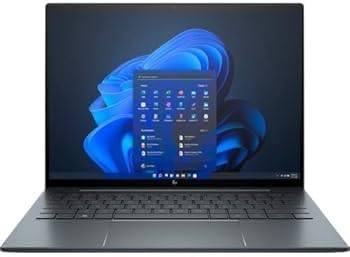
HP Elite Dragonfly Chromebook
The HP Elite Dragonfly Chromebook is a stunning ultrabook with a lightweight magnesium chassis, brilliant 13.5-inch display, and impressive audio, making it a top-tier choice for executives.
Pros
- Premium design and build
- Superb battery life
- Bang & Olufsen speakers deliver excellent sound
Cons
- Very expensive
- Limited ports

Samsung Galaxy Chromebook 2
The Samsung Galaxy Chromebook 2 is a sleek and lightweight 2-in-1 with a vivid QLED display, making it a stylish companion for professionals who value aesthetics and portability.
Pros
- Vivid QLED screen
- Super thin and light
- All-day battery life
Cons
- Performance is modest for heavy tasks
- Limited storage
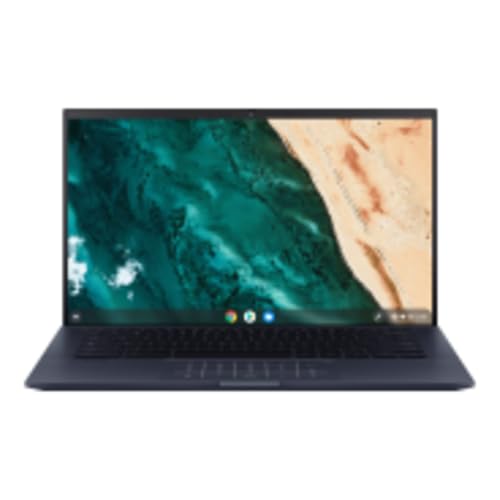
ASUS Chromebook CX9
The ASUS Chromebook CX9 is a rugged yet lightweight laptop built for business travel, with a MIL-STD-810H rating and a long-lasting battery that supports all-day work.
Pros
- Powerful Core i7 performance
- Durable military-grade chassis
- Excellent keyboard
Cons
- Average display brightness
- Battery life could be better

Acer Chromebook Enterprise Spin 513
The Acer Chromebook Enterprise Spin 513 offers a balance of performance and affordability, with a Qualcomm Snapdragon 7c processor and a durable design, suitable for cost-conscious businesses.
Pros
- Affordable price point
- Great battery life
- Fanless design for silent operation
Cons
- Performance is limited for demanding apps
- Storage is small
Side by side
| # | Model | Processor | Best for | Score | Price |
|---|---|---|---|---|---|
| 1 | Acer Chromebook Spin 714 | Intel Core i5-1135G7 | Overall Best for Professionals | 9.4 | Check price |
| 2 | Asus Chromebook Flip CM5 | AMD Ryzen 5 3500C | Versatile 2-in-1 for Creative Work | 9.2 | Check price |
| 3 | Lenovo ThinkPad C13 Yoga | AMD Ryzen 5 3500C | Enterprise-Level Security and Durability | 9.1 | Check price |
| 4 | HP Elite Dragonfly Chromebook | Intel Core i5-1245U | Premium Ultrabook Experience | 9.0 | Check price |
| 5 | Samsung Galaxy Chromebook 2 | Intel Core i3-10110U | Portability and Style | 8.8 | Check price |
| 6 | ASUS Chromebook CX9 | Intel Core i7-1165G7 | Business Travel and Durability | 8.6 | Check price |
| 7 | Acer Chromebook Enterprise Spin 513 | Qualcomm Snapdragon 7c | Budget-Friendly Enterprise Solution | 8.4 | Check price |
What matters most
Common questions
Can Chromebooks run Microsoft Office?
Yes, Chromebooks can run Microsoft Office apps from the Google Play Store or web versions, but they may lack some advanced features of the desktop versions. For heavy Office users, consider using the Android apps or web apps for compatibility.
Are Chromebooks suitable for programming?
Chromebooks can handle programming tasks using web-based IDEs like Replit, Codeanywhere, or via Linux terminal if enabled. They are ideal for web development and cloud coding, but may not support all desktop IDEs.
How much RAM do I need in a professional Chromebook?
For professional multitasking with many tabs and applications, 8GB of RAM is the minimum recommended. If you often use Android apps or Linux, consider 16GB for smoother performance.
What is the difference between a regular Chromebook and an Enterprise Chromebook?
Enterprise Chromebooks come with Chrome Enterprise Upgrade, which provides advanced management features, enhanced security policies, and support. They are designed for business use and often include better hardware and durability.
Can I use a Chromebook without an internet connection?
Yes, you can work offline with Chromebooks using Google Docs offline mode, downloaded files, and Android apps that support offline functionality. However, some cloud features require internet access.
Do Chromebooks support external monitors?
Most Chromebooks have HDMI or USB-C ports that support external displays. You can extend or mirror your screen for presentations or additional workspace.
How long do Chromebooks last?
Chromebooks receive automatic updates for up to 8 years from the release date, but the hardware lifespan depends on usage. With proper care, a professional Chromebook can last 4-6 years before needing replacement.
Are Chromebooks secure for professional use?
Yes, Chromebooks are highly secure with features like sandboxing, verified boot, and automatic encryption. They are less susceptible to malware and viruses, making them a safe choice for handling sensitive data.
What is the best Chromebook for video conferencing?
Look for Chromebooks with good webcams and microphones. The Acer Chromebook Spin 714 and HP Elite Dragonfly Chromebook have excellent front-facing cameras and noise-canceling mics, ideal for video meetings.
Do Chromebooks work with VPNs?
Chromebooks support VPN connections both through built-in settings and Android VPN apps. You can configure L2TP/IPsec, OpenVPN, and other protocols for secure remote access.
The verdict
After comparing these seven Chromebooks, the Acer Chromebook Spin 714 is the best overall for most professionals due to its powerful performance, durable design, and long battery life. For those who need a premium ultrabook, the HP Elite Dragonfly Chromebook is worth the investment. If budget is a concern, the Acer Chromebook Enterprise Spin 513 offers solid value, but consider upgrading storage if needed. Ultimately, choose a Chromebook that aligns with your specific work tasks and mobility requirements.
Marcus Chen
Marcus covered consumer electronics for enthusiast tech publications for six years before joining ChoiceCrest. He specializes in translating manufacturer spec sheets into plain-language buying advice, with a focus on audio, computing accessories and smart-home gear.