8 Portable Workstations for Travel That Keep You Productive
For most travelers, the ASUS Zenbook 14 OLED offers the best balance of portability, performance, and display quality. It weighs just 2.6 pounds and has a stunning OLED screen, making it ideal for digital nomads and business travelers who need a reliable laptop for daily tasks. The main limitation is its limited port selection, which may require a dongle for more connections.
Traveling professionals need gear that is light, durable, and powerful enough to handle work tasks anywhere. A good portable workstation can make the difference between a productive trip and a frustrating one.
Our roundup covers top-rated options from trusted brands, focusing on real-world usability. We looked at specifications, user reviews, and portability to help you choose the right travel companion.
What matters most
What we recommend
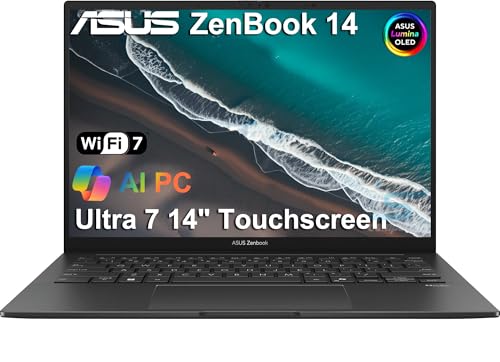
ASUS Zenbook 14 OLED
The ASUS Zenbook 14 OLED is a featherlight laptop with a brilliant OLED display. It offers excellent performance for everyday tasks and a battery that lasts all day, making it a favorite among travelers.
Pros
- Incredibly light and compact
- Stunning OLED screen
- Great battery life
Cons
- Limited port selection
- No dedicated graphics

Apple MacBook Air 13-inch (M3)
The MacBook Air with the M3 chip delivers powerful performance in a slim, fanless design. Its all-day battery and seamless integration with other Apple devices make it a top choice for Apple loyalists.
Pros
- Exceptional performance
- Long battery life
- Premium build quality
Cons
- Pricey
- Only two Thunderbolt ports

Dell XPS 13 Plus
The Dell XPS 13 Plus combines a sleek design with powerful Intel processors. It is perfect for those who need extra computing power without adding bulk.
Pros
- Powerful performance
- Beautiful edge-to-edge display
- Responsive haptic touchpad
Cons
- Battery life is average
- Limited ports (mostly USB-C)

Microsoft Surface Pro 9
The Surface Pro 9 is a versatile 2-in-1 that works as a tablet and a laptop with the detachable keyboard. It is ideal for travelers who want a touchscreen device for presentations and note-taking.
Pros
- Flexible 2-in-1 design
- High-resolution display
- Light and portable
Cons
- Keyboard sold separately
- No USB-A port

Lenovo ThinkPad X1 Carbon Gen 11
The ThinkPad X1 Carbon is a business-class ultrabook with a legendary keyboard and robust security features. It’s built to withstand travel and offers excellent performance.
Pros
- Superb keyboard
- Durable build
- Comprehensive security features
Cons
- Expensive
- Battery life varies with use
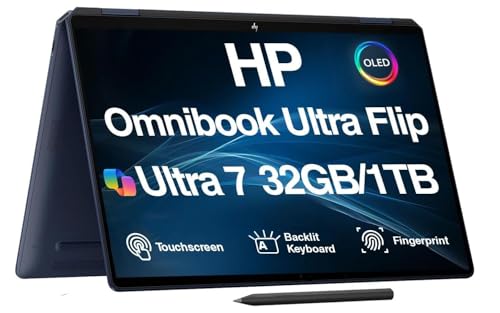
HP Spectre x360 14
The HP Spectre x360 14 offers a 2-in-1 convertible design with a crisp OLED display. It provides a good balance of portability and performance for creative professionals.
Pros
- Versatile convertible design
- Excellent OLED screen
- Good port selection
Cons
- Heavier than competitors
- Battery life is moderate

ASUS ProArt Display PA148CTV
This 14-inch portable monitor is designed for on-the-go content creators. It features a touchscreen and covers 100% sRGB, making it a great secondary display for photo editing or expanding your workspace.
Pros
- Accurate color reproduction
- Touchscreen functionality
- Lightweight and portable
Cons
- Requires power via USB-C
- No built-in battery
Side by side
| # | Model | Weight | Best for | Score | Price |
|---|---|---|---|---|---|
| 1 | ASUS Zenbook 14 OLED | 2.6 lbs | Best overall ultraportable laptop | 9.4 | Check price |
| 2 | Apple MacBook Air 13-inch (M3) | 2.7 lbs | Best for Apple ecosystem users | 9.2 | Check price |
| 3 | Dell XPS 13 Plus | 2.7 lbs | Best for performance in a compact size | 9.0 | Check price |
| 4 | Microsoft Surface Pro 9 | 1.9 lbs (tablet only) | Best 2-in-1 tablet for travel | 8.8 | Check price |
| 5 | Lenovo ThinkPad X1 Carbon Gen 11 | 2.5 lbs | Best for business travelers | 8.7 | Check price |
| 6 | HP Spectre x360 14 | 3.1 lbs | Best 2-in-1 convertible laptop | 8.5 | Check price |
| 7 | ASUS ProArt Display PA148CTV | 1.9 lbs | Best portable monitor for travelers | 8.0 | Check price |
Frequently asked questions
What is the lightest laptop for travel?
The ASUS Zenbook 14 OLED weighs just 2.6 pounds, and the Microsoft Surface Pro 9 is even lighter at 1.9 pounds when used as a tablet. For a traditional clamshell laptop, the Zenbook is one of the lightest options available.
How much RAM do I need for travel work?
For most travel tasks like email, web browsing, and document editing, 8GB is sufficient. If you plan to do heavier multitasking or run virtual machines, consider 16GB or more for a smoother experience.
Should I get a laptop or a 2-in-1 for travel?
A 2-in-1 like the Surface Pro offers more versatility with touch and pen input, making it great for presentations and note-taking. However, traditional laptops often have better keyboards and more ports, which can be more comfortable for long typing sessions.
Can I use a portable monitor with any laptop?
Most portable monitors connect via USB-C or HDMI. Ensure your laptop has a compatible port. If you use USB-C, check that it supports DisplayPort over USB-C. Some monitors may require an adapter for older laptops.
What is the best workstation for international travel?
For international travel, consider a device with a long battery life and global power adapter compatibility. The MacBook Air and ASUS Zenbook both have excellent battery life and are light enough for the road. Check that your device supports voltage range 100-240V.
Do I need a dedicated graphics card?
For general business tasks, integrated graphics are sufficient. If you do video editing or 3D modeling, a dedicated GPU is necessary. However, dedicated GPUs add weight and cost, so only choose one if truly needed.
How important is a backlit keyboard for travel?
A backlit keyboard is helpful for working in dimly lit environments like airplanes or hotel rooms. Most premium laptops and 2-in-1s include this feature, but always check the specifications if it is a priority for you.
What is the best way to protect my workstation while traveling?
Use a padded laptop sleeve or a dedicated compartment in your backpack. Consider a hard-shell case for extra protection. Additionally, invest in a portable charger if you have a device with high power consumption.
Our pick
For most travelers, the ASUS Zenbook 14 OLED is the clear winner because it combines exceptional portability with a brilliant display and all-day battery life. If you are deeply invested in the Apple ecosystem, the MacBook Air is a superb alternative. For those who need a 2-in-1, the Microsoft Surface Pro 9 offers the best versatility. Ultimately, choose the device that fits your specific work tasks and travel style, but you cannot go wrong with the Zenbook.
Marcus Chen
Marcus covered consumer electronics for enthusiast tech publications for six years before joining ChoiceCrest. He specializes in translating manufacturer spec sheets into plain-language buying advice, with a focus on audio, computing accessories and smart-home gear.