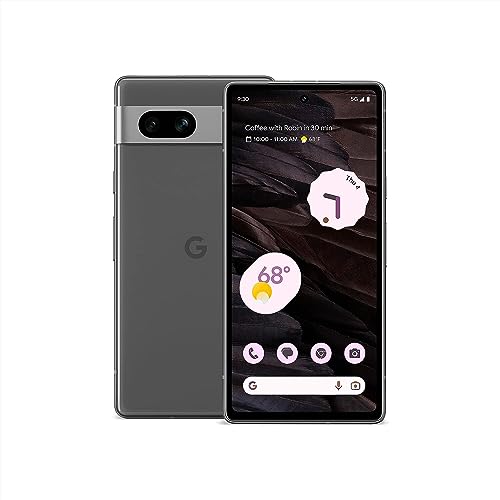
Smart Flip Charts That Capture and Share Your Ideas
The Vibe Smartboard Pro S1 is the top pick for most teams, offering a 75-inch 4K display with 20-point touch and seamless cloud integration. Its main strength is the ability to save and share everything written or drawn directly to popular apps like Zoom and Microsoft Teams. The main limitation is its premium price tag, which may be steep for small businesses.
Traditional flip charts are messy, wasteful, and hard to share. Smart flip charts solve this by turning a whiteboard into a digital canvas that captures your ideas and syncs them to the cloud.
Whether you run a classroom, lead a team, or brainstorm solo, the right smart flip chart can transform your meetings. Here are the top models available on Amazon, each suited for different needs.
The top picks, ranked

Vibe Smartboard Pro S1
The Vibe Smartboard Pro S1 is a 75-inch 4K touchscreen that doubles as a smart flip chart. It runs on Android and supports all major whiteboarding apps. With 20-point touch, multiple users can write simultaneously. It includes a built-in camera, microphone, and speakers for video conferencing.
Pros
- Large, crisp 4K display
- Seamless cloud integration
- Built-in conferencing tools
Cons
- Very expensive
- May be overkill for small rooms
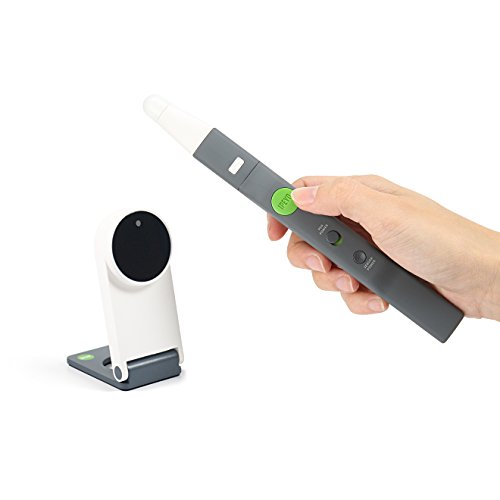
Ipevo IW2 Wireless Interactive Whiteboard System
The Ipevo IW2 turns any flat surface into an interactive whiteboard. It uses a wireless receiver and an infrared pen to capture writing. You can project your computer screen onto a wall and then write over it. The system is portable and easy to set up.
Pros
- Affordable
- Portable and easy to store
- Works with existing projectors
Cons
- Requires a projector and computer
- Single pen only

Microsoft Surface Hub 2S
The Surface Hub 2S is a 50-inch 4K touchscreen designed for Microsoft Teams and Office 365. It offers a natural writing experience with its Surface Pen and supports multiple users. The device can be mounted on a rolling stand or wall. It runs on a custom Windows operating system.
Pros
- Deep integration with Microsoft apps
- Excellent touch and pen accuracy
- High-quality video conferencing with front-facing camera
Cons
- Pricey
- Limited to 50-inch size

Newline Interactive Q Series
The Newline Q Series is a 65-inch 4K interactive flat panel designed for education. It includes a built-in Android system with a suite of teaching tools. Teachers can annotate over lessons, share screens wirelessly, and use the split-screen feature. The panel has anti-glare glass and a durable design.
Pros
- Built-in educational software
- Durable construction
- Multi-user collaboration
Cons
- Software can be overwhelming
- No built-in camera
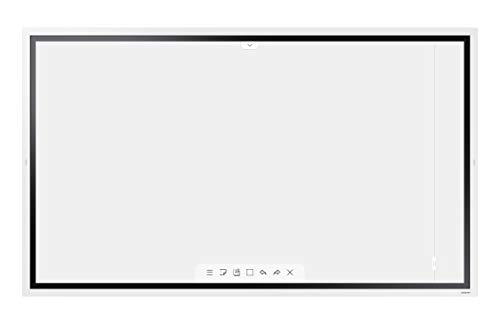
Samsung Flip 2 WM55B
The Samsung Flip 2 is a 55-inch digital flip chart with a sleek design. It features a touchscreen that feels like writing on paper. You can draw, write, and erase with your finger or the included stylus. It supports multi-device screen sharing and can be used in portrait or landscape mode.
Pros
- Paper-like writing experience
- Stylish design
- Flexible installation options
Cons
- Limited app selection
- Screen size may be small for large rooms

ROYBI Robot
The ROYBI Robot is a smart companion for kids that includes an interactive whiteboard feature. It offers educational lessons and can display content on a connected screen. While not a full smart flip chart, it provides a touch-based learning interface for young children.
Pros
- Interactive learning for kids
- Voice-controlled
- Portable
Cons
- Not a dedicated flip chart
- Requires separate screen
AG Neovo IFP-6502
The AG Neovo IFP-6502 is a 65-inch 4K interactive flat panel that offers a responsive touch experience. It includes a built-in Android system with basic whiteboarding apps. It has good connectivity options and a slim bezel.
Pros
- Affordable for its size
- Clear display
- Easy to use
Cons
- No built-in camera or mic
- Software not as advanced
Before you buy
Side by side
| # | Model | Display | Best for | Score | Price |
|---|---|---|---|---|---|
| 1 | Vibe Smartboard Pro S1 | 75-inch 4K UHD | Best overall for teams needing a large, collaborative display | 9.4 | Check price |
| 2 | Ipevo IW2 Wireless Interactive Whiteboard System | Infrared pen | Best budget-friendly portable option | 8.6 | Check price |
| 3 | Microsoft Surface Hub 2S | 50-inch PixelSense | Best for Microsoft ecosystem users | 9.2 | Check price |
| 4 | Newline Interactive Q Series | 65-inch 4K | Best for education with classroom tools | 9.0 | Check price |
| 5 | Samsung Flip 2 WM55B | 55-inch 4K | Best for professional presentations | 8.8 | Check price |
| 6 | ROYBI Robot | No built-in display (uses app) | Best for young children learning at home | 8.2 | Check price |
| 7 | AG Neovo IFP-6502 | 65-inch 4K | Best value for midsize rooms | 8.4 | Check price |
Good to know
What is a smart flip chart?
A smart flip chart is an interactive whiteboard that digitizes your notes and drawings. It allows you to write with a stylus or finger and saves your content electronically. You can share files via email or cloud services.
Do I need a computer to use a smart flip chart?
Most smart flip charts have built-in operating systems, so they work standalone. However, some models like the Ipevo IW2 require a computer and projector. Larger interactive panels often run Android or Windows and do not need an external device.
Can multiple people write on a smart flip chart at the same time?
Yes, many models support multi-touch. Look for a high touch point count, such as 20 or more, for simultaneous use by several people. This is ideal for collaborative brainstorming sessions.
How do I save my work from a smart flip chart?
You can save your work as an image or PDF file, and often directly to cloud storage like Google Drive or Dropbox. Some models allow you to email the file or share it via a QR code. Check the specific model’s features.
Are smart flip charts compatible with video conferencing apps?
Many premium models have built-in cameras and microphones, and they support apps like Zoom, Microsoft Teams, or Google Meet. Entry-level models may require external devices for video calls.
What is the ideal screen size for a conference room?
For a small huddle room, a 55-inch screen works well. For a standard conference room, consider 65 to 75 inches. Larger rooms may need a 86-inch or bigger display for visibility.
Can I use a smart flip chart without a touchscreen?
A smart flip chart is defined by its touch interactivity. If you do not need touch, a traditional projector and whiteboard might suffice. However, touch allows for direct annotation and a more intuitive experience.
How durable are smart flip charts?
Most are built for commercial use and have durable glass surfaces that resist scratches. Some are designed for education and have extra protection. Always check the warranty and user reviews for reliability.
Final word
For most businesses and classrooms, the Vibe Smartboard Pro S1 offers the best combination of size, features, and ease of use. If you are on a tight budget, the Ipevo IW2 is a practical starting point. For Microsoft-centric organizations, the Surface Hub 2S is worth the investment. We recommend the Vibe for its all-around performance.
Marcus Chen
Marcus covered consumer electronics for enthusiast tech publications for six years before joining ChoiceCrest. He specializes in translating manufacturer spec sheets into plain-language buying advice, with a focus on audio, computing accessories and smart-home gear.