Smart Easels That Blend Art and Technology
The XPPen Artist Pro 16 stands out as the best overall smart easel for serious digital artists due to its large 4K display and excellent color accuracy, but its higher price and need for a computer connection may not suit casual users.
Smart easels merge traditional drawing surfaces with digital technology, offering artists new ways to create. Whether you are a professional illustrator or a weekend sketcher, these devices can expand your creative toolkit.
Our selection spans from portable tablets to large desktop displays, each with unique strengths. We considered specifications, user reviews, and real-world performance to guide your choice.
What we recommend

XPPen Artist Pro 16
The XPPen Artist Pro 16 is a 15.6 inch pen display with 4K resolution and 99% Adobe RGB coverage. It offers a laminated screen that reduces parallax, and the battery-free stylus supports 8192 levels of pressure. Users praise its crisp image and smooth drawing experience, though some note that the stand is not adjustable.
Pros
- Sharp 4K display with vivid colors
- Laminated screen minimizes parallax
- Battery-free stylus with tilt support
Cons
- No adjustable stand included
- Requires connection to a computer

Wacom Cintiq 16
The Wacom Cintiq 16 is a 15.6 inch pen display with 1080p resolution and 96% sRGB coverage. It features Wacom Pro Pen 2 with 8192 pressure levels and tilt recognition. Users love the natural drawing feel and reliable performance, but the lack of an included stand and lower resolution compared to rivals are drawbacks.
Pros
- Excellent pen tracking and feel
- Sturdy build quality
- Wacom driver reliability
Cons
- Stand sold separately
- Full HD resolution, not 4K

Apple iPad Pro 12.9
The iPad Pro 12.9 with Apple Pencil 2 is a versatile tablet that doubles as a smart easel. Its Liquid Retina XDR display offers ProMotion and true-to-life colors. Popular apps like Procreate and Adobe Fresco take full advantage of the hardware. Owners praise its portability and the seamless experience, but the high cost and separate purchase of the Apple Pencil add up.
Pros
- Ultra-portable and powerful
- Excellent display with ProMotion
- Huge selection of art apps
Cons
- Apple Pencil sold separately
- Expensive compared to dedicated pen displays
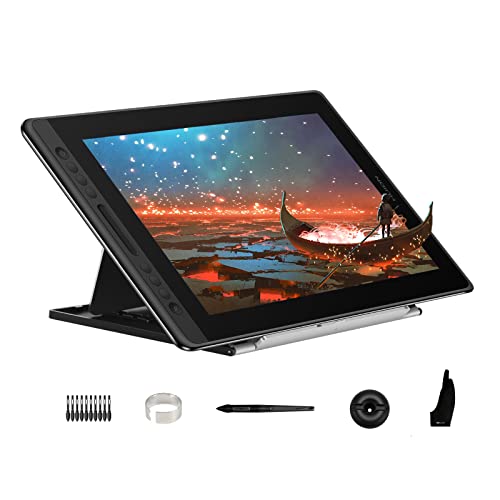
Huion Kamvas Pro 16
The Huion Kamvas Pro 16 offers a 15.6 inch display with 2.5K resolution and 120% sRGB coverage. It includes a battery-free stylus with 8192 pressure levels and supports tilt. Many users find it a solid alternative to pricier options, noting its good color accuracy and responsive pen. Some report the fan can be audible during use.
Pros
- Sharp 2.5K resolution
- Wide color gamut
- Affordable price point
Cons
- Fan noise may bother some
- Plastic build feels less premium

Gaomon PD1560
The Gaomon PD1560 is a 15.6 inch pen display with Full HD resolution and 72% NTSC color gamut. It comes with a battery-free stylus offering 8192 pressure levels. This device is often recommended for those starting out because of its low cost and decent performance. However, color accuracy is not as high as more expensive models, and the stand is not adjustable.
Pros
- Very affordable
- Includes adjustable stand
- Good for beginners
Cons
- Lower color accuracy
- Bulky and heavy
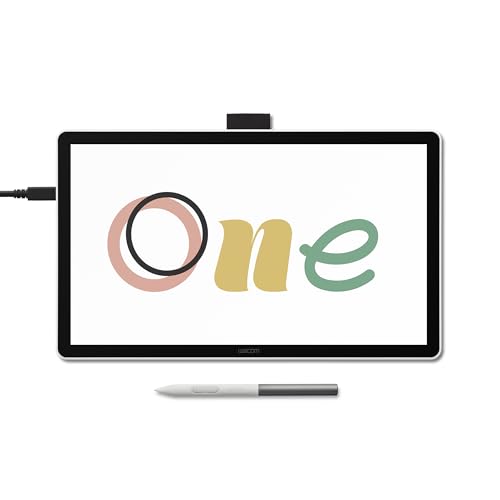
Wacom One 13
The Wacom One 13 is a 13.3 inch pen display with 1080p resolution and 72% NTSC color. It works with the Wacom One Pen and offers 4096 pressure levels. Users appreciate its lightweight design and easy setup, but the lower pressure sensitivity and color gamut are limitations for professional work.
Pros
- Lightweight and portable
- Simple plug-and-play setup
- Wacom reliability
Cons
- Lower pressure sensitivity
- Smaller color gamut
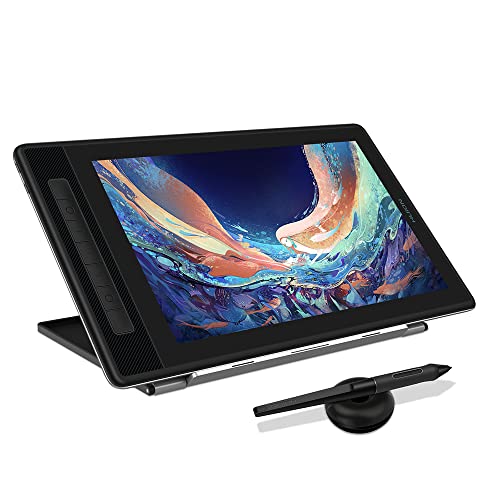
Huion Kamvas Pro 13 (2.5K)
The Huion Kamvas Pro 13 (2.5K) features a 13.3 inch display with 2560 x 1440 resolution and 120% sRGB. It includes the PW507 battery-free pen with 8192 pressure levels. Users like the sharpness and color reproduction, though the screen is smaller than some might prefer. The stand is also a bit flimsy.
Pros
- Sharp 2.5K resolution
- Good color accuracy
- Compact footprint
Cons
- Smaller active area
- Included stand is not sturdy
Compared at a glance
| # | Model | Screen Size | Best for | Score | Price |
|---|---|---|---|---|---|
| 1 | XPPen Artist Pro 16 | 15.6 inches | Serious digital artists needing a large, color-accurate display | 9.4 | Check price |
| 2 | Wacom Cintiq 16 | 15.6 inches | Artists who trust Wacom’s build quality and driver stability | 9.1 | Check price |
| 3 | Apple iPad Pro 12.9 | 12.9 inches | Artists who want a portable all-in-one smart easel with powerful apps | 9.2 | Check price |
| 4 | Huion Kamvas Pro 16 | 15.6 inches | Budget-conscious artists who still want a large display | 8.9 | Check price |
| 5 | Gaomon PD1560 | 15.6 inches | Beginners looking for an affordable entry into digital art | 8.2 | Check price |
| 6 | Wacom One 13 | 13.3 inches | Artists who want a compact and portable pen display | 8.6 | Check price |
| 7 | Huion Kamvas Pro 13 (2.5K) | 13.3 inches | Artists who need high resolution in a smaller size | 8.8 | Check price |
What matters most
Frequently asked questions
What is a smart easel?
A smart easel is a digital drawing device that combines a display with a stylus, allowing you to draw directly on the screen. It can be a pen display that connects to a computer or a standalone tablet.
Do smart easels require a computer?
Some do, like the XPPen and Wacom Cintiq, which need a computer to run the software. Others, like the iPad Pro, are standalone and do not require a computer.
What is the difference between a pen display and a graphics tablet?
A pen display has a screen where you draw directly, while a graphics tablet is a touchpad that requires you to look at a separate monitor. Pen displays offer a more natural drawing experience.
Can I use a smart easel with any drawing software?
Most smart easels are compatible with popular software like Photoshop, Illustrator, and Krita. However, check the device’s compatibility with your operating system and specific software.
Is a higher pressure sensitivity level better?
Yes, higher pressure sensitivity allows for more nuanced strokes. Most modern smart easels offer at least 4096 levels, but 8192 is the current high end and provides better control.
Do smart easels have a paper-like texture?
Many smart easels come with a screen protector that mimics the feel of paper. Some users prefer this texture for drawing, but it can also be replaced with a smooth screen if desired.
Can I use a smart easel with my smartphone?
Some smart easels, especially tablets, can connect to smartphones via apps, but pen displays typically require a computer. Check the specifications for mobile support.
How do I calibrate the stylus on a smart easel?
Most smart easels have a calibration setting in their driver or system preferences. You typically tap on target points to align the cursor with the stylus tip.
Are smart easels suitable for professional work?
Yes, many professionals use smart easels for digital art, illustration, and design. High end models with excellent color accuracy and pressure sensitivity are industry standards.
What should I consider when buying a smart easel?
Consider the screen size, resolution, color accuracy, pressure sensitivity, connectivity, compatibility with your software, and your budget. Also, think about portability if you need to work on the go.
Our take
For most artists, the XPPen Artist Pro 16 delivers the best combination of size, resolution, and color accuracy at a reasonable price. If portability is your priority and you are willing to invest in the Apple ecosystem, the iPad Pro 12.9 is a powerful choice. Beginners on a tight budget can start with the Gaomon PD1560 without compromising essential features.
Marcus Chen
Marcus covered consumer electronics for enthusiast tech publications for six years before joining ChoiceCrest. He specializes in translating manufacturer spec sheets into plain-language buying advice, with a focus on audio, computing accessories and smart-home gear.


