Receipt Scanners That Keep Expense Reports Organized
The Epson RapidReceipt RR-600W leads for most desks, pairing a fast duplex feeder with receipt specific data capture. The Ricoh ScanSnap iX1600 is simplest to operate through touchscreen profiles. The Brother ADS-1700W fits small desks and shared offices best.
Most desks are best served by the Epson RapidReceipt RR-600W, close behind it the Ricoh ScanSnap iX1600 for one button simplicity, and the Brother ADS-1700W where desk space runs short.
Thermal paper is thin, curled and inconsistently sized, so plain document scanners jam and misread totals more than owners expect. Current models were compared on stated feed rates, duplex capability, wireless options and the accounting exports each bundle supports. What long term owners report about paper handling and software updates shaped the ranking too.
What matters most
What should you look for in a receipt scanner? Feeder capacity matters more than the top scan speed on the box. A scanner rated at 40 pages per minute helps little if only 20 sheets load at once. Monthly batch scanners should look for a feeder holding at least 50 sheets, while a nightly habit of a few receipts suits a compact 20 sheet model that saves desk space.
How do you stop thermal receipts from jamming? Most receipts print on thin thermal stock that curls, and that curl is exactly where cheap feeders jam or double feed. Ultrasonic double feed detection and adjustable paper guides cut misfeeds noticeably, according to owner reports. Flattening a batch under a book before scanning helps more than any software setting.
Which receipt scanners read totals automatically? Scanning is the easy half of the job. Software that reads vendor, date, total and tax, then exports to a spreadsheet or accounting package, is what actually saves time. Some bundles do this natively, others rely on a third party subscription, so check supported export formats before buying rather than after.
Is a wireless receipt scanner worth paying more for? Wi-Fi lets a scan go straight to a phone or cloud folder, keeping cables off a shared desk. It also adds setup steps and occasional reconnection issues on crowded networks. Where the scanner lives permanently beside one computer, a USB only model is one less thing to troubleshoot.
The best picks, ranked

Epson RapidReceipt RR-600W
Epson built this specifically around receipts, and bundled software pulls vendor, date and total into a categorised database automatically. A 100 sheet feeder and duplex path handle a full month of receipts in one sitting. Wireless setup keeps cable clutter off a shared desk.
Pros
- Receipt data extraction is built in rather than bolted on
- Large feeder handles a full backlog in one sitting
- Exports to common accounting formats
Cons
- Takes up more desk space than a compact model
- Software has a learning curve on first setup

Ricoh ScanSnap iX1600
A colour touchscreen saves up to 30 one touch profiles, so a receipt scan and an invoice scan become separate buttons instead of separate dialogs. Family members tend to use it without help, based on owner feedback. Thin, curled thermal stock still feeds reliably where cheaper units jam.
Pros
- Profile buttons remove almost all setup friction
- Reliable feeding of thin and curled paper
- Works across Windows, Mac and mobile
Cons
- Receipt data capture depends on partner software
- Larger footprint than portable rivals

Brother ADS-1700W
Roughly the size of a loaf of bread, this still packs a 20 sheet feeder, duplex scanning and a small colour touchscreen for scan to cloud shortcuts. Desk space is the constraint it solves best. Home offices that scan in short bursts get the most value from it.
Pros
- Genuinely small footprint for a feeder scanner
- Scans direct to USB drive without a computer
- Touchscreen shortcuts are easy to configure
Cons
- Smaller feeder means more reloading on big batches
- Slower than full size desktop units

Epson WorkForce ES-500W II
Contracts, statements and business cards run through the same feeder that handles receipts here. Much of the RapidReceipt hardware carries over, minus the receipt focused software bundle, which suits anyone already using a separate expense app. Scanning to a phone over Wi-Fi works without extra setup.
Pros
- Handles receipts and full size documents equally well
- Fast duplex scanning for the size
- Mobile scanning works without a computer
Cons
- No dedicated receipt database software included
- Wireless setup can be fiddly on busy networks
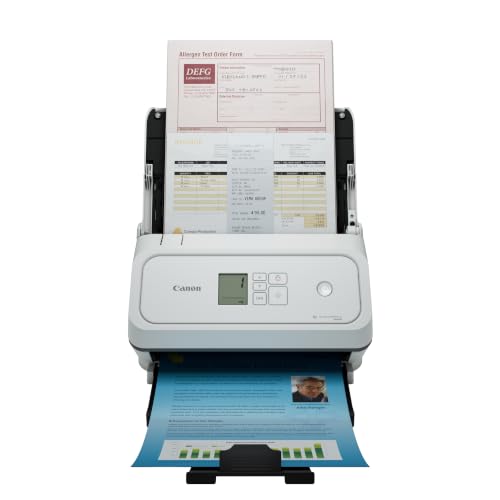
Canon imageFORMULA R40
Bundled software turns scans into clean searchable PDFs without much fuss. Skipping wireless keeps setup simple and cost down. Performance on receipts stays steady once the paper guides are adjusted correctly, based on specifications and owner reports.
Pros
- Strong searchable PDF output out of the box
- Simple wired setup with no network fuss
- Good feeder capacity for the class
Cons
- No wireless or mobile scanning
- Software is more basic than Epson’s receipt tools
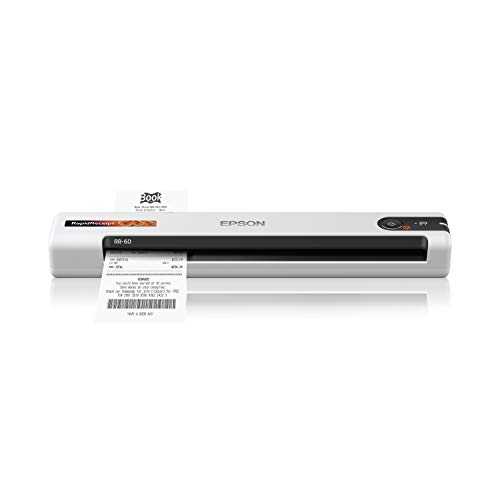
Epson RapidReceipt RR-70W
Consultants and rideshare drivers capture receipts on the road with this battery powered mobile scanner. One sheet feeds at a time, so batch jobs are not the point, though the receipt software matches the larger RapidReceipt models exactly. It fits inside a laptop bag with room to spare.
Pros
- Small enough for a laptop bag
- Same receipt capture software as the desktop models
- Runs without mains power
Cons
- Manual single sheet feeding only
- Much slower than any desktop unit
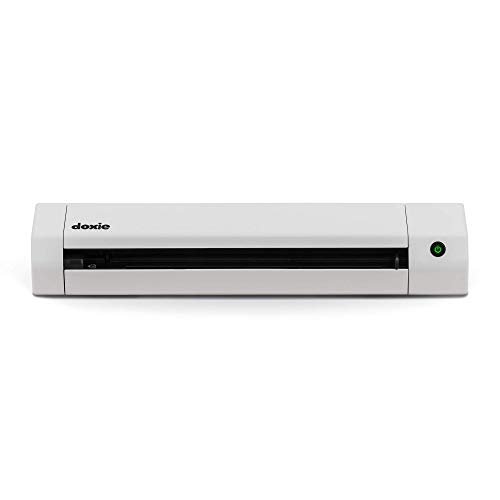
Doxie Go SE
Scans save straight to onboard memory, so receipts get captured anywhere and synced later. No feeder and no duplex means this suits light users rather than bookkeepers processing stacks. The bundled app makes tidying and exporting scans genuinely painless.
Pros
- Works completely untethered from a computer
- Very easy software with clean exports
- Light enough to keep in a glovebox
Cons
- Single sided scanning only
- No automatic document feeder
How they compare
| # | Model | Scan speed | Best for | Score | Price |
|---|---|---|---|---|---|
| 1 | Epson RapidReceipt RR-600W | Up to 35 pages per minute | Best overall | 9.4 | Check price |
| 2 | Ricoh ScanSnap iX1600 | Up to 40 pages per minute | Best for ease of use | 9.2 | Check price |
| 3 | Brother ADS-1700W | Up to 25 pages per minute | Best compact | 9.0 | Check price |
| 4 | Epson WorkForce ES-500W II | Up to 35 pages per minute | Best for mixed paperwork | 8.8 | Check price |
| 5 | Canon imageFORMULA R40 | Up to 40 pages per minute | Best value | 8.6 | Check price |
| 6 | Epson RapidReceipt RR-70W | Mobile sheetfed | Best portable | 8.3 | Check price |
| 7 | Doxie Go SE | Portable sheetfed | Best budget | 8.0 | Check price |
Frequently asked questions
Do receipt scanners read the totals automatically?
Dedicated receipt scanners do. Software bundled with them extracts vendor, date, total and tax into editable fields. General document scanners just produce a searchable PDF, leaving a separate expense app to pull the numbers out.
Will a scanner handle faded thermal receipts?
Usually, but not always. Thermal print fades with heat and time, and no scanner restores information that has already vanished. Scanning within a few weeks and storing paper away from sunlight gives the best results.
Is duplex scanning worth it for receipts?
Receipts are usually single sided, so duplex matters less than for contracts. It still helps, since a single pass duplex scanner checks both sides in one go, removing any doubt about whether something printed on the back.
Receipt scanner vs phone app, which is better?
For a handful of receipts a month, a phone app works fine and captures well. Past a few dozen at a time, a feeder scanner runs dramatically faster, since a whole stack loads and processes without photographing each slip.
Do receipt scanners work with accounting software?
Most export to CSV, which nearly every accounting package imports. Several also connect directly to popular bookkeeping services. Check the current list of supported integrations on the product page, since updates change these over time.
How long do receipt scanners last?
Owners report several years of steady use from desktop models. The feed roller and separation pad wear fastest, and both are replaceable consumables on most units. A model with available roller kits stretches usable life considerably.
Should receipts be scanned in colour or black and white?
Colour is safer, since it preserves logos, highlighting and card details that help verify a purchase later. File sizes grow larger, but modern compression keeps them manageable, and storage rarely becomes the limiting factor.
Do you still need to keep paper receipts after scanning?
That depends on local tax rules and how long records must be retained, so check with an accountant. Many jurisdictions accept legible digital copies, though keeping originals for the current year is the safest habit.
What is the best receipt scanner for a small business?
The Epson RapidReceipt RR-600W suits most small offices, since its bundled software automates the data entry that eats up bookkeeping time. Businesses handling mixed paperwork beyond receipts may prefer the Epson WorkForce ES-500W II instead.
Final word
The Epson RapidReceipt RR-600W makes sense for most people, since its receipt software handles tedious data entry instead of leaving it to the user. Pick the Ricoh ScanSnap iX1600 when simple one touch operation matters more than built in expense capture, or the Brother ADS-1700W when desk space is tight. Light users capturing a few slips a week will be fine with the Doxie Go SE.
Marcus Chen
Marcus covered consumer electronics for enthusiast tech publications for six years before joining ChoiceCrest. He specializes in translating manufacturer spec sheets into plain-language buying advice, with a focus on audio, computing accessories and smart-home gear.


