Top USB C Laptops for Fast Charging and Display
The Dell XPS 13 is our top pick for most users because it combines a premium build with full USB C functionality, including Thunderbolt 4 for fast data transfer and charging. Its main limitation is the limited number of ports, so you may need an adapter. If you prioritize battery life, the MacBook Air M3 is a strong alternative, but it is pricier.
USB C has become the standard for modern laptops, offering fast charging, high speed data, and video output in one reversible port. Choosing a laptop with the right USB C implementation can simplify your setup and reduce cable clutter.
Whether you need a lightweight ultraportable for travel or a powerful workstation for creative work, there are excellent options. We have selected seven laptops that excel in USB C connectivity, each with unique strengths to match different needs.
Our top picks

Dell XPS 13 9345
The Dell XPS 13 is a premium ultraportable that fully embraces USB C. It features two Thunderbolt 4 ports, both supporting power delivery and DisplayPort, so you can charge, connect a 4K monitor, and transfer data at high speeds from either side. The laptop’s design is sleek and durable, and its display is sharp and bright. Owners report excellent build quality and reliable performance for everyday tasks.
Pros
- Premium build and display
- Thunderbolt 4 for fast data transfer
- Lightweight and portable
Cons
- Limited port selection
- No USB A port without adapter

Apple MacBook Air 13 M3
The MacBook Air with the M3 chip offers exceptional performance and battery life, and its two Thunderbolt 3 ports support charging and DisplayPort. While it lacks a second USB C port on the other side, it delivers consistent power and can drive an external display. Owners praise its silent operation and impressive speed for daily tasks. The main drawback is that it supports only one external display, which may limit some users.
Pros
- Outstanding battery life
- Silent and cool operation
- Great performance for most tasks
Cons
- Only one external display supported
- Higher price for storage upgrades

Lenovo ThinkPad X1 Carbon Gen 12
The ThinkPad X1 Carbon is a business classic, known for its robust build, excellent keyboard, and comprehensive port selection. It includes two Thunderbolt 4 ports, both with power delivery and DisplayPort, and also has USB A and HDMI for legacy connectivity. Owners report that the laptop handles demanding productivity tasks with ease, and the carbon fiber construction adds durability without extra weight.
Pros
- Excellent keyboard and build
- Full port selection including USB A
- Strong security features
Cons
- Battery life is average
- Can get expensive with upgrades
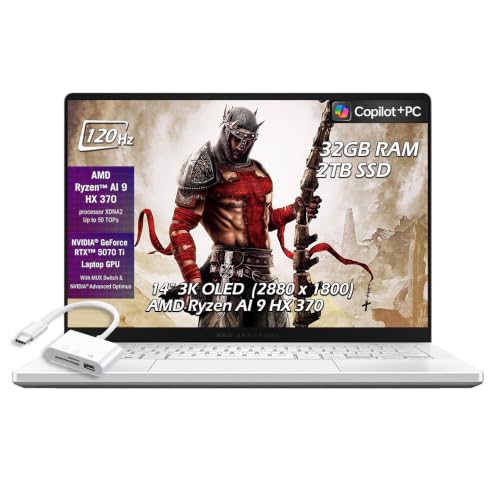
ASUS ROG Zephyrus G14
The ROG Zephyrus G14 is a compact gaming laptop that doesn’t compromise on power. It features one USB C port with DisplayPort and power delivery, plus another USB C port for data, and it supports fast charging via USB C. Owners appreciate its strong performance for gaming and content creation, and the 120Hz display is smooth. However, the fan noise can be noticeable under heavy load.
Pros
- Powerful performance
- High refresh rate display
- Compact and portable for a gaming laptop
Cons
- Fan noise under load
- Battery life is shorter than non gaming laptops
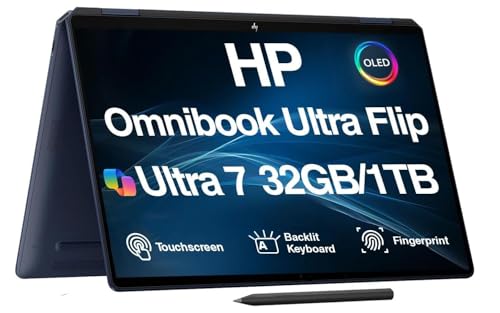
HP Spectre x360 14
The HP Spectre x360 is a premium convertible with a gorgeous OLED display and a versatile hinge. It has two Thunderbolt 4 ports, both supporting power delivery and DisplayPort, plus a USB A port for convenience. Owners love the flexibility of using it as a tablet, and the stylus support is a bonus. The main downside is that the battery life is moderate when pushing the high resolution screen.
Pros
- Versatile 2 in 1 design
- Stunning OLED display
- Good selection of ports
Cons
- Average battery life
- Slightly heavy for a 13 inch laptop

Acer Swift 3
The Acer Swift 3 offers a solid USB C experience at an affordable price. It has one USB C port that supports power delivery and DisplayPort, and another USB C port for data, plus USB A ports. Owners report that it handles everyday tasks well and the battery life is decent. The main limitations are the lower resolution display and average speakers.
Pros
- Affordable price
- Lightweight design
- Full USB C functionality
Cons
- Display is not the brightest
- Build quality is less premium

Microsoft Surface Laptop 5
The Surface Laptop 5 is a stylish and well built Windows laptop with a 3:2 display that is great for productivity. It has one USB C port with power delivery and DisplayPort, but lacks Thunderbolt support, which may be a limitation for some. Owners praise its comfortable keyboard and premium feel. The main drawbacks are the limited ports and the need for an adapter to connect multiple monitors.
Pros
- Elegant design
- Excellent display aspect ratio
- Good performance
Cons
- No Thunderbolt support
- Only one USB C port
Compared at a glance
| # | Model | Ports | Best for | Score | Price |
|---|---|---|---|---|---|
| 1 | Dell XPS 13 9345 | 2x Thunderbolt 4, 1x USB C 3.2, headphone jack | Overall best USB C laptop | 9.4 | Check price |
| 2 | Apple MacBook Air 13 M3 | 2x Thunderbolt 3 (USB C) | Best battery life and macOS integration | 9.2 | Check price |
| 3 | Lenovo ThinkPad X1 Carbon Gen 12 | 2x Thunderbolt 4, 2x USB A, HDMI | Business users and durability | 9.1 | Check price |
| 4 | ASUS ROG Zephyrus G14 | 1x USB C with DP and PD, 1x USB C, 2x USB A | Gaming and creative work on the go | 8.9 | Check price |
| 5 | HP Spectre x360 14 | 2x Thunderbolt 4, 1x USB A, microSD | 2 in 1 versatility with USB C | 8.8 | Check price |
| 6 | Acer Swift 3 | 1x USB C with DP and PD, 1x USB C, 2x USB A | Budget friendly USB C laptop | 8.5 | Check price |
| 7 | Microsoft Surface Laptop 5 | 1x USB C (USB 3.2), 1x USB A, Surface Connect | Windows users who want a sleek design | 8.4 | Check price |
What matters most
Good to know
Can I charge any laptop with USB C?
Not all laptops support USB C charging. You need a laptop with a USB C port that supports power delivery, and you must use a charger that provides the correct wattage. Some laptops use proprietary chargers, but many modern models accept USB C charging.
What is the difference between USB C and Thunderbolt?
USB C is a physical connector standard, while Thunderbolt is a protocol that uses the USB C connector. Thunderbolt offers higher data transfer speeds (up to 40Gbps) and supports daisy chaining multiple devices. It also can drive more displays. Not all USB C ports are Thunderbolt, but all Thunderbolt ports are USB C.
Can I connect two external monitors to a USB C laptop?
It depends on the laptop’s capabilities. If the laptop has Thunderbolt 4, you can often connect two 4K monitors through a docking station. Some laptops with multiple USB C ports may support dual displays, but check the specifications. Many laptops with a single USB C port support only one external monitor.
Is USB C faster than USB A for data transfer?
USB C is just a connector shape; the speed depends on the USB version. USB C ports can support USB 3.2 Gen 2 (10Gbps) or Thunderbolt (40Gbps), which are faster than typical USB A ports. However, some USB C ports may only support USB 3.2 Gen 1 (5Gbps), so check the specs.
Do all USB C laptops support video output?
No, some USB C ports are data only. You need a port that supports DisplayPort Alt Mode or Thunderbolt for video output. Many premium laptops include this feature, but budget models may omit it.
Can I use a USB C phone charger to charge my laptop?
You can if the charger provides enough wattage. Most laptops require at least 45W to 60W, while phone chargers usually deliver 20W or less. Using a low wattage charger may not charge the laptop or may charge very slowly. It is not recommended for regular use.
What is a USB C docking station?
A USB C docking station expands the laptop’s connectivity by providing additional ports like HDMI, Ethernet, USB A, and SD card readers. It connects to the laptop via a single USB C cable and often supports pass through charging. It is useful for setting up a home office with multiple peripherals.
Are USB C laptops more expensive?
USB C is becoming standard, so many price points exist. You can find budget laptops with USB C ports, but full featured USB C with Thunderbolt and high wattage charging is more common in premium models. The price difference is more related to overall build quality and performance than the USB C feature alone.
How do I know if a USB C port supports power delivery?
Check the laptop’s specifications or look for the USB PD logo next to the port. Many manufacturers indicate which ports support charging and display output in the user manual or on their website.
Can I use a USB C hub while charging my laptop?
Yes, many USB C hubs have a pass through charging port. You connect the hub to the laptop and then connect your charger to the hub’s power delivery port. This allows you to charge and use multiple peripherals with a single connection.
The verdict
For most people, the Dell XPS 13 is the best USB C laptop because it offers a perfect balance of performance, portability, and full featured USB C with Thunderbolt 4. If you are deeply invested in the Apple ecosystem, the MacBook Air M3 is a fantastic choice with superior battery life, but be aware of its single display limit. For budget conscious buyers, the Acer Swift 3 provides solid USB C functionality without breaking the bank.
Marcus Chen
Marcus covered consumer electronics for enthusiast tech publications for six years before joining ChoiceCrest. He specializes in translating manufacturer spec sheets into plain-language buying advice, with a focus on audio, computing accessories and smart-home gear.


