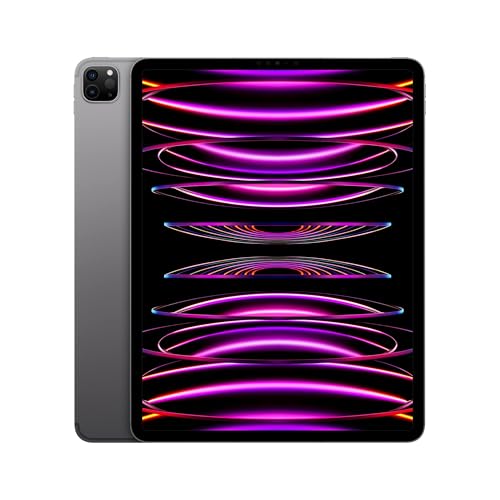
Kids Tablets That Survive Drops and Screen Limits
Amazon’s Fire HD 10 Kids suits most families with a thick bumper case, strong parental controls and a bundled worry free warranty. The Fire 7 Kids covers the youngest at the lowest cost. Older kids ready for real apps do better on Apple’s iPad with its wider app library and Screen Time limits.
A kids tablet is judged less on raw power than on whether it survives a drop and keeps a child inside safe limits. Amazon’s Fire HD 10 Kids fits most families with a chunky bumper, granular controls and a warranty that replaces a broken screen for free. The smaller Fire 7 Kids covers toddlers and preschoolers at the lowest price. Older children who want mainstream apps and longer term use are better matched to an Apple iPad with Screen Time controls.
The right pick depends far more on the child’s age and how closely you want to manage screen time than on benchmark numbers. We compared screen size, storage, the depth of parental controls, bundled cases and warranties, and age fit, then weighed owner reports on durability and how easily kids get around the limits.
What matters most
What to look for in a kids tablet Durability and parental controls matter more than raw speed for a device a child uses daily. A thick bumper case, ideally bundled, absorbs the drops that come with young users, and a worry free warranty like Amazon’s removes the sting of a cracked screen. Strong parental controls let you cap screen time, filter content by age and approve apps from your own phone. Storage and a microSD slot decide how many games, shows and school apps fit before you run out of room.
Matching the tablet to your child’s age Toddlers and preschoolers do fine with a small, cheap tablet like the Fire 7 Kids, since they mostly watch shows and tap simple learning apps. Grade schoolers benefit from a larger screen and faster chip, which the Fire HD 8 and HD 10 Kids provide. Older kids around eight and up often want mainstream apps and a device that lasts, which points to the Fire HD 10 Kids Pro or a full iPad. Buying too much tablet for a toddler wastes money on features they will not use yet.
How parental controls differ across systems Amazon Fire tablets center on a parent dashboard that sets daily limits, age filters and app approvals, and bundles a year of kid content. Apple’s Screen Time offers granular limits and content filters across a device children keep for years. Samsung Kids and third party kid modes create a walled space unlocked by a PIN. The best system is the one you will actually check, so pick controls that fit how closely you plan to manage screen time.
Fire tablet versus iPad for kids Fire tablets win on value and out of box readiness, arriving with a rugged case, controls and a replacement warranty at a low price, though they run the smaller Amazon Appstore rather than Google Play. An iPad costs far more and needs a case bought separately, but opens the full App Store, updates for years and holds resale value. For a young child who may drop or outgrow it, a Fire tablet limits the risk, while an older kid who needs real apps gets more from an iPad.
The top picks, ranked

Amazon Fire HD 10 Kids Tablet
A 10 inch screen and thick foam bumper make this a comfortable, drop ready pick for kids around three to seven. A two year worry free guarantee replaces the tablet if it breaks, no questions asked. Parents manage time limits, age filters and app approvals from a linked phone through the parent dashboard.
Pros
- Two year worry free replacement warranty
- Thick bumper case survives drops
- Detailed parental controls from a linked phone
Cons
- No Google Play, uses the Amazon Appstore
- Heavier than 7 and 8 inch models

Amazon Fire 7 Kids Tablet
A small 7 inch screen and light body suit toddler hands and the youngest users at the lowest price here. It ships with the same kid case and two year guarantee as its larger siblings. Storage and screen are modest, but for early learning apps and simple video it does the job.
Pros
- Lowest cost and lightest option
- Same worry free warranty as larger models
- Small size fits toddler hands
Cons
- Lower resolution screen
- Slower performance with heavier apps

Amazon Fire HD 8 Kids Tablet
An 8 inch screen strikes a middle ground between the pocketable Fire 7 and the larger HD 10, at a friendly price. Faster than the Fire 7, it handles kids games and streaming more smoothly. The bundled case and two year guarantee carry over, making it a practical everyday pick for grade schoolers.
Pros
- Balanced screen size for the price
- Smoother than the Fire 7
- Bundled case and two year warranty
Cons
- Amazon Appstore lacks some popular apps
- Screen sharpness trails premium tablets
Amazon Fire HD 10 Kids Pro Tablet
The Pro version keeps the 10 inch screen but swaps the chunky bumper for a slimmer case aimed at older children who find the standard one babyish. A web browser with parent set filters and the ability to request apps suit a growing kid. It still includes the two year worry free guarantee.
Pros
- Slimmer case suits older kids
- Filtered browser and app requests
- Keeps the two year warranty
Cons
- Still tied to the Amazon Appstore
- Older kids may want full app access
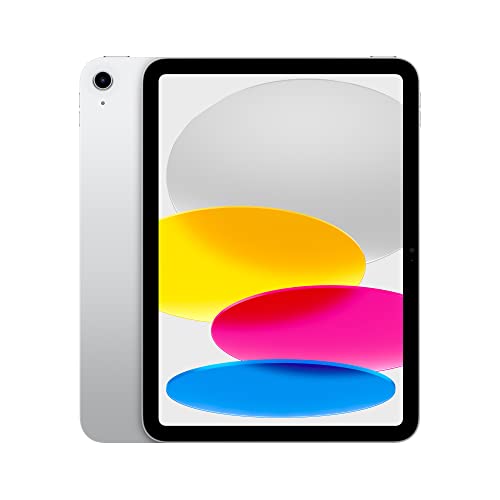
Apple iPad (10th Generation)
Apple’s full sized iPad brings the complete App Store and years of software updates, so it grows with a child well past the Fire tablet stage. Screen Time controls let parents cap usage, filter content and approve purchases from their own device. It needs a separate rugged case, since it ships without the kid bumper Fire tablets include.
Pros
- Full App Store and long software support
- Screen Time gives strong parental control
- Grows with the child for years
Cons
- Costs far more than Fire tablets
- No bundled case or child warranty

Samsung Galaxy Tab A9+ Kids Edition
This Android tablet pairs full Google Play access with Samsung Kids, a controlled space parents unlock with a PIN. A bundled bumper case and included stylus add value for drawing and schoolwork. It suits families who want real Android apps rather than the Amazon Appstore.
Pros
- Full Google Play app access
- Samsung Kids space with PIN control
- Bundled case and stylus included
Cons
- Costs more than Fire tablets
- No worry free replacement warranty

Pritom Kids Tablet
A low cost Android tablet aimed at young kids, bundled with a silicone bumper case and preloaded learning apps. The iWawa kid mode limits access and lets parents set time limits behind a PIN. Performance is basic, but for a first tablet a child may drop or outgrow, the low price limits the risk.
Pros
- Very low price for a first tablet
- Silicone case and kid mode included
- Expandable storage via microSD
Cons
- Slower performance than name brands
- Kid app store is more limited
How they stack up
| # | Model | Screen | Best for | Score | Price |
|---|---|---|---|---|---|
| 1 | Amazon Fire HD 10 Kids Tablet | 10.1 inch, 1080p | Best overall | 9.2 | Check price |
| 2 | Amazon Fire 7 Kids Tablet | 7 inch, 1024 by 600 | Best for toddlers | 8.7 | Check price |
| 3 | Amazon Fire HD 8 Kids Tablet | 8 inch, 1280 by 800 | Best value | 8.9 | Check price |
| 4 | Amazon Fire HD 10 Kids Pro Tablet | 10.1 inch, 1080p | Best for ages 6 to 12 | 8.8 | Check price |
| 5 | Apple iPad (10th Generation) | 10.9 inch Liquid Retina | Best premium | 9.0 | Check price |
| 6 | Samsung Galaxy Tab A9+ Kids Edition | 11 inch, 1920 by 1200 | Best Android tablet | 8.5 | Check price |
| 7 | Pritom Kids Tablet | 7 or 10 inch options | Best budget alternative | 8.0 | Check price |
Good to know
What is the best tablet for a young child?
For toddlers and preschoolers, a small, rugged, low cost tablet like the Amazon Fire 7 Kids works well, since it bundles a bumper case, parental controls and a two year warranty. Older kids benefit from a larger screen or a full iPad instead.
Are Amazon Fire Kids tablets worth it?
For most families, yes. They arrive ready to use with a rugged case, strong parental controls, a year of kid content and a worry free replacement warranty at a low price. The main tradeoff is the Amazon Appstore, which lacks some apps found on Google Play.
Should I buy an iPad or a Fire tablet for my kid?
A Fire tablet is the safer value for a young child who may drop or outgrow it, with a bundled case and replacement warranty. An iPad costs more and needs a separate case, but offers the full App Store and years of updates, better for an older child.
What age is a kids tablet for?
Bundled kids tablets typically target ages three to twelve, with case style and size matched to the range. Smaller models like the Fire 7 suit toddlers, while the Fire HD 10 Kids Pro and iPads fit older kids who want more capable apps.
How do parental controls work on kids tablets?
You set them from your own phone or account, capping daily screen time, filtering content by age and approving which apps and websites a child can reach. Amazon uses a parent dashboard, Apple uses Screen Time, and Samsung uses Samsung Kids behind a PIN.
Do kids tablets come with a case?
Most purpose built kids tablets do. Amazon Fire Kids models, the Samsung Galaxy Tab A9+ Kids Edition and budget options like the Pritom all include a bumper case. Standard iPads do not, so you buy a rugged case separately.
How much storage does a kids tablet need?
Around 32GB suits most kids, and a microSD slot on Fire, Samsung and Pritom tablets lets you add more for shows and games. Standard iPads start at 64GB but cannot expand, so pick a larger size upfront if a child downloads a lot.
Can kids tablets access YouTube and Netflix?
Yes, through kid safe apps or filtered browser access, though availability varies by system. Amazon offers kid versions of many services, iPads and Samsung tablets run the standard apps within your set limits. Check that your key apps are supported before buying.
Are cheap kids tablets any good?
Budget tablets like the Pritom cover the basics, bundling a case and kid mode at a very low price, which limits the risk for a first device. Performance is slower and the app selection more limited than name brands, so set expectations accordingly.
Our take
The Amazon Fire HD 10 Kids is the pick for most families, pairing a rugged bundled case, deep parental controls and a two year replacement warranty at a fair price. Parents of toddlers can save with the smaller Fire 7 Kids, while families of older children who need mainstream apps and years of use should invest in an Apple iPad and add a rugged case. Choose a Fire tablet over an iPad whenever the risk of a drop or a child outgrowing it outweighs the need for the full App Store.
Marcus Chen
Marcus covered consumer electronics for enthusiast tech publications for six years before joining ChoiceCrest. He specializes in translating manufacturer spec sheets into plain-language buying advice, with a focus on audio, computing accessories and smart-home gear.