Top Internal Sound Cards for Audiophiles and Gamers
For most PC builders, the Creative Sound Blaster AE-7 is the top pick because it delivers reference-grade 127 dB SNR audio with a robust headphone amp, but it lacks the multi-channel surround of its pricier sibling. For gamers on a budget, the EVGA Nu Audio Card is a strong contender with its swappable op-amps, while the ASUS Xonar SE offers a budget-friendly upgrade with 5.1 surround. Each card has trade-offs in features, connectivity, and price.
Upgrading your PC’s audio can transform gaming, music, and movie experiences. Built-in motherboard audio often lacks the clarity and amplification needed for high-end headphones or studio monitors.
We compared top internal sound cards to help you choose. From budget-friendly options to audiophile-grade cards, there’s something for every need.
Before you buy
What we recommend

Creative Sound Blaster AE-7
The AE-7 uses an ESS SABRE-class DAC to achieve a 127 dB SNR and supports 384 kHz/32-bit playback. Its built-in 600-ohm headphone amp drives demanding headphones, and the included ACM (Audio Control Module) gives easy access to volume and mic controls.
Pros
- Excellent audio clarity
- Powerful headphone amp
- Includes desktop ACM
Cons
- No external box for connections
- Pricey for some

ASUS Essence STX II
The Essence STX II is a legendary card with swappable op-amps for fine-tuning sound. It uses a 124 dB SNR and includes a dedicated headphone amp. However, it has limited digital connectivity and is best for stereo listening.
Pros
- Customizable sound via op-amps
- High-end components
- Great for stereo
Cons
- No surround sound
- Limited to PCIe x1
EVGA Nu Audio Card
The Nu Audio Card offers a 118 dB SNR and supports 7.1 virtual surround via software. It has a unique design with RGB lighting and a gaming-focused feature set. Its swappable op-amps allow for some customization.
Pros
- Great for gaming with surround
- Swappable op-amps
- Aesthetic RGB
Cons
- Software can be finicky
- Not as high SNR as others

Creative Sound Blaster Z
The Sound Blaster Z is a popular budget card with a 116 dB SNR and supports 5.1 surround. It includes a Beamforming microphone feature and audio processing for gaming. The card is easy to install and works well with Creative’s software.
Pros
- Affordable
- Good surround for gaming
- Beamforming mic
Cons
- Only 5.1 not 7.1
- Software bloat
ASUS Xonar SE
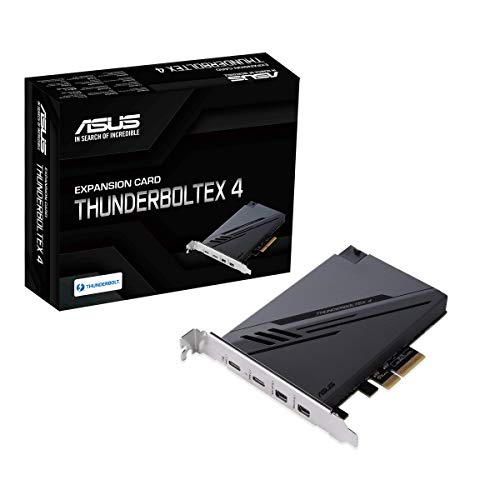
The Xonar SE is a simple PCIe card that provides 5.1 surround and a 116 dB SNR. It’s a step up from motherboard audio but lacks advanced features like op-amp swapping or high-end DACs. It works well for casual listening.
Pros
- Very affordable
- Easy setup
- Good sound upgrade
Cons
- No headphone amp
- Older technology
HT Omega CLARO II
The CLARO II offers a 118 dB SNR and supports 5.1 surround. It has a unique design with a separate bracket for additional ports. The card is known for its clean analog output and durable build.
Pros
- High-quality DAC
- Multiple output options
- Solid construction
Cons
- Bulkier design
- Software can be improved

Creative Sound Blaster AE-5 Plus
The AE-5 Plus is a step down from the AE-7 but still offers excellent performance with a 122 dB SNR and 7.1 virtual surround. It includes a built-in headphone amp and customizable RGB lighting. It is a great all-around card for gaming and media.
Pros
- High SNR
- Great for gaming
- RGB customization
Cons
- Requires external power
- Software complexity
The lineup, side by side
| # | Model | Interface | Best for | Score | Price |
|---|---|---|---|---|---|
| 1 | Creative Sound Blaster AE-7 | PCIe | Audiophiles wanting high SNR and a built-in amp | 9.4 | Check price |
| 2 | ASUS Essence STX II | PCIe x1 | Audiophiles with analog headphones | 9.2 | Check price |
| 3 | EVGA Nu Audio Card | PCIe x1 | Gamers who want a balance of features and performance | 9.0 | Check price |
| 4 | Creative Sound Blaster Z | PCIe x1 | Budget gamers seeking 5.1 surround | 8.6 | Check price |
| 5 | ASUS Xonar SE | PCIe x1 | Basic audio upgrades on a tight budget | 8.0 | Check price |
| 6 | HT Omega CLARO II | PCIe | Users needing multiple analog outputs | 8.4 | Check price |
| 7 | Creative Sound Blaster AE-5 Plus | PCIe | Gamers wanting 7.1 with RGB | 8.8 | Check price |
Questions worth asking
Will an internal sound card improve audio quality?
Yes, especially if you have high-quality headphones or speakers. Dedicated sound cards have better DACs and amplifiers, reducing noise and distortion compared to onboard audio.
Do internal sound cards support surround sound?
Many do, including 5.1 and 7.1 virtual surround. Check the specifications to see which formats are supported. Virtual surround can enhance gaming and movie experiences.
Can I use a sound card with a laptop?
Internal sound cards are for desktop PCs with PCIe slots. For laptops, consider USB sound cards or external DACs.
What is a good SNR for a sound card?
A SNR above 110 dB is generally good. High-end cards can reach 120 dB or more, which is suitable for audiophile listening.
Are there sound cards with built-in headphone amplifiers?
Yes, many cards, like the AE-7 and AE-5 Plus, include headphone amps that can drive high-impedance headphones. This is beneficial for studio monitors.
How do I install an internal sound card?
Turn off your PC, open the case, insert the card into a PCIe slot, and secure it. Then install the drivers and restart your PC. It’s a simple process.
Can I have both onboard audio and a sound card?
Yes, you can have both, but you may need to disable onboard audio in BIOS to avoid conflicts. Most sound cards take over automatically.
What is the difference between PCIe and USB sound cards?
PCIe cards are internal and offer lower latency and direct connection. USB cards are external and portable, but they may have higher latency and rely on USB power.
The bottom line
For most gamers and audiophiles, the Creative Sound Blaster AE-7 is the best overall choice due to its superior audio quality and headphone amp. If you’re on a budget, the Creative Sound Blaster Z offers great value. For those who want to customize their sound, the ASUS Essence STX II is a solid option.
Marcus Chen
Marcus covered consumer electronics for enthusiast tech publications for six years before joining ChoiceCrest. He specializes in translating manufacturer spec sheets into plain-language buying advice, with a focus on audio, computing accessories and smart-home gear.