7 Green Screens for Cleaner Video Backgrounds
Elgato Green Screen leads this list since its retracting cassette sets up in seconds and folds flat for storage. Emart Green Screen Backdrop Kit adds a stand and lights for less money. Webaround Big Shot straps directly to a desk chair, useful where floor space runs out entirely.
Elgato Green Screen leads this list because its aluminium cassette pulls fabric taut every time, then collapses into a case that slides behind a desk. Emart Green Screen Backdrop Kit is the value pick when a larger surface with lighting included matters more than speed. Webaround Big Shot answers the problem in a room with zero floor space.
Most keying complaints blame the screen itself, yet lighting and wrinkles cause nearly all of them, since a shadow or crease reads as two different greens that software cannot separate cleanly. We compared setup time, wrinkle resistance, usable backdrop size relative to camera distance, storage footprint, and what owners report about whether the screen stayed in use past the first few weeks.
What we recommend

Elgato Green Screen
A panel pulls up from an aluminium base and locks taut, then retracts into its case within seconds. That design exists to solve one problem: a screen you have to unfold and iron is a screen you stop using. Owners report the wrinkle free surface visibly improves key quality compared with folded fabric.
Pros
- Fastest setup and takedown here
- Surface stays taut with no creasing
- Stores flat against a wall or under a desk
Cons
- Costs considerably more than fabric kits
- Single panel width limits how far you can move

Emart Green Screen Backdrop Kit
Backdrop, adjustable stand, and softbox lighting arrive bundled together, which matters since lighting the screen evenly determines key quality more than fabric choice. A larger fabric area gives room to move or seat two people. Expect to steam or hang the fabric for a day or two before creases fall out.
Pros
- Complete kit including the lighting
- Large enough for two people or movement
- Adjustable stand covers various room layouts
Cons
- Fabric arrives creased and needs hanging
- Stand takes real floor space

Elgato Green Screen MT
Wall or ceiling mounting suits a permanent studio corner, pulling down like a projector screen when needed. Floor space stays completely free, and the panel holds the same taut tension as the standing model. Installation happens once and pays back every session afterward.
Pros
- Zero floor footprint once installed
- Deploys in a couple of seconds
- Consistent tension every time
Cons
- Requires drilling into wall or ceiling
- Not portable once mounted
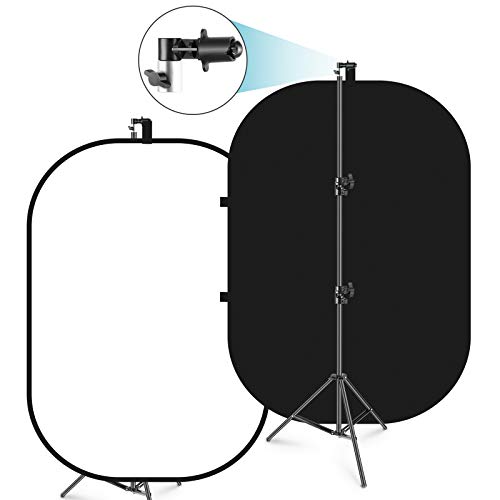
Neewer Collapsible Chromakey Backdrop
A sprung hoop twists down into a flat circle that lives inside a carry bag. Reversible fabric puts a different colour on each side, useful for anyone who sometimes needs blue instead. Self tensioning fabric avoids most creasing, though the oval shape limits the usable rectangle behind you.
Pros
- Packs down small for travel
- Two backdrop colours in one product
- Self tensioning avoids most wrinkles
Cons
- Oval shape wastes usable area
- Folding it back down takes practice
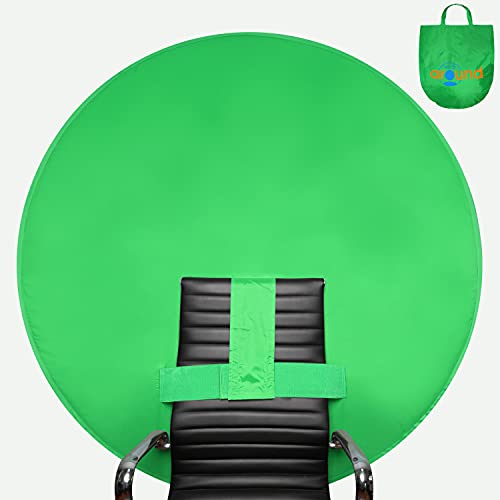
Webaround Big Shot Green Screen
Strapped to the back of a desk chair, this backdrop sits directly behind head and shoulders, exactly what a webcam actually sees. No floor space or stand gets used, making it practical for a shared room or small office. It moves whenever the chair moves, so staying reasonably still matters.
Pros
- Uses no floor or wall space at all
- Sets up and packs away in seconds
- Ideal for video calls and streaming
Cons
- Moves whenever the chair moves
- Too small for standing or full body shots

Fovitec Chromakey Green Muslin Backdrop
Plain muslin remains the standard for larger setups, since a lot of fabric can hang however a room allows. Generous sizes come with rod pockets sewn in, working with a crossbar or a simple curtain pole. Creasing shows badly straight out of the packet, so plan on steaming or hanging it for a few days first.
Pros
- Large coverage for full body shots
- Cheapest way to cover a big area
- Hangs from almost any support
Cons
- Needs steaming to remove creases
- No stand or lighting included

LimoStudio Chromakey Green Screen Kit
Backdrop, support stand, and basic continuous lighting arrive together at an entry level price, the cheapest complete route into keying. Component quality matches that price point, with lightweight stands that need care around cables. Occasional use suits it fine without complaint.
Pros
- Lowest cost complete lighting and screen kit
- Everything needed to start in one box
- Adjustable stand height
Cons
- Lightweight stands tip easily
- Fabric quality below premium options
What to look for
Lighting the screen is the actual skill Keying software separates one colour from everything else, so consistency across the frame determines edge quality. Light the screen separately from yourself, typically with two lights at roughly forty five degrees to the surface, then light your face with something else entirely. A screen lit only by light bouncing off your face ends up with a hot centre and dark corners, a problem no software setting fixes.
Distance stops green spill onto your shoulders Green fringe along hair and shoulders gives away an amateur key almost every time, caused by green light bouncing off the backdrop onto you. Distance fixes it. Sitting even a couple of feet further forward cuts spill dramatically and stops your own shadow from falling on the backdrop. This is exactly why chair mounted screens, sitting inches behind your head, key less cleanly than a screen on a stand set back further.
Wrinkles create two different greens A crease creates a lit side and a shadowed side, which software reads as two different colours, producing ragged edges or holes in the key. Retracting panel designs solve this mechanically through constant tension. Fabric backdrops need steaming, or several days hanging, and store better rolled than folded. More even lighting reduces the visible difference if a creased backdrop must go up immediately.
Sizing the screen to your shot Seated webcam framing needs surprisingly little coverage, roughly the width of your shoulders plus room to lean. Standing shots, gestures, or two people push the requirement up quickly, and a small panel shows its edges the moment you move. Work out the widest shot you actually record, then add margin, since an undersized screen forces unnatural stillness, the reason many green screens end up in a cupboard.
The lineup, side by side
| # | Model | Type | Best for | Score | Price |
|---|---|---|---|---|---|
| 1 | Elgato Green Screen | Retracting panel in hard case | Best overall | 9.4 | Check price |
| 2 | Emart Green Screen Backdrop Kit | Backdrop, stand and lights | Best value kit | 9.2 | Check price |
| 3 | Elgato Green Screen MT | Wall or ceiling | Best for permanent setups | 9.0 | Check price |
| 4 | Neewer Collapsible Chromakey Backdrop | Sprung collapsible hoop | Best portable option | 8.8 | Check price |
| 5 | Webaround Big Shot Green Screen | Straps to a chair back | Best for tight spaces | 8.6 | Check price |
| 6 | Fovitec Chromakey Green Muslin Backdrop | Cotton muslin | Best large backdrop | 8.3 | Check price |
| 7 | LimoStudio Chromakey Green Screen Kit | Backdrop, stand and lights | Best budget kit | 8.0 | Check price |
Questions worth asking
Do you need a green screen if your software has background blur?
Software only background removal has improved and works fine for meetings. A physical screen still produces noticeably cleaner edges around hair, glasses, and moving hands, why streamers and video creators keep using them. Anyone recording content rather than just attending calls finds the difference worth the setup.
Why does my key look ragged around my hair?
Uneven lighting on the screen or wrinkles creating shadow usually cause this. Light the backdrop separately from your face, aim for even coverage corner to corner, and move further from the screen. Fine hair detail is the hardest thing to key, so those two fixes matter more there than anywhere else.
How far should you sit from a green screen?
As far as the room allows, with a few feet as a practical minimum. Distance prevents your shadow from landing on the backdrop and reduces green light spilling onto shoulders and hair, the most visible sign of a poor key.
Green or blue screen, which works better?
Green remains the default for video, since digital sensors capture more green information and green clothing shows up less often than blue. Blue works better when a subject wears green, or when less colour spill onto skin tones matters. Reversible backdrops let you switch when needed.
How do you get wrinkles out of a fabric backdrop?
A garment steamer works fastest, and hanging the fabric for several days works without any equipment at all. Avoid a hot iron directly on synthetic material. Storing the backdrop rolled rather than folded prevents most creases from forming in the first place.
What lights do you need for a green screen?
Two lights on the screen at roughly forty five degrees give even coverage, plus at least one separate light for your face. Continuous LED panels stay easier to work with than limited daylight, since they hold consistent output across a recording session.
Can you use a green screen for standing video?
Only with a backdrop large enough, which rules out chair mounted and small panel designs. Standing shots need a backdrop wide and tall enough to cover the full frame plus room to gesture, usually meaning a muslin backdrop on a crossbar stand.
What should you avoid wearing in front of a green screen?
Anything green, obviously, plus shiny fabrics that reflect the backdrop colour and very fine patterns that confuse the key edge. Matte, mid tone clothing that contrasts with green produces the cleanest results.
Is a portable green screen worth it for travel streaming?
Collapsible hoop designs like the Neewer pack down small enough for a bag and set up in under a minute, making them practical for travel. Self tensioning fabric also resists the creasing that ruins keys after being folded in a suitcase.
How big should a green screen be for a webcam setup?
A width slightly wider than your shoulders plus room to lean covers most webcam setups. Chair mounted or small panel screens work fine for this framing, since a webcam never sees much beyond head and shoulders anyway.
Final word
Elgato Green Screen suits anyone who wants a screen still in use six months from now, since a two second setup removes the friction that retires most backdrops to a cupboard. Emart Green Screen Backdrop Kit gives a much larger surface plus the lighting that actually determines key quality, provided floor space exists. Webaround Big Shot clips to a chair and covers exactly what a webcam sees, the practical answer in a shared room with none.
Marcus Chen
Marcus covered consumer electronics for enthusiast tech publications for six years before joining ChoiceCrest. He specializes in translating manufacturer spec sheets into plain-language buying advice, with a focus on audio, computing accessories and smart-home gear.
You might also need
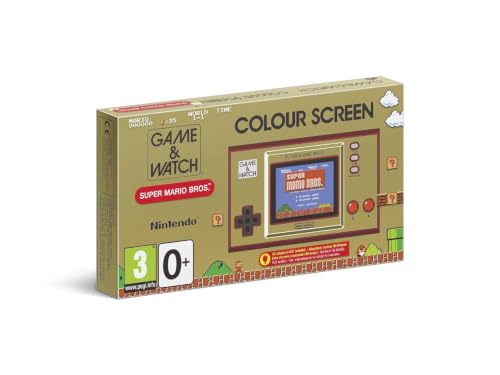
Nintendo Game & Watch: Super Mario Bros Review: Still Worth It as a Collectible?

Ray-Ban Meta (Gen 2) Wayfarer Smart Glasses: Worth $379 for Clear Lenses?
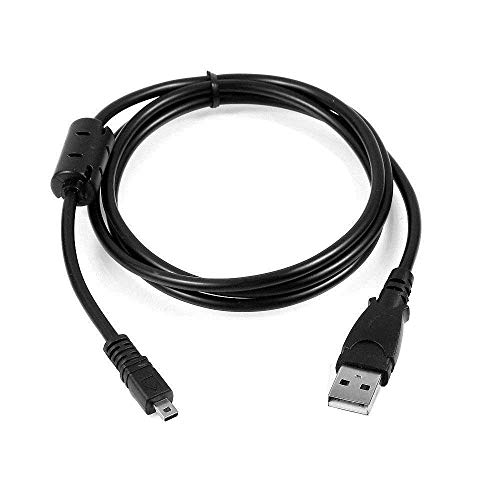
AlyKets Nikon UC-E6 Replacement USB Cable: Does a $7.95 Cord Work as Well as the Original?
