External Drives That Add Real Storage to Your Console
WD_BLACK’s P10 Game Drive leads for console owners chasing maximum capacity per dollar in a rugged shell. Samsung’s T7 Shield suits players who want fast SSD loading and drop resistance. Seagate’s Expansion Portable stays the simple option for raw capacity without extra features.
PlayStation and Xbox owners who want one drive that works cleanly on both platforms should start with the WD_BLACK P10 Game Drive. Samsung’s T7 Shield trades some capacity for speed, and Seagate’s Expansion Portable trades speed for raw capacity at a lower cost.
Console storage rules differ by platform, which confuses buyers. An external drive runs older-generation games directly but usually only archives current-generation titles, and marketing speeds rarely match what a console USB port delivers. We compared spec sheets, published interface limits, and owner feedback, weighting sustained transfer behavior, enclosure build, and long-term reliability over peak numbers.
What we recommend

WD_BLACK P10 Game Drive
Shock-resistant aluminum tops this drive’s shell, and its capacities go well past what most internal console drives offer. PS5 and Xbox Series consoles recognize it over USB 3.2 Gen 1 without extra software. Owners describe it as the drive they stop thinking about, which is the point of an archive disk.
Pros
- Huge capacity ceiling for a portable drive
- Rugged casing survives shelf and bag life
- Recognized by both console families without setup
Cons
- Mechanical drive speeds cannot run current-generation titles
- Audible spin-up in a quiet room
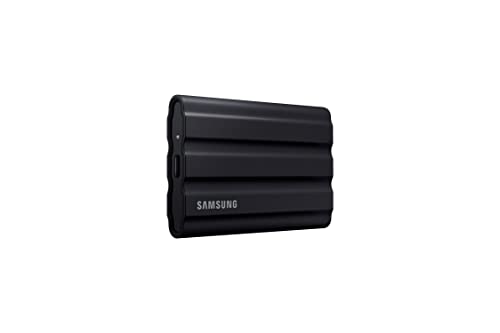
Samsung T7 Shield Portable SSD
A grippy, rubberized body rated for water and dust ingress wraps this NVMe SSD, making it genuinely portable for a library carried to a friend’s house. USB 3.2 Gen 2 transfer rates run several times faster than any mechanical drive, so moving a large title back to internal storage takes a fraction of the time. Based on specifications, it is the fastest all-round pick here.
Pros
- Very fast archive and restore transfers
- Sealed rubberized shell tolerates travel
- No moving parts, completely silent
Cons
- Costs far more per terabyte than a hard drive
- Console USB ports cap the peak speed it can reach

Seagate Expansion Portable Hard Drive
No gaming livery, no bundled software, just a bus-powered drive that formats in a couple of minutes and holds a very large backlog. That plainness is exactly why Seagate’s Expansion line sells so well. Owners describe it as the sensible choice for a drive that lives permanently behind the TV.
Pros
- Excellent capacity for the outlay
- Simple plug-and-format setup
- Compact enough to sit behind a console
Cons
- Plastic shell feels less solid than rivals
- Short bundled cable limits placement

SanDisk Extreme Portable SSD
A carabiner loop molded into the silicone body lets this, the smallest drive in the group by a clear margin, clip to a bag. Restoring an archived game feels closer to copying a file than waiting on a download. Capacity tops out lower than the mechanical options, which is the tradeoff.
Pros
- Genuinely pocketable footprint
- Silicone shell absorbs knocks and drops
- Fast enough to make archiving painless
Cons
- Higher cost per terabyte than hard drives
- Needs an adapter for older Type-A console ports
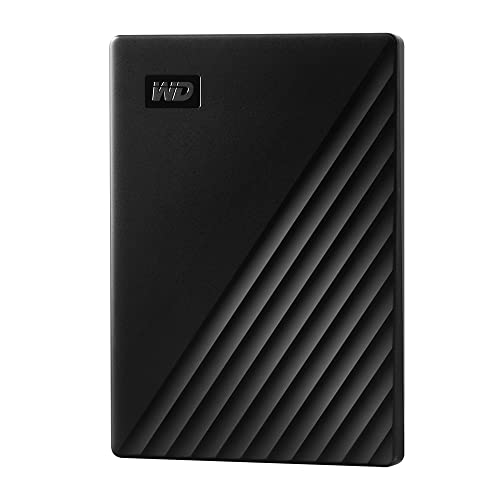
WD My Passport Portable Hard Drive
General computer backup is the actual design goal here, which turns out useful when the same drive needs to serve a console and a laptop. Hardware encryption and backup utilities run on the PC side, while the drive still formats cleanly for console archiving. Owners describe it as a tidy compromise for households sharing one drive.
Pros
- Works equally well as a computer backup disk
- Wide capacity range including very large sizes
- Slim profile fits a media cabinet
Cons
- Bundled software is irrelevant for console duty
- Glossy finish shows fingerprints
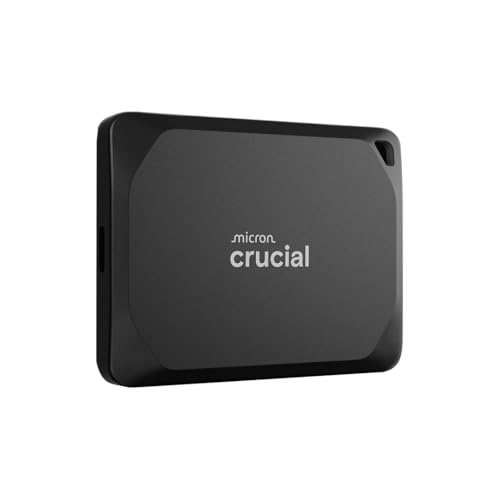
Crucial X9 Pro Portable SSD
Barely thicker than a stack of cards, this anodized aluminum slab doubles its metal body as a heatsink, so sustained transfers hold their pace better than plastic-bodied rivals. It suits a drive that stays plugged in permanently and disappears behind the console. Capacity choices run narrower than the hard drive options.
Pros
- Metal shell helps sustained write speeds
- Very low profile behind a console
- Quiet and cool in continuous use
Cons
- Fewer capacity tiers to choose from
- No ruggedised outer coating

Toshiba Canvio Basics Portable Hard Drive
Everything strips back to a bus-powered drive in a matte plastic case here, and for archiving a backlog that is all most people need. It formats to console requirements in minutes and asks nothing else of you. Owners describe it as the drive to buy when budget matters more than the badge.
Pros
- Lowest outlay of the drives ranked here
- Matte finish hides marks well
- Simple setup with no software required
Cons
- Slowest transfers in this group
- Basic casing offers little shock protection
How they compare
| # | Model | Drive type | Best for | Score | Price |
|---|---|---|---|---|---|
| 1 | WD_BLACK P10 Game Drive | Portable hard drive | Best overall | 9.4 | Check price |
| 2 | Samsung T7 Shield Portable SSD | Portable NVMe SSD | Best for speed | 9.2 | Check price |
| 3 | Seagate Expansion Portable Hard Drive | Portable hard drive | Best value | 9.0 | Check price |
| 4 | SanDisk Extreme Portable SSD | Portable SSD | Best for portability | 8.8 | Check price |
| 5 | WD My Passport Portable Hard Drive | Portable hard drive | Best for mixed console and PC use | 8.6 | Check price |
| 6 | Crucial X9 Pro Portable SSD | Portable SSD | Best compact SSD | 8.3 | Check price |
| 7 | Toshiba Canvio Basics Portable Hard Drive | Portable hard drive | Best budget | 8.0 | Check price |
Before you buy
Can External Drives Run Console Games Directly? This point causes the most disappointment among new buyers. Both current consoles let you store current-generation games on an external USB drive, but you must move them back to internal storage before they launch. Older-generation titles, including backwards-compatible libraries, generally run directly from the external drive. A mechanical hard drive works fine as an archive for a large backlog, while an SSD mainly buys a faster move back onto the console.
How Much Storage Does a Console Backlog Actually Need? Modern titles routinely run past a hundred gigabytes, so a one-terabyte drive holds fewer games than the number suggests. Two terabytes feels comfortable for a rotating handful of live-service titles. Collectors who want everything installed and ready should go four terabytes and up, which stops the constant delete-and-redownload cycle. One size up is usually cheaper per terabyte than buying twice.
Does Interface Speed Matter as Much as It Sounds? Console USB ports do not always run at the maximum rate a drive supports, so a drive rated for very high sequential throughput often gets limited by the port rather than the media. A mechanical drive on USB 3.2 Gen 1 is generally saturating the disk, not the cable. That is why enclosure build and capacity carried more weight than headline transfer figures in this ranking.
Where Will the Drive Actually Live? A drive that sits permanently behind a console wants a low profile, a cable long enough to reach without strain, and a case that will not rattle. A drive that travels wants a sealed, rubberized shell and no moving parts. Buying the ruggedized option for a shelf-bound drive spends money on protection that never gets used, and the slim metal option in a bag risks a bent connector.
Common questions
Can I play PS5 or Xbox Series games directly from an external drive?
Not for current-generation titles. Both platforms let you store them externally but require moving them back to internal storage before launch. Older-generation and backwards-compatible games generally run straight from the external drive.
Does an SSD make my games load faster on a console?
Only for titles allowed to run from external storage, and even then the gain is modest since the console USB port limits throughput. An SSD’s real benefit is much faster archiving and restoring when games move on and off internal storage.
Do I need to format the drive before using it?
Yes. The console prompts for a format on first connection, and that erases anything already on the drive. Copy off any files you care about first.
Can one drive be shared between a PlayStation and an Xbox?
Not simultaneously in game storage mode. Each console formats the drive to its own scheme, so switching platforms means reformatting and losing the stored games. Separate drives make sense for households using both regularly.
Is a powered desktop drive better than a portable one?
Desktop drives offer more capacity for the money but need a mains adapter and take up more space. Portable, bus-powered drives are usually more practical for console use, and both consoles supply enough USB power to run one reliably.
How long will an external hard drive last?
Owners commonly report several years of light console duty, since an archive drive spends most of its life idle rather than under constant load. Treat any single drive as impermanent though; game data can be redownloaded, but save data belongs in cloud backup too.
Does the USB cable in the box matter?
It does. Bundled cables run short, and some third-party replacements are charge-only with no data lines. Buy a data-rated cable of the correct standard if you need more reach, rather than adding an unpowered hub.
Should I buy the largest drive I can afford?
Generally yes, since cost per terabyte falls as capacity rises and console games keep growing. The exception is wanting SSD speed, where stepping down one capacity tier to afford solid-state storage often pays off.
The verdict
The WD_BLACK P10 Game Drive is the right answer for most console owners, since archiving a big backlog cheaply in a case that survives real life is the actual job. Spend more on the Samsung T7 Shield only if games shuffle back and forth regularly and that wait needs cutting down, or save with the Seagate Expansion Portable if the drive will simply sit behind the TV.
Marcus Chen
Marcus covered consumer electronics for enthusiast tech publications for six years before joining ChoiceCrest. He specializes in translating manufacturer spec sheets into plain-language buying advice, with a focus on audio, computing accessories and smart-home gear.

