Smart Display Boards for Modern Meetings and Learning
The Vibe Smart Board Pro S1 is our top pick for most teams, offering a 75-inch 4K display with built-in Android, wireless screen sharing, and a responsive touch surface. It is ideal for collaborative meetings and hybrid learning. Its main limitation is the price, which is higher than some competitors.
Smart display boards have transformed how we present, teach, and collaborate. They combine a large touchscreen with built-in software for annotation, screen sharing, and video conferencing. With so many models available, it can be challenging to find the one that fits your space and workflow.
We compared the top smart display boards based on specifications, user feedback, and value. Our analysis covers screen quality, touch accuracy, software ecosystem, and connectivity. Whether you need a board for a corporate conference room or a classroom, this guide will help you make an informed decision.
Before you buy
The best picks, ranked

Vibe Smart Board Pro S1 75″
The Vibe Smart Board Pro S1 is a 75-inch 4K UHD display with a built-in Android system and a sleek design. Owners report that the touch response is smooth and the screen is bright, making it excellent for dynamic presentations. It supports wireless screen sharing from multiple devices and comes with Vibe’s canvas software for real-time annotation.
Pros
- Sharp and bright 4K display
- Built-in Android with access to apps
- Easy wireless screen sharing
Cons
- High price point
- Camera not included

Samsung Flip Pro WM55B 55″
The Samsung Flip Pro WM55B is a 55-inch display with a 4K QLED panel that delivers vivid colors and wide viewing angles. It features a sleek, thin profile and a magnetic pen holder. Users appreciate the intuitive interface and the ability to write on the screen with a natural feel. The device also supports screen mirroring from mobile devices.
Pros
- Exceptional color and clarity
- Premium build quality
- User-friendly interface
Cons
- Smaller screen size than competitors
- Pricey for the size
Promethean ActivPanel Titanium 65″
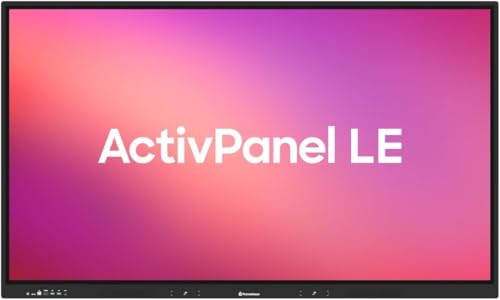
The Promethean ActivPanel Titanium is designed specifically for educational environments. It offers a 65-inch 4K display with a durable, scratch-resistant surface. Teachers can use the ActivInspire software for interactive lessons. The panel supports multiple simultaneous users and includes built-in apps for a variety of subjects.
Pros
- Purpose-built for education
- Excellent annotation tools
- Durable construction
Cons
- Limited to 65-inch size
- Software subscription required for advanced features

ViewSonic ViewBoard IFP7532 75″
The ViewSonic ViewBoard IFP7532 is a 75-inch 4K interactive display with an embedded Android system and a slot-in PC option. It offers a responsive touch experience and comes with myViewBoard software for whiteboarding and wireless casting. Users report that it is easy to set up and offers reliable performance.
Pros
- Large screen at a competitive price
- Flexible computing options
- Multi-platform support
Cons
- Built-in speakers are weak
- Software interface can be laggy
Newline Interactive Q Series 86″
The Newline Interactive Q Series is an 86-inch 4K interactive display that provides a massive canvas for collaboration. It features a tempered glass surface and supports up to 20 touch points. The device includes a built-in browser and whiteboarding app, making it easy to start a session. Owners appreciate the large screen real estate for presentations and brainstorming.
Pros
- Massive screen for maximum visibility
- Crisp image quality
- Simple user interface
Cons
- Requires ample wall space
- Price increases significantly with size

SMART Board MX (V2) 65″
The SMART Board MX series is a continuation of the trusted SMART Board line, now with a 65-inch 4K display and enhanced touch accuracy. It comes with iQ, an embedded Android system that supports wireless sharing and cloud-based apps. Users like the familiar SMART Notebook software and the robust build quality.
Pros
- Trusted brand with proven reliability
- Integrated Android with iQ
- Strong ecosystem of educational software
Cons
- Limited to 65-inch size
- Higher price for the feature set
Google Jamboard 55″
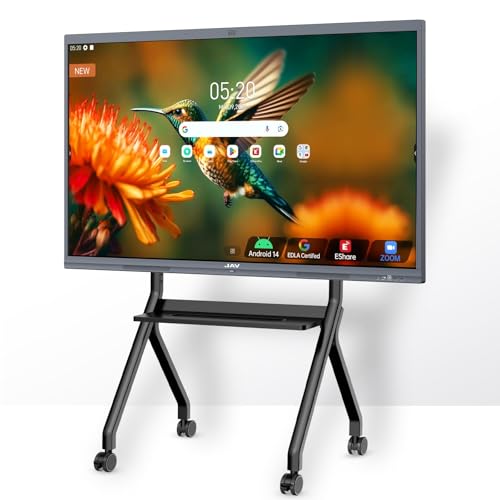
The Google Jamboard is a 55-inch 4K display designed for teams that rely on Google Workspace. It offers a familiar whiteboarding experience with Google apps like Meet and Drive. The device includes a stylus and an eraser, and it can be used as a digital whiteboard or a video conferencing device. However, it is discontinued, but still available from third-party sellers.
Pros
- Deep integration with Google apps
- Simple and clean interface
- Good for quick collaboration
Cons
- Discontinued product
- Smaller screen size
The lineup, side by side
| # | Model | Screen Size | Best for | Score | Price |
|---|---|---|---|---|---|
| 1 | Vibe Smart Board Pro S1 75″ | 75 inch | All-in-one collaboration with premium display quality | 9.4 | Check price |
| 2 | Samsung Flip Pro WM55B 55″ | 55 inch | High-end design and superior color accuracy | 9.2 | Check price |
| 3 | Promethean ActivPanel Titanium 65″ | 65 inch | Education-focused with robust software | 9.0 | Check price |
| 4 | ViewSonic ViewBoard IFP7532 75″ | 75 inch | Versatile collaboration with embedded computing | 8.8 | Check price |
| 5 | Newline Interactive Q Series 86″ | 86 inch | Ultra-large screen for large rooms | 8.7 | Check price |
| 6 | SMART Board MX (V2) 65″ | 65 inch | Reliable and proven interactive technology | 8.6 | Check price |
| 7 | Google Jamboard 55″ | 55 inch | Seamless integration with Google Workspace | 8.0 | Check price |
Common questions
What is a smart display board?
A smart display board is an interactive touchscreen that combines a high-definition display with computing capabilities, allowing users to write, draw, share content, and collaborate in real time. It is used in education and business settings.
Can I use a smart display board without a computer?
Many boards have a built-in operating system like Android, so they can function independently. You can access apps, browse the internet, and use whiteboarding tools without connecting a PC. However, for advanced features, you might need to connect a computer.
How many touch points do I need?
For most collaborative activities, 10 to 20 touch points are sufficient. More touch points allow multiple users to interact simultaneously, which is beneficial for group work. The boards we reviewed offer at least 20 touch points.
What is the ideal screen size for a conference room?
For a small conference room (up to 8 people), a 55-inch display works. For medium rooms (10-15 people), a 65-inch is better. For large rooms or classrooms, consider 75 inches or larger to ensure everyone can see clearly.
Do smart display boards support wireless screen sharing?
Yes, most modern smart display boards support wireless screen sharing via Wi-Fi, using protocols like AirPlay, Miracast, or proprietary casting software. This allows you to mirror your laptop, tablet, or smartphone without cables.
Can I use a smart display board for video conferencing?
Yes, many boards are compatible with video conferencing platforms like Zoom, Microsoft Teams, and Google Meet. Some have built-in cameras and microphones, while others require external devices. Check the specifications for integrated AV capabilities.
What is the difference between a smart display board and an interactive whiteboard?
A smart display board is a standalone interactive screen with a built-in computer, whereas an interactive whiteboard is a large touchscreen that typically requires a computer to operate. Smart display boards offer more integrated functionality.
Are there ongoing costs with smart display boards?
Some boards require a subscription for advanced software features, such as cloud storage or remote management. Others offer free basic software. Additionally, you may need to purchase optional accessories like a slot-in PC or extra pens, but the board itself is a one-time purchase.
How do I clean a smart display board?
Use a soft, lint-free cloth slightly dampened with water or a mild screen cleaner. Avoid using paper towels or abrasive materials. Do not spray liquid directly on the screen. Always power off the board before cleaning.
Can I install a smart display board myself?
It is possible for smaller boards, but for larger models, professional installation is recommended due to the weight and complexity. Ensure the mounting bracket is securely attached to a wall stud. Follow the manufacturer’s guidelines carefully.
Final word
For most businesses and educational institutions, the Vibe Smart Board Pro S1 delivers the best combination of size, display quality, and collaborative features, making it our top recommendation. If you are on a tighter budget but still want a large screen, the ViewSonic ViewBoard IFP7532 offers excellent value. For Google-centric teams, the Google Jamboard is a solid choice, but consider its discontinued status. Ultimately, choose the board that fits your room size and software ecosystem to maximize productivity.
Marcus Chen
Marcus covered consumer electronics for enthusiast tech publications for six years before joining ChoiceCrest. He specializes in translating manufacturer spec sheets into plain-language buying advice, with a focus on audio, computing accessories and smart-home gear.