Compact Optical Drives That Fit Any Bag
For most people, the top pick is the ASUS ZenDrive Ultra Slim, because it pairs a clean profile with reliable M-DISC support and USB-A connectivity. Its main limitation is that it lacks USB-C, so you may need an adapter for newer laptops.
Physical media is not dead. Many laptops still skip the disc drive entirely, but you may need to read an old CD, burn a backup, or watch a DVD. A compact optical drive solves that.
These slim drives are small enough to slip into a sleeve. They draw power over a single USB port, so there is no wall wart. We looked at current models from trusted brands.
The best picks, ranked

ASUS ZenDrive Ultra Slim
The ASUS ZenDrive is a sleek external DVD writer that is barely larger than a CD case. It features M-DISC support for archival burning and a stylish concentric-circle design. Owners praise its quiet operation and plug-and-play simplicity on Windows and Mac.
Pros
- Very slim and light
- M-DISC support for long-term storage
- Quiet operation
Cons
- No USB-C cable included
- No Blu-ray support

LG Slim Portable DVD Writer
The LG Slim Portable DVD Writer is a budget-friendly option that comes with both USB-A and USB-C cables. It is lightweight and compact, making it easy to carry. Users report it works reliably for reading and writing CDs and DVDs, though it can be slightly noisy during disc spin.
Pros
- Comes with USB-C cable
- Lightweight and portable
- Simple plug-and-play setup
Cons
- Plastic build feels a bit flimsy
- No M-DISC support
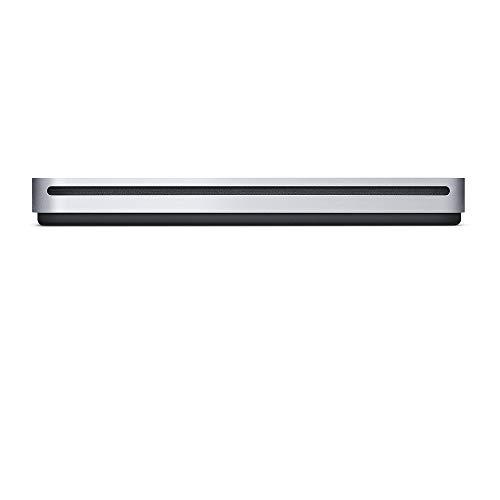
Apple USB SuperDrive
The Apple USB SuperDrive is designed specifically for Mac computers. It has a minimalist aluminum design that matches Apple aesthetics. It reads and writes CDs and DVDs, but it requires a USB-A to USB-C adapter for modern Macs. Owners say it is reliable but pricey for the features.
Pros
- Sleek design
- Works seamlessly with macOS
- Stable performance
Cons
- No USB-C port
- Not compatible with Windows without third-party drivers

Rioddas External USB 3.0 Slim DVD Drive
Rioddas offers an affordable external DVD drive that is both slim and lightweight. It uses USB 3.0 for faster data transfer, and it is backward compatible with USB 2.0. Users report that it is easy to use on Windows and Mac, and it plays DVDs and CDs without extra software.
Pros
- Budget-friendly price
- USB 3.0 for faster reads
- No external power needed
Cons
- Build quality is basic
- May be loud during operation
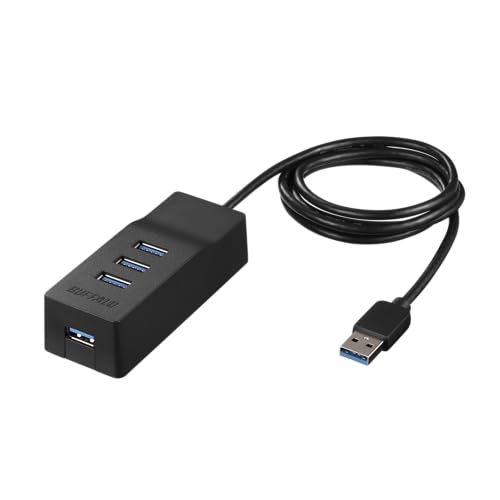
Buffalo MediaStation USB 3.0 Ultra-Slim
The Buffalo MediaStation is a versatile external DVD writer that includes both USB-A and USB-C cables in the box. It offers a scratch-resistant design and comes with a carrying case. It supports Windows and Mac, and it has a one-year warranty. Owners appreciate the extra cables and sturdy feel.
Pros
- Includes both USB-A and USB-C cables
- Comes with a protective case
- Scratch-resistant surface
Cons
- Slightly heavier than other slim drives
- No M-DISC support

Pioneer External USB 3.0 Slim DVD Writer
Pioneer is known for optical drive reliability, and this slim model continues that tradition. It features USB 3.0 connectivity and a low-profile design. Owners report that it runs quieter than many competitors, and it handles disc writing smoothly. It lacks a USB-C cable, but it is a solid choice for desktop users.
Pros
- Very quiet operation
- Reliable writing performance
- Slim and easy to store
Cons
- No USB-C cable
- Slightly more expensive than budget options

DELL External Slim DVD +/- RW
The Dell External Slim DVD drive is a straightforward option that works well in office environments. It is plug-and-play with Windows, and it comes with a USB cable. It does not include Mac software, so Mac users may need to install third-party apps. It is durable and backed by Dell’s support.
Pros
- Reliable for daily office tasks
- Dell brand trust
- Simple setup
Cons
- Only USB 2.0
- Not Mac compatible out of the box
Before you buy
The lineup, side by side
| # | Model | Interface | Best for | Score | Price |
|---|---|---|---|---|---|
| 1 | ASUS ZenDrive Ultra Slim | USB 2.0 Type-A | Best Overall | 9.4 | Check price |
| 2 | LG Slim Portable DVD Writer | USB 2.0 (A and C cables included) | Best for Travel | 9.2 | Check price |
| 3 | Apple USB SuperDrive | USB 2.0 Type-A (requires adapter for USB-C) | Best for Mac Users | 8.9 | Check price |
| 4 | Rioddas External USB 3.0 Slim DVD Drive | USB 3.0 Type-A | Best Budget Pick | 8.7 | Check price |
| 5 | Buffalo MediaStation USB 3.0 Ultra-Slim | USB 3.0 (A and C cables included) | Best for Windows | 8.8 | Check price |
| 6 | Pioneer External USB 3.0 Slim DVD Writer | USB 3.0 Type-A | Best for Quiet Operation | 8.6 | Check price |
| 7 | DELL External Slim DVD +/- RW | USB 2.0 Type-A | Best for Business Use | 8.4 | Check price |
Questions worth asking
Can I use a compact optical drive with a USB-C only laptop?
Yes, if the drive includes a USB-C cable or you use a USB-A to USB-C adapter. Some drives, like the LG Slim Portable DVD Writer, include both cables. Check the product description before buying.
Do these drives work with Mac computers?
Many do, but not all. Apple’s SuperDrive is specifically designed for Mac, but it requires a USB-C adapter. Other drives may work with macOS if they are UDF and ISO compatible, but some need third-party software. Check the manufacturer’s specifications.
What is M-DISC and why does it matter?
M-DISC is a type of DVD or Blu-ray that is designed to last for hundreds of years. It uses a special inorganic recording layer. Not all drives support M-DISC, so if you want to archive important data, look for a drive that explicitly supports it, like the ASUS ZenDrive.
Can these drives play Blu-ray discs?
No, all the drives in this list are for CDs and DVDs only. Blu-ray drives are larger and more expensive. If you need to play Blu-ray, you will need a separate drive.
Do compact optical drives need software to play movies?
Windows and macOS have built-in support for reading discs. For DVD playback, Windows Media Player or VLC can handle it. Some drives come with CyberLink or other software, but it is not necessary. On Mac, DVD Player is built-in.
Are these drives compatible with Windows 11?
Yes, most external optical drives are plug-and-play with Windows 10 and 11. They do not need specific drivers. However, if you have an older drive, it might work fine as well. Check for any mention of Windows compatibility in the product description.
Can I burn audio CDs for my car?
Yes, all these drives can write to CD-R and CD-RW discs. Use software like iTunes or Windows Media Player to burn audio tracks. The resulting disc should play in most car stereos.
How fast can these drives read and write?
Typical maximum write speeds are 8x for DVD-R and 24x for CD-R. Reading speeds are similar. USB 2.0 and 3.0 speeds are more than enough for optical drives, so you will not see a bottleneck.
Are compact optical drives noisy?
Some are quieter than others. The ASUS ZenDrive and Pioneer are often praised for low noise. Others may emit a whirring sound when spinning at high speed. If noise bothers you, look for drives with good reviews on that aspect.
What is the warranty on these drives?
Most come with a one-year limited warranty. Some brands like Buffalo offer a one-year warranty as well. Check the product page for specific warranty information.
Final word
If you need a reliable everyday drive, buy the ASUS ZenDrive Ultra Slim for its M-DISC support and quiet operation. For frequent travel, the LG Slim Portable DVD Writer offers the best balance of size and included cables. Mac users should stick with the Apple USB SuperDrive despite its outdated port, because it is the only one that works flawlessly with macOS without extra software.
Marcus Chen
Marcus covered consumer electronics for enthusiast tech publications for six years before joining ChoiceCrest. He specializes in translating manufacturer spec sheets into plain-language buying advice, with a focus on audio, computing accessories and smart-home gear.



