Compact Chromebooks That Fit Any Bag
The Acer Chromebook Spin 514 stands out as the best overall compact Chromebook for most people. It offers a sturdy build, solid performance, and a vivid touchscreen in a small package. Its main drawback is the somewhat heavy weight for its size.
Compact Chromebooks are perfect for students, travelers, and anyone who wants a lightweight laptop that can slip into a small bag. But not all small Chromebooks are created equal. Some sacrifice performance for portability, while others offer a great balance.
We compared the latest compact models from Acer, Lenovo, ASUS, Samsung, and HP. We looked at processor speed, RAM, storage, display quality, battery life, and overall build. Our picks cater to different needs, from budget-friendly to high-end.
The best picks, ranked

Acer Chromebook Spin 514
The Acer Chromebook Spin 514 combines a 14-inch Full HD touchscreen with an AMD Ryzen 3 processor. It offers a sturdy aluminum chassis and a 360-degree hinge for tent or tablet mode. With up to 10 hours of battery life, it handles daily tasks with ease.
Pros
- Solid build quality
- Bright and responsive touchscreen
- Good performance for the price
Cons
- Slightly heavier than some rivals
- eMMC storage is not the fastest
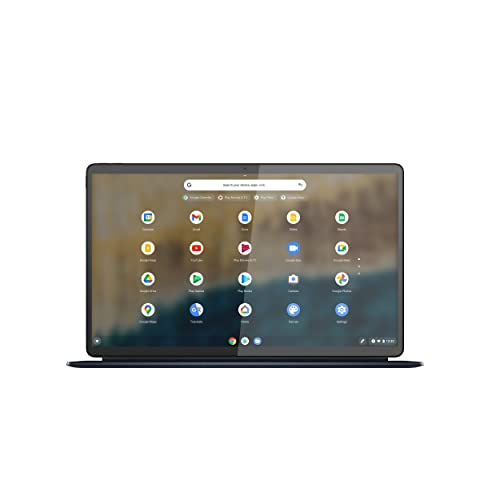
Lenovo Chromebook Duet 5
The Lenovo Chromebook Duet 5 is a detachable Chromebook with a 13.3-inch OLED display. It comes with a kickstand and detachable keyboard. Powered by a Snapdragon 7c Gen 2, it offers all-day battery life. The display is stunning for media consumption.
Pros
- OLED screen is vibrant
- Detachable design is versatile
- Excellent battery life
Cons
- Keyboard is sold separately
- Performance is moderate

ASUS Chromebook Flip CM3
The ASUS Chromebook Flip CM3 is an affordable 12-inch convertible. It features a MediaTek 8183 processor and a 360-degree hinge. The touchscreen is responsive, and the battery lasts over 10 hours. It is lightweight and ideal for basic tasks.
Pros
- Very affordable
- Compact and lightweight
- Good battery life
Cons
- Display resolution is low
- 4GB RAM may limit multitasking
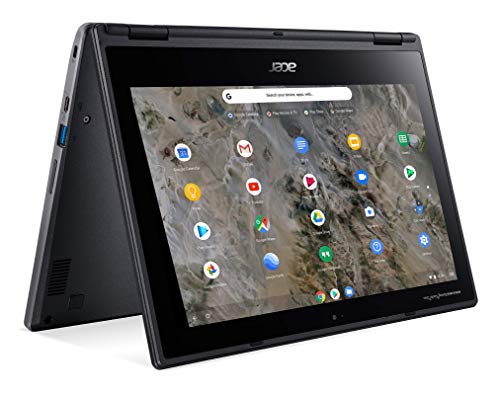
Acer Chromebook Spin 311
The Acer Chromebook Spin 311 is a rugged 11.6-inch convertible built for rough handling. It meets military-grade durability standards and has a spill-resistant keyboard. With a MediaTek processor, it handles educational apps smoothly. The battery lasts through a school day.
Pros
- Durable and spill-resistant
- 360-degree hinge for multiple modes
- Affordable for families
Cons
- Small screen may be limiting
- Limited storage

HP Chromebook x2 11
The HP Chromebook x2 11 is a premium detachable with a 11-inch 2K touchscreen. It comes with a stylus and a magnetic keyboard in the box. The Snapdragon 7c processor ensures smooth performance. Its sleek design and vivid display impress.
Pros
- Sharp and bright display
- Includes stylus and keyboard
- Premium build
Cons
- Battery life could be better
- Price is higher than similar models

Samsung Galaxy Chromebook 2
The Samsung Galaxy Chromebook 2 features a 13.3-inch QLED display with vibrant colors. It has a fanless design with a Core m3 processor. The battery lasts up to 13 hours. It is lightweight and stylish, with a premium aluminum body.
Pros
- Stunning QLED display
- Long battery life
- Slim and elegant design
Cons
- Performance is not for heavy tasks
- Single USB-C port
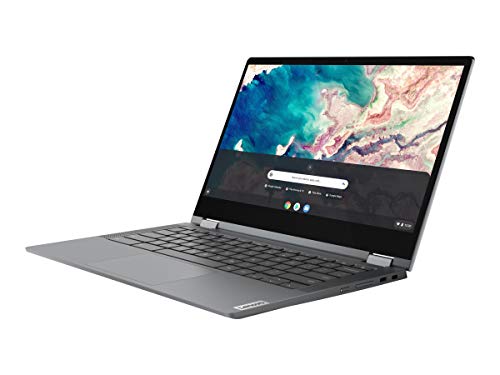
Lenovo Chromebook Flex 5
The Lenovo Chromebook Flex 5 is a 13.3-inch 2-in-1 with an Intel Core i3 processor. It delivers fast performance for the price. The display is crisp, and the battery lasts all day. It is a popular choice for students and professionals.
Pros
- Powerful performance for the price
- Great keyboard and trackpad
- Sturdy build
Cons
- Average battery life
- Display brightness is moderate
The lineup, side by side
| # | Model | Display | Best for | Score | Price |
|---|---|---|---|---|---|
| 1 | Acer Chromebook Spin 514 | 14 inch Full HD IPS touchscreen | Best overall | 9.4 | Check price |
| 2 | Lenovo Chromebook Duet 5 | 13.3 inch OLED 2K touchscreen | Best 2-in-1 tablet | 9.2 | Check price |
| 3 | ASUS Chromebook Flip CM3 | 12 inch HD touchscreen | Best budget option | 8.8 | Check price |
| 4 | Acer Chromebook Spin 311 | 11.6 inch HD touchscreen | Best for kids | 8.5 | Check price |
| 5 | HP Chromebook x2 11 | 11 inch 2K touchscreen | Best premium tablet | 9.0 | Check price |
| 6 | Samsung Galaxy Chromebook 2 | 13.3 inch QLED FHD touchscreen | Best for media lovers | 8.9 | Check price |
| 7 | Lenovo Chromebook Flex 5 | 13.3 inch Full HD touchscreen | Best value for performance | 9.1 | Check price |
What to look for
Frequently asked questions
What is the difference between a Chromebook and a laptop?
Chromebooks run on Chrome OS, which is a lightweight operating system by Google. They rely heavily on internet connectivity and cloud storage. They are generally more affordable, more secure, and have longer battery life than traditional Windows or Mac laptops. However, they have limited offline capabilities and cannot run Windows software.
Can I use Android apps on a Chromebook?
Yes, most modern Chromebooks support Android apps from the Google Play Store. This expands their functionality, allowing you to use popular apps like Microsoft Office, Adobe Lightroom, and many others. However, not all apps are optimized for larger screens.
How much RAM do I need in a Chromebook?
For basic tasks like browsing and word processing, 4GB is sufficient. But if you frequently have many tabs open or use Android apps, 8GB is recommended for smooth performance. Some high-end models offer 16GB, but that is usually overkill for most users.
What is the battery life of a typical Chromebook?
Most compact Chromebooks offer between 8 and 12 hours of battery life. Models with ARM processors, like those with MediaTek or Snapdragon chips, tend to have longer endurance. Battery life also depends on your usage patterns, such as screen brightness and active tasks.
Are compact Chromebooks good for students?
Yes, compact Chromebooks are popular among students because they are affordable, durable, and have long battery life. They are great for taking notes, doing research, and completing assignments. Many schools use Chromebooks due to their easy management and security features.
Can I connect a compact Chromebook to a monitor?
Yes, most Chromebooks have an HDMI port or support USB-C to HDMI adapters. You can connect them to an external monitor for a larger display, which is useful for presentations or multitasking. Some models support dual displays.
How do I update Chrome OS?
Chrome OS updates automatically in the background. When an update is available, you’ll see a notification. You can also manually check by going to Settings > About Chrome OS > Check for updates. Updates are important for security and feature enhancements.
What is a good storage capacity for a Chromebook?
Since Chromebooks rely on cloud storage, 32GB is the minimum but can fill up quickly. 64GB is a good balance for offline files and apps. If you plan to store many large files, consider a model with 128GB or more, or use an external drive.
Can I install Linux on a Chromebook?
Yes, many Chromebooks support Linux through the built-in Linux development environment (Crostini). This allows you to run Linux applications, which is useful for programming and development. However, it requires some technical knowledge.
Are compact Chromebooks durable?
Many compact Chromebooks, especially those designed for education, are built to withstand drops and spills. Look for models that meet military-grade durability standards. However, standard consumer models may not be as rugged, so consider a protective case.
Our take
For most people, the Acer Chromebook Spin 514 is the best compact Chromebook. It offers a great combination of performance, build quality, and price. If you prioritize a stunning display and media experience, go for the Lenovo Duet 5. For a budget-friendly option that is still reliable, the ASUS Chromebook Flip CM3 is a great choice.
Marcus Chen
Marcus covered consumer electronics for enthusiast tech publications for six years before joining ChoiceCrest. He specializes in translating manufacturer spec sheets into plain-language buying advice, with a focus on audio, computing accessories and smart-home gear.