Do You Still Need a Dedicated Car GPS Device?
The Garmin DriveSmart 76 tops this list for its large bright screen and live traffic pulled through a paired app. The Garmin Drive 53 keeps things simple at a lower price, and the TomTom GO Discover offers the strongest congestion prediction for daily commutes.
Long drives through patchy mobile coverage call for the Garmin DriveSmart 76 first, thanks to its bright screen and live traffic once paired with a phone. The Garmin Drive 53 handles the same core job for less, and the TomTom GO Discover suits drivers who care most about routing around traffic. Every unit here stores full maps on the device, the core advantage a phone cannot match.
A phone genuinely covers most of this for free, right up until signal drops on a mountain pass or a data plan runs dry abroad. Screen size and readability in sun, stored map coverage, how traffic reaches each device, lane and junction guidance, voice control and mount design all factor into the ranking below. Owner reports on map update frequency and suction cup reliability rounded out the comparison.
How to pick the right one
Why buy a dedicated GPS when a phone has maps already? Full maps live on the device, so navigation stays identical in a canyon, a tunnel approach or a rural stretch with no signal. Phones fall back on cached tiles that run out fast once a route deviates. Regular driving outside coverage areas is the entire argument for buying a dedicated unit.
What screen size actually works for daily driving? Seven and eight inch units show junction views and lane arrows clearly, but they occupy real windscreen space and may run afoul of local mounting rules. Five and six inch models sit lower in the field of view. Measuring the available windscreen space before choosing the biggest screen prevents a poor fit.
How does traffic data differ between Garmin and TomTom? Garmin’s connected units pull live traffic through a paired phone app, while TomTom runs its own traffic service with prediction built in, and basic models skip traffic entirely. Prediction matters more than raw reporting on a repeated commute, since it reroutes before a queue forms. Checking whether traffic stays free or expires after an introductory period avoids surprises.
What mounting and power setup avoids daily frustration? Suction cups lose grip in heat and cold, pushing many owners toward a friction dash mount or a vent clip instead. Magnetic mounts make removing the unit at parking time quick, useful in areas where visible electronics attract attention. Routing the power cable neatly at install time avoids the dangling lead that is the most common complaint after week one.
The best picks, ranked

Garmin DriveSmart 76
A seven inch display sets this apart from smaller Garmin units, since junction views and lane arrows stay legible at a glance instead of needing a second look. Pairing with a phone adds live traffic, weather and hands free calling while full maps still store offline. Owners report voice commands work reliably enough to keep both hands on the wheel.
Pros
- Large screen is easy to read while driving
- Detailed junction and lane guidance
- Free lifetime map updates
Cons
- Big footprint on a small windscreen
- Live traffic needs a paired phone

Garmin Drive 53
Extras get stripped away here in favor of a five inch screen, preloaded maps and Garmin’s alerts for sharp curves, school zones and speed changes. A second car or an occasional road trip suits this sensible choice well. No built in traffic receiver comes with it, so drivers who commute through congestion should plan around that gap.
Pros
- Straightforward navigation without clutter
- Compact enough for small windscreens
- Useful safety alerts included
Cons
- No live traffic without an add on
- Smaller screen than the DriveSmart line
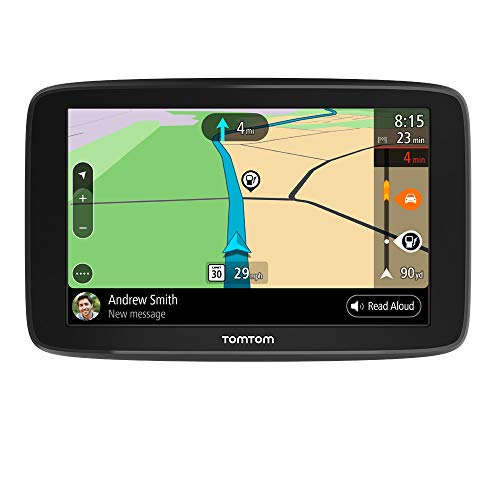
TomTom GO Discover
Predicting congestion rather than only reporting it has long been TomTom’s strongest card, which matters most on daily commutes through cities. A fast processor, bright screen and world map downloads over wifi pair with that traffic service on the GO Discover. Some features depend on an ongoing subscription after the included period, worth factoring in before buying.
Pros
- Best in class traffic prediction
- Wifi updates with no computer needed
- Crisp responsive interface
Cons
- Some services need a subscription later
- Fewer points of interest than Garmin in some regions

Garmin DriveSmart 66
Connected features match the larger 76 model here, just on a six inch screen that fits more windscreens without feeling cramped. Voice control, live traffic through the app and Garmin’s driver alerts all carry over. Anyone who finds the seven inch unit blocks too much of the view should look at this model instead.
Pros
- Good compromise between screen size and view
- Same connected features as the larger model
- Free map updates
Cons
- Still needs a phone for traffic
- Suction mount can slip in heat

Garmin dezl OTR700
Vehicle height, weight and length feed directly into routing on this unit, which matters for anything that will not clear a low bridge. Truck specific points of interest such as weigh stations and truck stops come built in, alongside load and break planning tools. A family hatchback gains nothing from this, but large vehicles need it.
Pros
- Routes around low bridges and weight limits
- Truck specific points of interest
- Large clear display
Cons
- Unnecessary features for regular cars
- Higher cost than standard car units

Garmin RV 895
Campground directories, propane restriction awareness and routing tuned to a motorhome or towed caravan’s dimensions all come purpose built into this unit. An eight inch screen, the largest in this group, suits a high dashboard. Value here depends entirely on the vehicle being driven, much like the dezl.
Pros
- Largest screen in this group
- Campground and RV services built in
- Routing aware of vehicle dimensions
Cons
- Very large for a standard windscreen
- Premium price for niche features
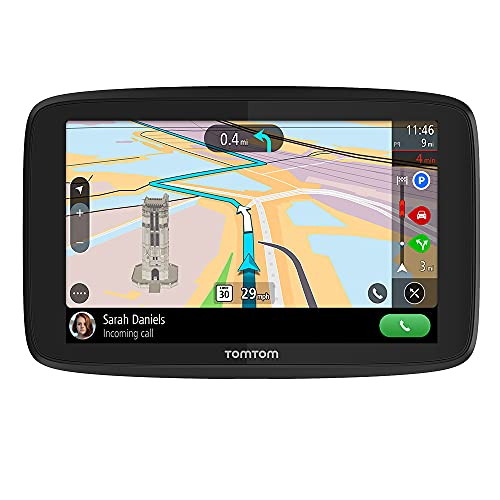
TomTom GO Supreme
World map coverage and wifi updating suit drivers who cross borders or rent cars abroad without wanting roaming data charges. Traffic and speed camera services come included for a period after purchase. Interface responsiveness holds up well, though the mount design trails Garmin’s magnetic options.
Pros
- Broad international map coverage
- No roaming data needed for navigation
- Simple wifi map updates
Cons
- Mount design is less secure than rivals
- Service renewals add ongoing cost
Compared at a glance
| # | Model | Screen | Best for | Score | Price |
|---|---|---|---|---|---|
| 1 | Garmin DriveSmart 76 | 7 inch capacitive touchscreen | Best overall | 9.4 | Check price |
| 2 | Garmin Drive 53 | 5 inch touchscreen | Best value | 9.2 | Check price |
| 3 | TomTom GO Discover | 6 or 7 inch high resolution | Best traffic routing | 9.0 | Check price |
| 4 | Garmin DriveSmart 66 | 6 inch capacitive touchscreen | Best mid size screen | 8.8 | Check price |
| 5 | Garmin dezl OTR700 | 7 inch touchscreen | Best for trucks and RVs | 8.5 | Check price |
| 6 | Garmin RV 895 | 8 inch touchscreen | Best for motorhomes | 8.2 | Check price |
| 7 | TomTom GO Supreme | 5 or 6 inch touchscreen | Best for international travel | 8.0 | Check price |
Frequently asked questions
Is a car GPS still worth buying?
Yes for anyone driving in areas with unreliable mobile coverage, traveling internationally without a data plan, or wanting navigation that will not drain a phone battery or get interrupted by calls.
Do car GPS units need a subscription?
Free lifetime map updates come with the Garmin models listed here. TomTom includes traffic and camera services for an initial period, after which some features need renewal.
Which car GPS has the best traffic?
TomTom GO Discover leads on traffic since its service predicts congestion rather than only reporting it. Garmin’s connected units still provide capable live traffic through a paired smartphone.
What screen size should I choose for a car GPS?
Five inches suits small windscreens and city driving, six inches strikes a balance, and seven or eight inches suits long distance driving and larger vehicles where legibility matters most.
How often should I update car GPS maps?
Two or three times a year covers most drivers. Wifi updating makes this painless on newer units, while older devices require connecting to a computer.
Can a car GPS route around low bridges?
Only vehicle specific models handle this. The Garmin dezl OTR700 and Garmin RV 895 accept height, weight and length and route accordingly, unlike standard car units.
Will a car GPS work without any mobile signal?
Yes for navigation, since maps and routing run entirely on the device using satellite positioning. Live traffic and weather are the only features that need a connection.
Are suction mounts reliable for a car GPS?
They work but can release in extreme heat or cold. Cleaning the glass thoroughly before mounting helps, and a dash friction mount or vent clip solves repeated falls.
Garmin or TomTom: which brand is better for road trips?
Garmin tends to lead on map update policy and voice guidance clarity, while TomTom tends to lead on traffic prediction. Frequency of congested commuting versus long rural trips should decide between them.
Do truck and RV GPS units work for regular cars too?
Technically yes, but the height and weight based routing and truck stop points of interest add cost without benefit for a standard car. A regular DriveSmart or Drive model suits everyday driving better.
The verdict
The Garmin DriveSmart 76 remains the car GPS to choose for most drivers, since its large screen, free map updates and connected traffic cover both long trips and daily driving. The Garmin Drive 53 does the core job for far less when traffic data matters little, and the TomTom GO Discover suits congested commutes best. Anyone driving a truck, motorhome or caravan should go straight to the vehicle specific dezl or RV models instead.
Tony Russo
Tony trained as an automotive technician and spent years in service and parts retail before moving into writing. He focuses on garage tools, car care products and accessories from a hands-on maintenance perspective.